


















DataChef Features

Easy and Free
Unlimited conversions for free.
No technical knowledge required.
Intuitive and user-friendly operation.
No technical knowledge required.
Intuitive and user-friendly operation.

No Registration Required
Available immediately after access.
Can be used without registering personal information.
Can be used without registering personal information.

Safe and Secure
Fully SSL encrypted communication.
Automatic file deletion by clicking "download".
Automatic file deletion by clicking "download".

Fast
High-speed site access
and rapid file conversion.
and rapid file conversion.

No Watermark
No watermark.
No attribution required.
No attribution required.

Commercial Use Available
Free for commercial use.
No need to contact us for commercial use permission.
No need to contact us for commercial use permission.
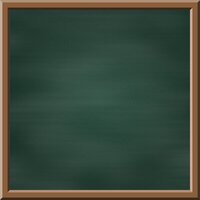
Classic green chalkboard (with wooden frame)

Black chalkboard (for chalk art)

Deep teal (no chalk smudges)

This page lets you create a chalkboard background image — like the ones in a school classroom — for free.
No upload is needed: just choose your settings and press "GENERATE", and a realistic chalkboard image, complete with a faint dusting of chalk, is created on the spot for free use.
Use it instead of hunting for free chalkboard stock: as a background for lesson-style slides and teaching presentations, a base for YouTube thumbnails, a foundation for chalk-art-style cafe or bar menu boards, or an announcement image for school festivals and open days.
For "Board Color", choose the classic dark green, the black that chalk art often uses, or a calm deep teal. You can also pick any color you like with the color picker, so a brown chalkboard or a navy board to match your shop's mood is just as easy.
The "Chalk Smudges" slider controls how strong the whitish streaks left after wiping with an eraser look. Set it to the left for a clean, brand-new board, or to the right for the well-worn feel of a classroom chalkboard.
For "Image Size", choose Full HD (1920x1080) for YouTube thumbnails and slides, a square for social media, A4 landscape for printing, or a smartphone wallpaper size — or set the width and height yourself in pixels.
Tick "Add a wooden frame" to wrap the board in a brown wooden frame, giving it the look of a chalkboard hung on a wall or a cafe menu board.
It suits a wide range of uses, from designers building a base for restaurant menu images to teachers and tutors creating backgrounds for lesson slides and teaching materials.
The maximum size is 5120px for both width and height. The output format is PNG.
Classic green chalkboard (with wooden frame)
Black chalkboard (for chalk art)
Deep teal (no chalk smudges)
Related Features

Drawing Paper Texture Generator
Generate a background image that looks like drawing paper, in the color and size you choose. Pick a color from the palette or enter an HTML color code or RGBA value.

Solid Color Background Image Generator
Create a solid, single-color image at any size you choose. You can also make fully transparent or translucent images.

Gradient Background Image Generator
Create a two-color gradient image (linear, cylindrical, or radial) at any size you choose.

Ad 

