Enter time 1 and time 2 in days, hours, minutes and seconds. You get both the sum (time 1 + time 2) and the difference (time 1 − time 2) at once.
Table of Contents
-
What you can do on this page
-
What is this calculation used for?
-
How to Use
-
Formula
-
Symbols and terms
-
Good to know before you start
-
How to calculate it in Excel
-
How to calculate it in Google Sheets
-
How to calculate it in Python
-
How to write it in LaTeX and other math languages (copy and paste)
-
How to have ChatGPT do the calculation
-
DataChef Features
-
Related Features
-
NumberChef Calculators List
What you can do on this page
- Add or subtract two lengths of time given in days, hours, minutes and seconds, such as "1 day 2 hours 30 minutes + 23 hours 45 minutes 10 seconds"
- The sum (time 1 + time 2) and the difference (time 1 − time 2) are calculated and shown together
- Carrying and borrowing at 60 seconds = 1 minute, 60 minutes = 1 hour and 24 hours = 1 day are done for you, and the steps in seconds are shown too
- When a subtraction comes out negative, the result is shown clearly, as in "−1 day 2 hours"
- A plain-language explanation of the formulas and copy-and-paste formulas for Excel, Google Sheets and Python are all on this page
What is this calculation used for?
If you work 8 hours 45 minutes on Monday and 7 hours 50 minutes on Tuesday, the total for the two days is 16 hours 35 minutes (minutes: 45 + 50 = 95, which carries to 1 hour 35 minutes; hours: 8 + 7 + 1 = 16).
Payroll and time tracking add up each day's hours like this, and in the US, hours over 40 in a week are usually paid as overtime. Adding and subtracting time goes straight into everyone's paycheck.
If your marathon time this year is 3:28:50 and last year's was 3:45:30, you improved by 16 minutes 40 seconds (3:45:30 − 3:28:50 = 0:16:40).
In timed sports such as running, swimming and cycling, athletes calculate the gap to their personal best, or to a rival, down to the second to check their progress and pacing.
Watching a 1 hour 48 minute movie and a 2 hour 15 minute movie back to back takes 4 hours 3 minutes in total (minutes: 48 + 15 = 63, which carries over).
Adding up the lengths of clips in video editing, or estimating how long a playlist or a set of meeting recordings runs, is exactly this kind of time addition.
A dish with 30 minutes of prep and 1 hour 45 minutes of simmering takes 2 hours 15 minutes in total from the start.
Adding up the time for each step tells you how long the whole thing takes, and subtracting it from mealtime tells you when to start. The same calculation helps you plan the steps of any job.
If your sleep goal is 7 hours and you actually slept 5 hours 30 minutes, you are 1 hour 30 minutes short.
Sleep tracking apps find "the gap from your goal" with this same subtraction. Seeing the shortfall as a number makes it easier to decide "I should go to bed early tonight".
Formula
Symbols and terms
Symbols
| \(T_1\), \(T_2\) | T sub 1, T sub 2 | The two times (lengths of time) you calculate with: time 1 (\(T_1\)) and time 2 (\(T_2\)). (Example - \(T_1\) = 1 day 2 hours 30 minutes, \(T_2\) = 23 hours 45 minutes 10 seconds) |
| \(S\) | S | The sum of the two times (time 1 + time 2), from the first letter of "sum". |
| \(D\) | D (capital) | The difference of the two times (time 1 − time 2), from the first letter of "difference". Do not confuse it with lowercase \(d\) (days). |
| \(d\), \(h\), \(m\), \(s\) | d, h, m, s | The parts of a time: days (\(d\)), hours (\(h\)), minutes (\(m\)) and seconds (\(s\)). For "1 day 2 hours 30 minutes", \(d = 1\), \(h = 2\), \(m = 30\) and \(s = 0\). They are the first letters of day, hour, minute and second. |
| \(T\) | T (capital) | A time written in seconds. Found with \(T = 86400d + 3600h + 60m + s\). (Example - 1 day 2 hours 30 minutes → 95400 seconds) |
| \(q\), \(r\) | q, r | When a time in seconds is divided by 86400, the quotient (the days \(q\)) and the remainder (the seconds left over \(r\)). For \(180910 \div 86400 = 2\) remainder \(8110\), \(q = 2\) and \(r = 8110\). |
Terms
| time of day | A point in time, such as 8:30. It is different from a length of time, such as 2 hours 30 minutes. For calculations with a time of day ("What time will it be in 5 hours?"), use the date and time calculator among the related pages. |
| duration | A length of time, such as 2 hours 30 minutes. It is different from a time of day, such as 8:30. This page adds and subtracts durations. |
| base 60 | A way of counting where 60 makes one of the next larger unit (also called sexagesimal). 60 seconds carry to 1 minute, and 60 minutes carry to 1 hour. Note that between hours and days, you carry at 24 instead. |
| carrying | In addition, moving the part that goes past the limit of a unit into the next larger unit (30 minutes + 45 minutes = 75 minutes → 1 hour 15 minutes). With time, you carry at 60 or 24. |
| borrowing | In subtraction, taking what you are short from the next larger unit (1 hour 15 minutes − 30 minutes → 75 minutes − 30 minutes = 45 minutes). With time, you borrow 60 or 24. |
| quotient | The answer to "how many times does it fit?" in a division. For \(180910 \div 86400 = 2\) remainder \(8110\), the quotient is \(2\), which is the number of days. |
| remainder | What is left over when a division does not come out even. For \(180910 \div 86400 = 2\) remainder \(8110\), the remainder is \(8110\), the seconds left over that do not make a full day. |
| absolute value | The size of a number without its sign (plus or minus). The absolute value of −93784 seconds is 93784 seconds. To split a negative time into days, hours, minutes and seconds, split the absolute value and then put a minus sign in front. |
Good to know before you start
Here is what helps you use the calculation on this page with real understanding, not just by pressing the button.
If you get stuck, going back over these topics is the quickest way forward.
| Time of day and elapsed time (Grades 2–3) |
|
| Adding and subtracting with regrouping (Grade 2) |
|
| Division with remainders (Grade 4) |
|
| Positive and negative numbers (Grades 6–7) |
|
How to calculate it in Excel
| Time 1: days | 1 |
| Time 1: hours | 2 |
| Time 1: minutes | 30 |
| Time 1: seconds | 0 |
| Time 2: days | 0 |
| Time 2: hours | 23 |
| Time 2: minutes | 45 |
| Time 2: seconds | 10 |
| Time 1 in seconds | =B1*86400+B2*3600+B3*60+B4 |
| Time 2 in seconds | =B5*86400+B6*3600+B7*60+B8 |
| Sum (seconds) | =B9+B10 |
| Difference (seconds) | =B9-B10 |
| Sum: days | =QUOTIENT(B11,86400) |
| Sum: hours | =QUOTIENT(MOD(B11,86400),3600) |
| Sum: minutes | =QUOTIENT(MOD(B11,3600),60) |
| Sum: seconds | =MOD(B11,60) |
| Difference: days | =QUOTIENT(ABS(B12),86400) |
| Difference: hours | =QUOTIENT(MOD(ABS(B12),86400),3600) |
| Difference: minutes | =QUOTIENT(MOD(ABS(B12),3600),60) |
| Difference: seconds | =MOD(ABS(B12),60) |
| Days | 1 |
| Hours | 2 |
| Minutes | 30 |
| Seconds | 0 |
| Time in seconds | =B1*86400+B2*3600+B3*60+B4 |
| Time in seconds | 180910 |
| Days | =QUOTIENT(B1,86400) |
| Hours | =QUOTIENT(MOD(B1,86400),3600) |
| Minutes | =QUOTIENT(MOD(B1,3600),60) |
| Seconds | =MOD(B1,60) |
The split of the difference uses ABS (absolute value). When B12 is negative, B17 to B20 show the parts without the sign, so look at the sign of B12 and read the result with a minus sign in front.
The second table gives 95400 (seconds), and the third gives 2 days, 2 hours, 15 minutes and 10 seconds. Just replace column B with your own numbers.
How to calculate it in Google Sheets
| Time 1: days | 1 |
| Time 1: hours | 2 |
| Time 1: minutes | 30 |
| Time 1: seconds | 0 |
| Time 2: days | 0 |
| Time 2: hours | 23 |
| Time 2: minutes | 45 |
| Time 2: seconds | 10 |
| Time 1 in seconds | =B1*86400+B2*3600+B3*60+B4 |
| Time 2 in seconds | =B5*86400+B6*3600+B7*60+B8 |
| Sum (seconds) | =B9+B10 |
| Difference (seconds) | =B9-B10 |
| Sum: days | =QUOTIENT(B11,86400) |
| Sum: hours | =QUOTIENT(MOD(B11,86400),3600) |
| Sum: minutes | =QUOTIENT(MOD(B11,3600),60) |
| Sum: seconds | =MOD(B11,60) |
| Difference: days | =QUOTIENT(ABS(B12),86400) |
| Difference: hours | =QUOTIENT(MOD(ABS(B12),86400),3600) |
| Difference: minutes | =QUOTIENT(MOD(ABS(B12),3600),60) |
| Difference: seconds | =MOD(ABS(B12),60) |
| Days | 1 |
| Hours | 2 |
| Minutes | 30 |
| Seconds | 0 |
| Time in seconds | =B1*86400+B2*3600+B3*60+B4 |
| Time in seconds | 180910 |
| Days | =QUOTIENT(B1,86400) |
| Hours | =QUOTIENT(MOD(B1,86400),3600) |
| Minutes | =QUOTIENT(MOD(B1,3600),60) |
| Seconds | =MOD(B1,60) |
How to calculate it in Python
# Time 1 and time 2 (days, hours, minutes, seconds)
days1, hours1, minutes1, seconds1 = 1, 2, 30, 0
days2, hours2, minutes2, seconds2 = 0, 23, 45, 10

total_seconds1 = days1 * 86400 + hours1 * 3600 + minutes1 * 60 + seconds1
total_seconds2 = days2 * 86400 + hours2 * 3600 + minutes2 * 60 + seconds2
sum_seconds = total_seconds1 + total_seconds2    # sum (seconds)
diff_seconds = total_seconds1 - total_seconds2   # difference (seconds)

def format_duration(total_seconds):
    # Turn seconds back into "2 days 2 hours 15 minutes 10 seconds" (units that are 0 are left out; a single minus sign in front)
    if total_seconds == 0:
        return "0 seconds"
    sign = "−" if total_seconds < 0 else ""
    rest = abs(total_seconds)
    days, rest = divmod(rest, 86400)
    hours, rest = divmod(rest, 3600)
    minutes, seconds = divmod(rest, 60)
    parts = []
    if days: parts.append(f"{days} day{'s' if days != 1 else ''}")
    if hours: parts.append(f"{hours} hour{'s' if hours != 1 else ''}")
    if minutes: parts.append(f"{minutes} minute{'s' if minutes != 1 else ''}")
    if seconds: parts.append(f"{seconds} second{'s' if seconds != 1 else ''}")
    return sign + " ".join(parts)

print(f"Time 1: {total_seconds1} seconds, time 2: {total_seconds2} seconds")
print(f"Sum: {format_duration(sum_seconds)} ({sum_seconds} seconds)")
print(f"Difference: {format_duration(diff_seconds)} ({diff_seconds} seconds)")
How to write it in LaTeX and other math languages (copy and paste)
S = T₁ + T₂, D = T₁ − T₂
S = T_1 + T_2, \quad D = T_1 - T_2
<math xmlns="http://www.w3.org/1998/Math/MathML" display="block">
<mrow>
<mi>S</mi><mo>=</mo>
<msub><mi>T</mi><mn>1</mn></msub><mo>+</mo>
<msub><mi>T</mi><mn>2</mn></msub>
<mo>,</mo><mspace width="0.7em"/>
<mi>D</mi><mo>=</mo>
<msub><mi>T</mi><mn>1</mn></msub><mo>−</mo>
<msub><mi>T</mi><mn>2</mn></msub>
</mrow>
</math>
S = T_1 + T_2, D = T_1 - T_2
sum = t1 + t2; difference = t1 - t2
S := T1 + T2; difference := T1 - T2;
S = T1 + T2; D = T1 - T2;
S = T_1 + T_2, D = T_1 - T_2
T = 86400d + 3600h + 60m + s
T = 86400d + 3600h + 60m + s
<math xmlns="http://www.w3.org/1998/Math/MathML" display="block">
  <mrow>
    <mi>T</mi><mo>=</mo>
    <mn>86400</mn><mi>d</mi>
    <mo>+</mo><mn>3600</mn><mi>h</mi>
    <mo>+</mo><mn>60</mn><mi>m</mi>
    <mo>+</mo><mi>s</mi>
  </mrow>
</math>
T = 86400d + 3600h + 60m + s
totalSeconds = 86400*d + 3600*h + 60*m + s
T := 86400*d + 3600*h + 60*m + s;
T = 86400*d + 3600*h + 60*m + s;
T = 86400d + 3600h + 60m + s
T = 86400q + r
T = 86400q + r
<math xmlns="http://www.w3.org/1998/Math/MathML" display="block">
  <mrow>
    <mi>T</mi><mo>=</mo>
    <mn>86400</mn><mi>q</mi>
    <mo>+</mo><mi>r</mi>
  </mrow>
</math>
T = 86400q + r
q = Quotient[t, 86400]; r = Mod[t, 86400]
q := iquo(T, 86400); r := irem(T, 86400);
q = floor(T/86400); r = mod(T, 86400);
T = 86400q + r
How to have ChatGPT do the calculation
You are a time calculation assistant. Do the following calculation by actually running Python code, and base your answer only on the numbers from the execution result (do not answer by mental math or guessing).

For time 1 "1 day 2 hours 30 minutes 0 seconds" and time 2 "0 days 23 hours 45 minutes 10 seconds", find the sum (time 1 + time 2) and the difference (time 1 − time 2).
Put each into seconds before adding and subtracting, then turn the results back into the form "X days Y hours Z minutes W seconds", carrying at 60 seconds = 1 minute, 60 minutes = 1 hour and 24 hours = 1 day. If the difference is negative, split its absolute value and put a minus sign in front.

Show the code you used, the values in seconds along the way, and the final results.
How to Use
-
1Enter your numbersType the numbers you want to calculate with into the input fields
-
2CalculatePress the "Calculate" button
-
3Check the resultThe result appears on the spot. The same page also explains the idea behind the calculation and the formula
DataChef Features

No technical knowledge required.
Intuitive and user-friendly operation.

Can be used without registering personal information.

Automatic file deletion by clicking "download".

and rapid file conversion.

No attribution required.

No need to contact us for commercial use permission.
Related Features
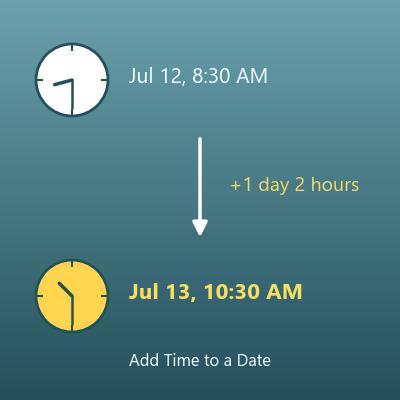
Date and Time Calculator (Add or Subtract Hours, Minutes and Seconds)
Adds or subtracts days, hours, minutes and seconds to a calendar date and time, and shows the result with the weekday
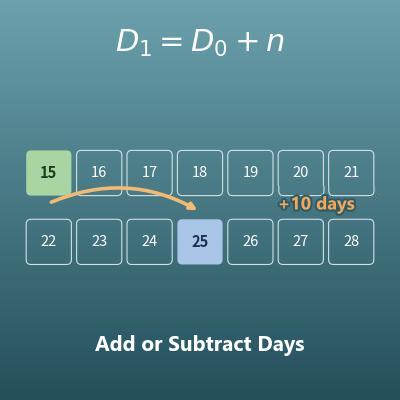
Date Calculator (Add or Subtract Days, Weeks, Months and Years)
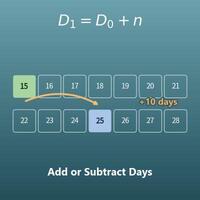
Adds years, months, weeks and days to a start date, or subtracts them
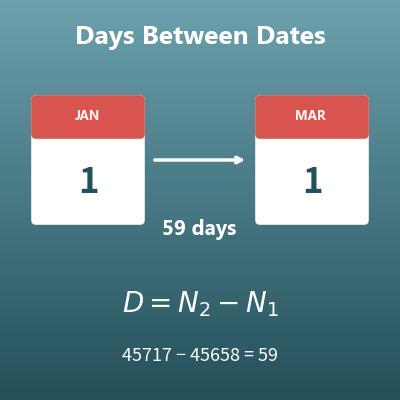
Days Between Dates Calculator (Day Counter)
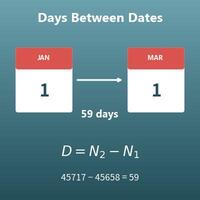
Finds how many days there are between two dates
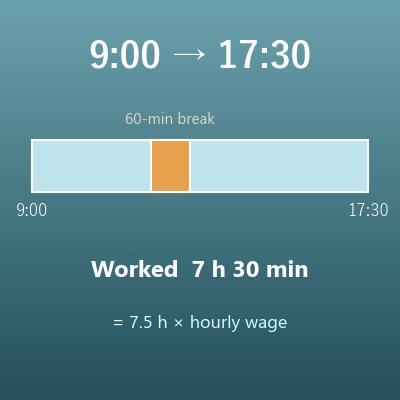
Work Hours Calculator (Hours Between Two Times, Minus Breaks)
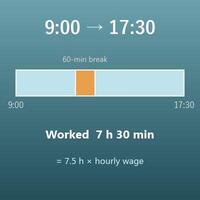
From start and end times, finds the total time, the hours actually worked and decimal hours for payroll