Enter the measured value (the value you actually got in an experiment or measurement) and the true value (the value accepted as correct), and press "Calculate". The percent error, error, absolute error and relative error are calculated together.
Table of Contents
-
What you can do on this page
-
What is this calculation used for?
-
How to Use
-
Formulas and figures
-
Symbols and terms
-
Good to know before you start
-
How to calculate it in Excel
-
How to calculate it in Google Sheets
-
How to calculate it in Python
-
How to write it in LaTeX and other math languages (copy and paste)
-
How to have ChatGPT do the calculation
-
DataChef Features
-
Related Features
-
NumberChef Calculators List
What you can do on this page
- Enter just two values, the measured value and the true value, and get all four results at once - percent error, error, absolute error and relative error
- Use it as is to check the accuracy of a science experiment or measurement, such as "I measured the boiling point of water as 98.6 °C. How many percent off is that from the true value of 100 °C?"
- The percent error is shown with a sign. A plus shows at a glance that you measured higher than the true value, and a minus that you measured lower
- Along with the result, a graph shows where the gap (the error) between the measured value and the true value lies
- A plain-language explanation of the formulas and copy-and-paste formulas for Excel, Google Sheets and Python are all on this page
What is this calculation used for?
You measure the boiling point of water as 98.6 °C. Compared with the true value of 100 °C, the percent error is \((98.6 - 100) \div 100 \times 100 = -1.4\%\) (1.4% lower).
In a middle or high school lab report, going beyond the raw result to discuss how many percent you were off and why makes a big difference to your grade. Percent error is the standard lab report calculation that starts that discussion.
A part is designed to be 2.000 in long and measures 1.996 in. With the design value as the reference, the percent error is \((1.996 - 2.000) \div 2.000 \times 100 = -0.2\%\).
Factories inspect parts against a tolerance, such as "pass if within some percent (or some thousandths of an inch) of the design value". Tracking errors as percents lets you compare the precision of parts of different sizes on the same scale (in this example the design value takes the place of the true value).
If you forecast "we will sell 110 units next month" and actually sell 100, the forecast's percent error against the actual result is \((110 - 100) \div 100 \times 100 = +10\%\) (10% too high).
In retail and manufacturing, teams check the percent error between forecast and actual every month to improve how they forecast. A run of pluses tends to leave extra stock, and a run of minuses tends to lead to running out. Because the percent error has a sign, it even shows the habit behind your estimates.
If you put a 100 g calibration weight on a kitchen scale and it reads 99 g, the percent error is \((99 - 100) \div 100 \times 100 = -1\%\).
Measuring something whose correct value you know tells you how far you can trust the tool. Comparing your result with the tool's stated accuracy (for example, ±1%) is a useful check for lab prep, cooking and health tracking.
You estimate the items in your cart at "about $15" in your head, and the actual total at checkout is $14.80. The percent error is \((15 - 14.80) \div 14.80 \times 100 \approx +1.35\%\).
In estimation and Fermi problem practice, you measure your skill by how many percent you were off. Once your percent error stays within a few percent, that sense for numbers pays off in many places, from work estimates to managing a household budget.
Formulas and figures
Symbols and terms
Symbols
| \(A\) | A | The measured value, the value you actually got in an experiment or measurement. It is the 98.6 °C in "I measured the boiling point of water as 98.6 °C". |
| \(T\) | T | The true value, the value accepted as correct, such as a theoretical value or a value from a reference book. It is the 100 °C in "water boils at 100 °C at 1 atm". |
| \(A - T\) | A minus T | The error. It shows how far the measured value is from the true value, with a sign and in the real units. A minus shows that you measured lower than the true value. |
| \(E\) | E | The percent error: the error divided by the true value, multiplied by 100 and written as a percent. On this page it has a sign, and \(-1.4\) says "1.4% lower than the true value". |
| \(D\) | D | The absolute error, the absolute value of the error (|measured value − true value|). It shows only the size of the gap, in the real units, whatever its direction. |
| \(R\) | R | The relative error, the absolute error divided by the size of the true value. It is a rate with no units. Multiply it by 100 to get the size of the percent error (0.014 → 1.4%). |
| \(|\ |\) | absolute value bars | The absolute value sign. It gives the size of the number inside with its sign removed. Example - \(|-1.4| = 1.4\) and \(|1.4| = 1.4\). |
| \(\%\) | percent | The percent sign. It shows how many out of 100. The word comes from the Latin per centum, "for each hundred". |
Terms
| error | The gap between the measured value and the true value. In science it is normally defined as "error = measured value − true value". No instrument, however precise, can bring the error all the way to 0, so estimating the size of the error is an important part of measuring. |
| true value (accepted value) | The value a quantity really has. In real measurements the true value itself is often unknown, so a theoretical value, a value from an official reference or a value from a more precise measurement is used in its place to judge the error. US textbooks often call it the accepted value or the theoretical value. |
| measured value (observed value) | The value you actually got in an experiment, observation or measurement. It is also called the observed value or the experimental value. |
| percent error | How many percent of the true value the error is. It is also called the percentage error. Written with a sign it also shows the direction of the gap; written as an absolute value it shows only the size. |
| absolute error | The absolute value of the error. It shows the size of the gap in the real units such as °C, grams or inches. Keep in mind that you cannot judge a measurement without comparing this with the size of the true value. |
| relative error | The absolute error divided by the size of the true value. It has no units, so it lets you compare the accuracy of different kinds of measurements (such as temperature and weight). Multiply it by 100 to show it as a percent (the size of the percent error). |
| absolute value | The distance from 0 on the number line. For a negative number, it is the number with the minus sign removed (example - \(|-1.4| = 1.4\)). It is taught in Grade 6 in US schools. |
| percent | A rate written with the base counted as 100. The sign is %. Multiply a decimal rate by 100 to get the percent (0.014 → 1.4%). |
Good to know before you start
Here is what helps you use the calculation on this page with real understanding, not just by pressing the button.
If you get stuck, going back over these topics is the quickest way forward.
| Rates and percents (Grade 6) |
|
| Positive and negative numbers (Grades 6–7) |
|
| Absolute value (Grade 6) |
|
| Multiplying and dividing decimals (Grades 5–6) |
|
How to calculate it in Excel
| Measured value | 98.6 |
| True value | 100 |
| Percent error (%) | =(B1-B2)/B2*100 |
| Measured value | 98.6 |
| True value | 100 |
| Absolute error | =ABS(B1-B2) |
| Measured value | 98.6 |
| True value | 100 |
| Relative error | =ABS(B1-B2)/ABS(B2) |
"B1" and "B2" in a formula tell Excel to use the number in that cell. "*" is multiplication, "/" is division and "ABS( )" is the absolute value function (it removes a minus sign).
For example, B3 shows -1.4 in the first table (1.4% lower than the true value), 1.4 in the second and 0.014 in the third. Just replace B1 and B2 with your own numbers.
How to calculate it in Google Sheets
| Measured value | 98.6 |
| True value | 100 |
| Percent error (%) | =(B1-B2)/B2*100 |
| Measured value | 98.6 |
| True value | 100 |
| Absolute error | =ABS(B1-B2) |
| Measured value | 98.6 |
| True value | 100 |
| Relative error | =ABS(B1-B2)/ABS(B2) |
How to calculate it in Python
# Find the percent error, absolute error and relative error (length of a part: measured 48 mm, true 50 mm)
observed = 48      # measured value
true_value = 50    # true value
error = observed - true_value                        # error (with sign)
percent_error = error / true_value * 100             # percent error (%, with sign)
absolute_error = abs(error)                          # absolute error
relative_error = abs(error) / abs(true_value)        # relative error
print(f"Error = {error}")
print(f"Percent error = {percent_error}%")
print(f"Absolute error = {absolute_error}")
print(f"Relative error = {relative_error}")
How to write it in LaTeX and other math languages (copy and paste)
E = (A − T) ÷ T × 100
E = \frac{A - T}{T} \times 100
<math xmlns="http://www.w3.org/1998/Math/MathML" display="block">
<mrow>
<mi>E</mi>
<mo>=</mo>
<mfrac>
<mrow><mi>A</mi><mo>−</mo><mi>T</mi></mrow>
<mi>T</mi>
</mfrac>
<mo>×</mo>
<mn>100</mn>
</mrow>
</math>
E = (A - T)/T xx 100
(observed - truevalue)/truevalue*100
percenterror := (observed - truevalue)/truevalue*100;
percent_error = (observed - truevalue)/truevalue*100;
E = (A - T)/T × 100
D = |A − T|
D = \left| A - T \right|
<math xmlns="http://www.w3.org/1998/Math/MathML" display="block">
<mrow>
<mi>D</mi>
<mo>=</mo>
<mrow>
<mo>|</mo>
<mi>A</mi>
<mo>−</mo>
<mi>T</mi>
<mo>|</mo>
</mrow>
</mrow>
</math>
D = |A - T|
Abs[observed - truevalue]
abserror := abs(observed - truevalue);
abs_error = abs(observed - truevalue);
D = |A - T|
R = |A − T| ÷ |T|
R = \frac{\left| A - T \right|}{\left| T \right|}
<math xmlns="http://www.w3.org/1998/Math/MathML" display="block">
<mrow>
<mi>R</mi>
<mo>=</mo>
<mfrac>
<mrow>
<mo>|</mo>
<mi>A</mi>
<mo>−</mo>
<mi>T</mi>
<mo>|</mo>
</mrow>
<mrow>
<mo>|</mo>
<mi>T</mi>
<mo>|</mo>
</mrow>
</mfrac>
</mrow>
</math>
R = |A - T|/|T|
Abs[observed - truevalue]/Abs[truevalue]
relerror := abs(observed - truevalue)/abs(truevalue);
rel_error = abs(observed - truevalue)/abs(truevalue);
R = |A - T|/|T|
How to have ChatGPT do the calculation
You are a calculation assistant for percent error. Do the following calculations by actually running Python code, and base your answer only on the numbers from the execution result (do not answer by mental math or guessing). Find the percent error with its sign ((measured value − true value) ÷ true value × 100).

1. The percent error when the measured value is 98.6 and the true value is 100
2. The percent error, absolute error and relative error when the measured value is 10 and the true value is 11
3. The percent error when the measured value is 123.456 and the true value is 100

Show the formulas you used and the numbers from the execution result.
How to Use
-
1Enter your numbersType the numbers you want to calculate with into the input fields
-
2CalculatePress the "Calculate" button
-
3Check the resultThe result appears on the spot. The same page also explains the idea behind the calculation and the formula
DataChef Features

No technical knowledge required.
Intuitive and user-friendly operation.

Can be used without registering personal information.

Automatic file deletion by clicking "download".

and rapid file conversion.

No attribution required.

No need to contact us for commercial use permission.
Related Features
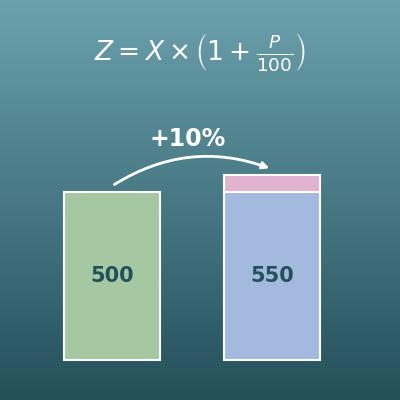
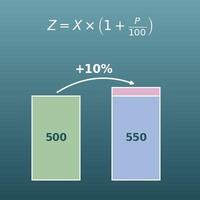
Percentage Change Calculator (Increase and Decrease)
Find the original value, the percent change or the new value from the other two

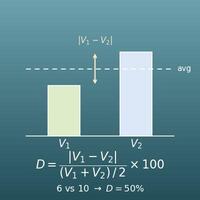
Percent Difference Calculator
Divide the difference between two values by their average and show it as a percent (for comparing when neither value is the reference)
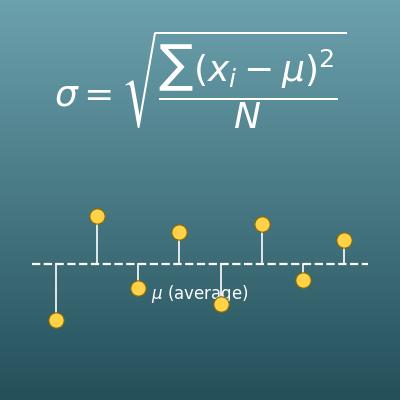
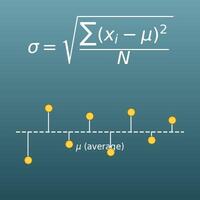
Standard Deviation Calculator for Population and Sample
Find how spread out data is (standard deviation and variance), with both the population and sample formulas