Enter which root you want (the index n) and the number under the root (a). The math expression below is linked to the input fields, so you can also edit the small index or the number under the root directly. An index of 2 gives the square root (√a), and 3 gives the cube root (∛a).
Table of Contents
-
What you can do on this page
-
What is this calculation used for?
-
How to Use
-
Formula
-
Symbols and terms
-
Good to know before you start
-
How to calculate it in Excel
-
How to calculate it in Google Sheets
-
How to calculate it in Python
-
How to write it in LaTeX and other math languages (copy and paste)
-
How to have ChatGPT do the calculation
-
DataChef Features
-
Related Features
-
NumberChef Calculators List
What you can do on this page
- Enter which root you want (the index \(n\)) and the number under the root (the radicand \(a\)). Square roots such as \(\sqrt{27}\), cube roots and any \(n\)th root are all found on this one page
- An index of 2 gives the square root (\(\sqrt{a}\)), and 3 gives the cube root (\(\sqrt[3]{a}\)). Decimal indexes such as 2.5 and negative indexes also work
- Odd roots of negative numbers, such as \(\sqrt[3]{-8} = -2\), are calculated as they are
- A plain-language explanation of the formulas and copy-and-paste formulas for Excel, Google Sheets and Python are all on this page
What is this calculation used for?
For a square garden bed with an area of 27 square feet, each side is \(\sqrt{27} \approx 5.2\) feet. For a cube-shaped box that holds 1 cubic foot (\(1{,}728\) cubic inches), each edge is \(\sqrt[3]{1728} = 12\) inches.
Going back from "the result of multiplying" to "the original length" is always a root. It comes up in gardening, storage and choosing a tank, whenever the area or the volume is decided first.
If an investment doubles in 10 years, by what percent did it grow each year? The answer is a 10th root: \(\sqrt[10]{2} \approx 1.0718\), so about 7.2% per year on average.
Fund reports and company revenue growth (CAGR, the compound annual growth rate) are calculated exactly this way, as "the \(n\)th root of the growth over \(n\) years". It lets you check compound growth for yourself and ties directly to money decisions.
Most of the world uses A-series paper (A3, A4, A5, ...), where the long side is \(\sqrt{2}\) (about 1.414) times the short side. With this ratio, folding a sheet in half gives exactly the same shape, so enlarging or reducing a copy fits perfectly.
US Letter paper (8.5 × 11 in) does not work this way. Its ratio is about 1.29, but half a sheet (5.5 × 8.5 in) has a ratio of about 1.55. Only the ratio \(\sqrt{2}\), "the number whose square is 2", keeps the shape the same.
A note one octave higher has exactly twice the frequency. Modern instruments split that octave evenly into 12 half steps, so each half step up multiplies the frequency by \(\sqrt[12]{2} \approx 1.0595\) (twelve-tone equal temperament).
Piano tuning and synthesizer sound design both use this "12th root of 2". One step of the key-change button on a karaoke machine is this same ratio in frequency.
The standard deviation, used to analyze test scores and in factory quality control, is calculated as "the square root of the variance (the average of the squared deviations)". If the variance is 9 points², the standard deviation is \(\sqrt{9} = 3\) points.
A square root is needed to bring a squared quantity back to the original unit. This calculation runs wherever statistics are used, from the margin of error in polls to the tolerance of a product.
Formula
Symbols and terms
Symbols
| \(\sqrt{a}\) | square root of a | The square root of \(a\) (the number, 0 or greater, whose square is \(a\)). By convention the small 2 at the upper left of the radical sign is left out. (Example - \(\sqrt{27} \approx 5.196\)) |
| \(\sqrt[3]{a}\) | cube root of a | The number that gives \(a\) when cubed. (Example - \(\sqrt[3]{27} = 3\), \(\sqrt[3]{-8} = -2\)) |
| \(\sqrt[n]{a}\) | nth root of a | The number that gives \(a\) when raised to the power \(n\). The small \(n\) at the upper left of the radical sign is the index (which root it is). |
| \(a^{1/n}\) | a to the power 1 over n | The same value as \(\sqrt[n]{a}\), written as an exponent. Calculators and programming languages use this form. |
| \(b'\) | b prime | The "new estimate" in the repeat-by-hand method. The prime mark shows that it is \(b\) improved by one step. |
Terms
| power (exponentiation) | Multiplying the same number by itself several times. In \(2^3 = 2 \times 2 \times 2 = 8\), the small number at the upper right (the exponent) tells how many times. |
| nth root (radical) | The number that gives \(a\) when raised to the power \(n\) (\(\sqrt[n]{a}\)). It is the general name for square roots, cube roots and higher roots, and it is exactly the reverse of raising to a power. |
| square root | A number whose square is \(a\). A positive number has two square roots, \(+\sqrt{a}\) and \(-\sqrt{a}\), and the radical sign \(\sqrt{a}\) means the positive one. Taught in Grade 8. |
| cube root | A number that gives \(a\) when cubed (\(\sqrt[3]{a}\)). It comes up when you find the edge length of a cube from its volume. |
| index | The number \(n\) that tells which root it is. It is written small at the upper left of the radical sign. Index 2 is the square root and index 3 is the cube root. |
| exponent | The small number at the upper right of a number that tells how many times to multiply. If we allow the fraction \(\frac{1}{n}\) as an exponent, a root can be written as a power (\(a^{1/n}\)). |
| radicand | The number under the radical sign, \(a\) in \(\sqrt[n]{a}\). On this page it is called "the number under the root". |
| principal square root | The square root that is 0 or positive. The radical sign \(\sqrt{a}\) always means the principal square root, so \(\sqrt{9} = 3\), not \(-3\). |
| irrational number | A number that cannot be written as a fraction, like \(\sqrt{2} = 1.41421356\ldots\) (its decimal goes on forever without repeating). A root that does not come out exactly is an irrational number. |
| Newton's method | A method that gets closer and closer to the answer of an equation by improving an estimate with a formula, again and again. It is the basis of how computers quickly find square roots and other roots. |
Good to know before you start
Here is what helps you use the calculation on this page with real understanding, not just by pressing the button.
| Powers and exponents (Grade 6 and up) |
|
| Square roots (Grade 8) |
|
| Multiplying negative numbers (Grade 7) |
|
| Multiplying decimals (Grade 5) |
|
How to calculate it in Excel
| Number under the root a | 27 |
| Square root √a | =SQRT(B1) |
| Number under the root a | 27 |
| Cube root | =B1^(1/3) |
| Index n (which root) | 8 |
| Number under the root a | 15 |
| nth root | =B2^(1/B1) |
SQRT is a function for square roots only. For cube roots and other roots, use "^(1/n)" (the power 1/n). "^" is the symbol for raising to a power.
Note: If the number under the root is negative, Excel gives an error (#NUM!) even with "^(1/3)". For an odd root of a negative number, take the sign off first, as in "=-((-B1)^(1/3))". (Excel applies the minus sign before the power, so if you leave out the outer parentheses you still get the error.)
How to calculate it in Google Sheets
| Number under the root a | 27 |
| Square root √a | =SQRT(B1) |
| Number under the root a | 27 |
| Cube root | =B1^(1/3) |
| Index n (which root) | 8 |
| Number under the root a | 15 |
| nth root | =B2^(1/B1) |
Google Sheets also gives an error if the number under the root is negative. For an odd root of a negative number, take the sign off first, as in "=-((-B1)^(1/3))". (The minus sign is applied before the power, so if you leave out the outer parentheses you still get the error.)
How to calculate it in Python
number = 27   # number under the root, a
degree = 3    # which root (index n)

root = number ** (1 / degree)   # nth root = a to the power (1/n)
print(f"Root (index {degree}) of {number}: {root}")

# For an odd root of a negative number, take the sign off first
# (raising a negative number to the power (1/3) directly makes Python return a complex number)
negative_number = -8
odd_degree = 3
negative_root = -((-negative_number) ** (1 / odd_degree))
print(f"Root (index {odd_degree}) of {negative_number}: {negative_root}")
How to write it in LaTeX and other math languages (copy and paste)
ⁿ√a = b ⟺ bⁿ = a
\sqrt[n]{a} = b \iff b^{n} = a
<math xmlns="http://www.w3.org/1998/Math/MathML" display="block">
<mrow>
<mroot><mi>a</mi><mi>n</mi></mroot>
<mo>=</mo>
<mi>b</mi>
<mo>⟺</mo>
<msup><mi>b</mi><mi>n</mi></msup>
<mo>=</mo>
<mi>a</mi>
</mrow>
</math>
root(n)(a) = b iff b^n = a
Surd[a, n]
b := root(a, n);
b = nthroot(a, n);
√(n&a) = b ⟺ b^n = a
ⁿ√a = a^(1/n)
\sqrt[n]{a} = a^{1/n}
<math xmlns="http://www.w3.org/1998/Math/MathML" display="block">
  <mrow>
    <mroot><mi>a</mi><mi>n</mi></mroot>
    <mo>=</mo>
    <msup>
      <mi>a</mi>
      <mrow><mn>1</mn><mo>/</mo><mi>n</mi></mrow>
    </msup>
  </mrow>
</math>
root(n)(a) = a^(1/n)
a^(1/n)
b := a^(1/n);
b = a^(1/n);
√(n&a) = a^(1/n)
ⁿ√(−a) = −(ⁿ√a)
\sqrt[n]{-a} = -\sqrt[n]{a}
<math xmlns="http://www.w3.org/1998/Math/MathML" display="block">
<mrow>
<mroot>
<mrow><mo>−</mo><mi>a</mi></mrow>
<mi>n</mi>
</mroot>
<mo>=</mo>
<mo>−</mo>
<mroot><mi>a</mi><mi>n</mi></mroot>
</mrow>
</math>
root(n)(-a) = -root(n)(a)
Surd[-a, n]
b := surd(-a, n);
b = nthroot(-a, n);
√(n&−a) = −√(n&a)
b′ = (b + a ÷ b) ÷ 2
b' = \dfrac{1}{2}\left( b + \dfrac{a}{b} \right)
<math xmlns="http://www.w3.org/1998/Math/MathML" display="block">
<mrow>
<msup><mi>b</mi><mo>′</mo></msup>
<mo>=</mo>
<mfrac>
<mrow>
<mi>b</mi>
<mo>+</mo>
<mfrac><mi>a</mi><mi>b</mi></mfrac>
</mrow>
<mn>2</mn>
</mfrac>
</mrow>
</math>
b' = (b + a/b)/2
(b + a/b)/2
bnew := (b + a/b)/2;
b_new = (b + a/b)/2;
b′ = (b + a/b)/2
How to have ChatGPT do the calculation
You are a calculation assistant for numbers. Do the following calculation by actually running Python code, and base your answer only on the numbers from the execution result (do not answer by mental math or guessing).

Find each of the following roots.
1. The square root of 27
2. The cube root of 10
3. The 8th root of 15
4. The cube root of −8 (for an odd root of a negative number, take the sign off first)

Show the formulas you used and the numbers from the execution result.
How to Use
-
1Enter your numbersType the numbers you want to calculate with into the input fields
-
2CalculatePress the "Calculate" button
-
3Check the resultThe result appears on the spot. The same page also explains the idea behind the calculation and the formula
DataChef Features

No technical knowledge required.
Intuitive and user-friendly operation.

Can be used without registering personal information.

Automatic file deletion by clicking "download".

and rapid file conversion.

No attribution required.

No need to contact us for commercial use permission.
Related Features
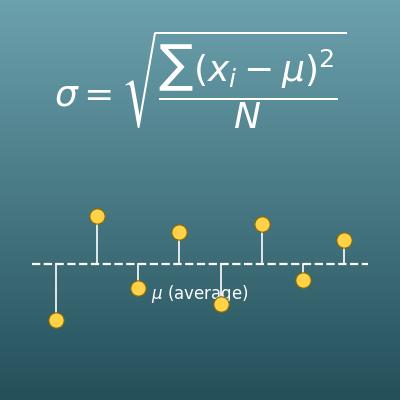
Standard Deviation Calculator for Population and Sample
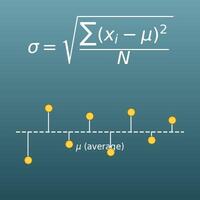
Measures how spread out data is. The last step of the formula is "the square root of the variance", the calculation on this page
Percentage Change Calculator (Increase and Decrease)
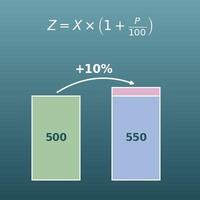
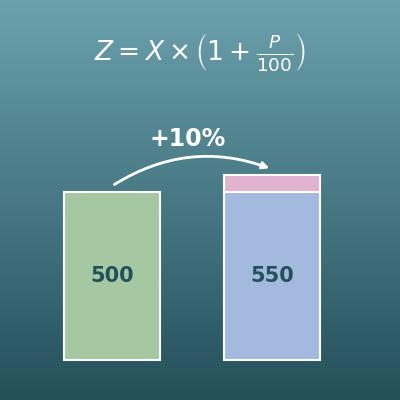
Enter any two of the original value, the percent change and the new value, and get the third. Average annual growth rates use nth roots
Average Calculator (Mean)
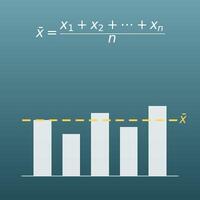
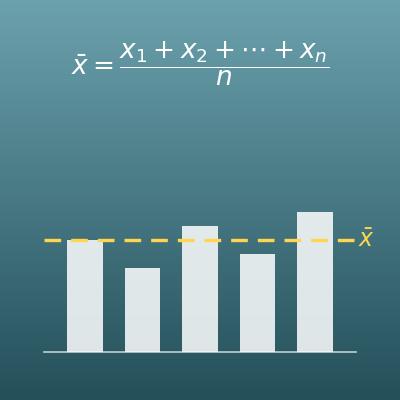
Finds the average from the sum and the count of numbers. For growth rates, the geometric mean, which uses an nth root, is the right average