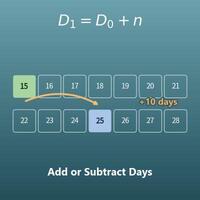
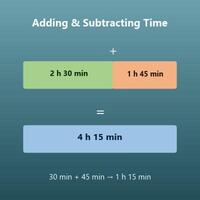
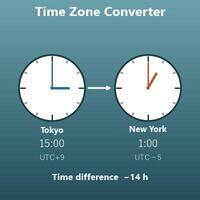
Enter the start date and time and the days, hours, minutes and seconds to add or subtract. You get both the later and the earlier date and time, with the day of the week.
Table of Contents
-
What you can do on this page
-
What is this calculation used for?
-
How to Use
-
Formula
-
Symbols and terms
-
Good to know before you start
-
How to calculate it in Excel
-
How to calculate it in Google Sheets
-
How to calculate it in Python
-
How to write it in LaTeX and other math languages (copy and paste)
-
How to have ChatGPT do the calculation
-
DataChef Features
-
Related Features
-
NumberChef Calculators List
What you can do on this page
- Add days, hours, minutes and seconds to a start date and time, or subtract them, and get both the later and the earlier date and time with the day of the week
- Answers questions that cross midnight, such as "What day and time is 36 hours from now?" or "When was 48 hours ago?"
- Handles crossing midnight, the end of the year and February 29 in leap years correctly, just as on a calendar
- A plain-language explanation of how clock time carries over (60 seconds = 1 minute, 60 minutes = 1 hour, 24 hours = 1 day) and copy-and-paste formulas for Excel, Google Sheets and Python are all on this page
What is this calculation used for?
An 8-hour shift that starts at 9 PM ends at 5 AM the next morning (in 24-hour time, 21 + 8 = 29, and the part past 24 carries into the next day: 29 − 24 = 5). With a 1-hour break, 9 hours later is 6 AM.
In nursing, caregiving, factories, stores and other jobs that run through the night, "When do I finish?" and "When can I nap, and for how long?" are exactly this calculation, used every day to plan shifts.
If you take a medicine that says "at least 6 hours between doses" at 8:30 AM, the next dose can be taken at 2:30 PM or later. For a medicine taken every 12 hours, the dose after 8:30 AM is at 8:30 PM.
With fever reducers and antibiotics, the time between doses matters for both how well they work and safety, so it helps to know the exact time of the next dose. Always follow your doctor's or pharmacist's directions for the actual timing and number of doses.
Deadlines are often given in hours, such as "pay within 48 hours after the auction ends" or "free cancellation within 72 hours of booking". Within 48 hours from Friday at 3 PM means the deadline is Sunday at 3 PM.
If you think "2 days later" and count only the dates, you can misread the deadline by the time of day. For a deadline given in hours, work out the exact date and time as on this page, and you will be sure.
Yogurt started at 9 PM is ready 8 hours later, at 5 AM the next morning, and a 90-minute first rise for bread started at 2 PM ends at 3:30 PM.
For long cooking such as sous vide, smoking or pickling, this calculation helps not only with "When will it be ready?" but also with working backward: "To eat at 7 AM, when do I need to start?"
An overnight bus that leaves at 10:05 PM and takes 7 hours 35 minutes arrives at 5:40 AM the next morning (minutes: 5 + 35 = 40; hours in 24-hour time: 22 + 7 = 29, which passes midnight and becomes 5 AM).
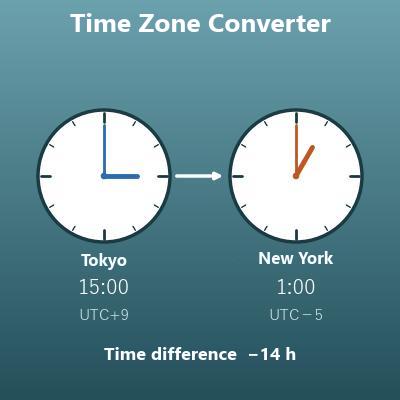
Knowing the arrival time from the departure time and the travel time makes it easier to plan what comes after. On a flight to another time zone, this calculation gives the arrival in the departure city's time, so to get the local time you also need to add or subtract the time difference.
Formula
Symbols and terms
Symbols
| \(T_0\) | T sub 0 | The start date and time (the point you count from). The small 0 at the lower right is a subscript meaning "number 0 = the starting point". |
| \(T_1\), \(T_2\) | T sub 1, T sub 2 | The resulting dates and times. \(T_1\) is the later one, and \(T_2\) is the earlier one. |
| \(D\) | D (capital) | The amount of time to add or subtract, with days, hours, minutes and seconds taken together. (Example - "1 day and 2 hours") |
| \(d\), \(h\), \(m\), \(s\) | d, h, m, s | The parts of the amount of time: days (\(d\)), hours (\(h\)), minutes (\(m\)) and seconds (\(s\)). For "1 day and 2 hours", \(d = 1\) and \(h = 2\). They are the first letters of day, hour, minute and second. |
| \(S\) | S (capital) | The amount of time written in seconds. Found with \(S = 86400d + 3600h + 60m + s\). |
| \(q\), \(r\) | q, r | When the total hours are divided by 24, the whole-number answer (the days \(q\)) and the remainder (the hours left over \(r\)). For \(36 \div 24 = 1\) remainder \(12\), \(q = 1\) and \(r = 12\). |
Terms
| 24-hour time | A way of writing the time with the hours 0 to 23 and no AM or PM. 8 PM is 20:00. In the US it is often called military time. This calculator takes the start hour either with AM or PM or in 24-hour time, and shows the results with AM and PM. |
| base 60 | A way of counting where 60 makes one of the next larger unit (also called sexagesimal). 60 seconds carry to 1 minute, and 60 minutes carry to 1 hour. Note that between hours and days, you carry at 24 instead. |
| carrying | In addition, moving the part that goes past the limit of a unit into the next larger unit (50 minutes + 25 minutes = 75 minutes → 1 hour 15 minutes). With time, you carry at 60 or 24. |
| borrowing | In subtraction, taking what you are short from the next larger unit (1 hour 30 minutes before 12:15 AM → 10:45 PM the day before). With time, you borrow 60 or 24. |
| leap year | A year with a February 29. It usually comes every 4 years, but years divisible by 100 are common years unless they are divisible by 400 (2100 is not a leap year, 2000 was). When a calculation crosses the end of February, whether it is a leap year changes the resulting date by 1 day. |
| weekly cycle | The days of the week repeat every 7 days. Adding an exact multiple of 7 days (for example, 168 hours = 7 days) lands on the same weekday as the start. |
Good to know before you start
Here is what helps you use the calculation on this page with real understanding, not just by pressing the button.
If you get stuck, going back over these topics is the quickest way forward.
| Time of day and elapsed time (Grades 2–3) |
|
| 24-hour time (Grade 3 and up) |
|
| Adding and subtracting with regrouping (Grade 2) |
|
| Division with remainders (Grade 4) |
|
| How the calendar works (Grades 3–4) |
|
How to calculate it in Excel
| Start date | 2026-07-12 |
| Start time | 8:30:00 |
| Days | 1 |
| Hours | 2 |
| Minutes | 0 |
| Seconds | 0 |
| Later date and time | =B1+B2+B3+B4/24+B5/1440+B6/86400 |
| Earlier date and time | =B1+B2-B3-B4/24-B5/1440-B6/86400 |
| Weekday of the later date | =TEXT(B7,"dddd") |
| Days | 1 |
| Hours | 2 |
| Minutes | 0 |
| Seconds | 0 |
| Total in seconds | =B1*86400+B2*3600+B3*60+B4 |
| Total hours | 36 |
| Days (quotient) | =QUOTIENT(B1,24) |
| Hours left over (remainder) | =MOD(B1,24) |
If B7 and B8 show up as numbers such as "46216.4375", change the cell format to the custom format "m/d/yyyy h:mm:ss AM/PM". In the first table, the later date and time is 7/13/2026 10:30:00 AM and the earlier one is 7/11/2026 6:30:00 AM. =TEXT(B7,"dddd") in B9 shows the weekday of the later date (Monday).
The second table gives 93600 (seconds), and the third gives 1 day and 12 hours left over. Just replace column B with your own numbers.
How to calculate it in Google Sheets
| Start date | 2026-07-12 |
| Start time | 8:30:00 |
| Days | 1 |
| Hours | 2 |
| Minutes | 0 |
| Seconds | 0 |
| Later date and time | =B1+B2+B3+B4/24+B5/1440+B6/86400 |
| Earlier date and time | =B1+B2-B3-B4/24-B5/1440-B6/86400 |
| Weekday of the later date | =TEXT(B7,"dddd") |
| Days | 1 |
| Hours | 2 |
| Minutes | 0 |
| Seconds | 0 |
| Total in seconds | =B1*86400+B2*3600+B3*60+B4 |
| Total hours | 36 |
| Days (quotient) | =QUOTIENT(B1,24) |
| Hours left over (remainder) | =MOD(B1,24) |
If a result shows up as a number (a serial number), change it with Format > Number > Date time in the menu.
How to calculate it in Python
from datetime import datetime, timedelta

start = datetime(2026, 7, 12, 8, 30, 0)     # start date and time (year, month, day, hour, minute, second)
days, hours, minutes, seconds = 1, 2, 0, 0  # amount of time to add or subtract

difference = timedelta(days=days, hours=hours, minutes=minutes, seconds=seconds)
after = start + difference   # later date and time
before = start - difference  # earlier date and time

weekday_names = ['Monday', 'Tuesday', 'Wednesday', 'Thursday', 'Friday', 'Saturday', 'Sunday']
print(f"Total in seconds: {difference.total_seconds():.0f} seconds")
print(f"Later: {weekday_names[after.weekday()]}, {after:%B %d, %Y, %I:%M:%S %p}")
print(f"Earlier: {weekday_names[before.weekday()]}, {before:%B %d, %Y, %I:%M:%S %p}")
How to write it in LaTeX and other math languages (copy and paste)
T₁ = T₀ + D, T₂ = T₀ − D
T_1 = T_0 + D, \quad T_2 = T_0 - D
<math xmlns="http://www.w3.org/1998/Math/MathML" display="block">
<mrow>
<msub><mi>T</mi><mn>1</mn></msub><mo>=</mo>
<msub><mi>T</mi><mn>0</mn></msub><mo>+</mo><mi>D</mi>
<mo>,</mo><mspace width="0.7em"/>
<msub><mi>T</mi><mn>2</mn></msub><mo>=</mo>
<msub><mi>T</mi><mn>0</mn></msub><mo>−</mo><mi>D</mi>
</mrow>
</math>
T_1 = T_0 + D, T_2 = T_0 - D
after = DatePlus[start, {{d, "Day"}, {h, "Hour"}, {m, "Minute"}, {s, "Second"}}]
T1 := T0 + dur; T2 := T0 - dur; # D is reserved in Maple (the differential operator), so dur is used
after = start + days(d) + hours(h) + minutes(m) + seconds(s);
T_1 = T_0 + D, T_2 = T_0 - D
S = 86400d + 3600h + 60m + s
S = 86400d + 3600h + 60m + s
<math xmlns="http://www.w3.org/1998/Math/MathML" display="block">
  <mrow>
    <mi>S</mi><mo>=</mo>
    <mn>86400</mn><mi>d</mi>
    <mo>+</mo><mn>3600</mn><mi>h</mi>
    <mo>+</mo><mn>60</mn><mi>m</mi>
    <mo>+</mo><mi>s</mi>
  </mrow>
</math>
S = 86400d + 3600h + 60m + s
totalSeconds = 86400*d + 3600*h + 60*m + s
S := 86400*d + 3600*h + 60*m + s;
S = 86400*d + 3600*h + 60*m + s;
S = 86400d + 3600h + 60m + s
h = 24q + r
h = 24q + r
<math xmlns="http://www.w3.org/1998/Math/MathML" display="block">
  <mrow>
    <mi>h</mi><mo>=</mo>
    <mn>24</mn><mi>q</mi>
    <mo>+</mo><mi>r</mi>
  </mrow>
</math>
h = 24q + r
q = Quotient[h, 24]; r = Mod[h, 24]
q := iquo(h, 24); r := irem(h, 24);
q = floor(h/24); r = mod(h, 24);
h = 24q + r
How to have ChatGPT do the calculation
You are a date and time calculation assistant. Do the following calculation by actually running Python code, and base your answer only on the dates and times from the execution result (do not answer by mental math or guessing).

Find the date and time you get by adding "1 day and 2 hours" to July 12, 2026, 8:30:00 AM, and the date and time you get by subtracting it. Carry and borrow at 60 seconds = 1 minute, 60 minutes = 1 hour and 24 hours = 1 day, and handle crossing months and years and leap years just as on a calendar.

For each, show the code you used and the resulting date, time (with AM or PM) and day of the week.
How to Use
-
1Enter your numbersType the numbers you want to calculate with into the input fields
-
2CalculatePress the "Calculate" button
-
3Check the resultThe result appears on the spot. The same page also explains the idea behind the calculation and the formula
DataChef Features

No technical knowledge required.
Intuitive and user-friendly operation.

Can be used without registering personal information.

Automatic file deletion by clicking "download".

and rapid file conversion.

No attribution required.

No need to contact us for commercial use permission.
Related Features
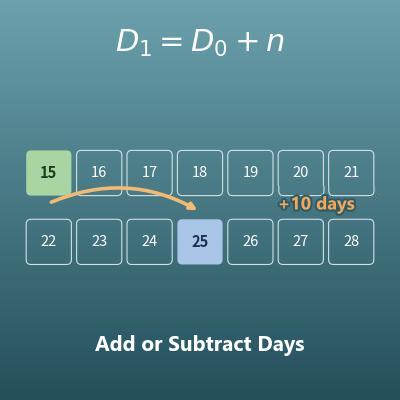
Date Calculator (Add or Subtract Days, Weeks, Months and Years)
Without times, adds years, months, weeks and days to a start date, or subtracts them
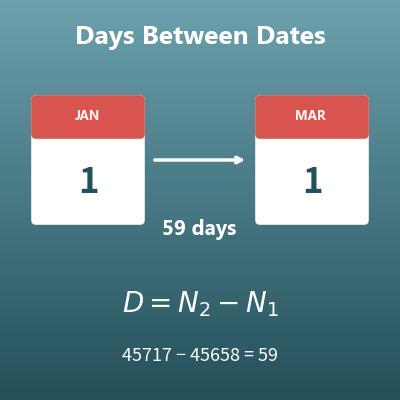
Days Between Dates Calculator (Day Counter)
Finds how many days there are between two dates
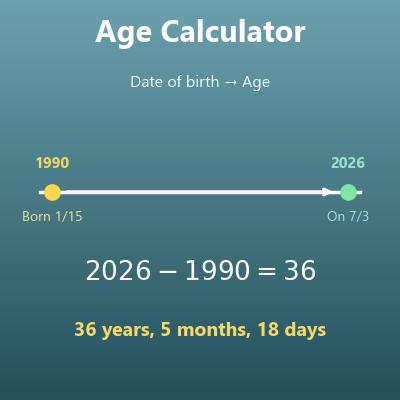
Age Calculator (Exact Age in Years, Months and Days)
Finds the exact age, the days since birth and the days until the next birthday from a date of birth
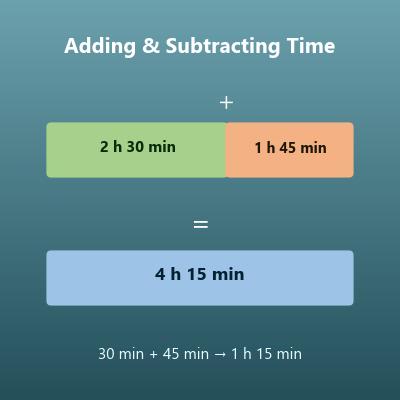
Time Calculator (Add and Subtract Days, Hours, Minutes and Seconds)
Adds and subtracts lengths of time such as "2 hours 30 minutes", rather than dates and times