Choose what to start from, then enter the viewing distance or the TV size. If the "times the screen height" factors are left blank, the common guidelines are used (4K = 1.5, Full HD = 3, 8K = 0.75).
Table of Contents
-
What you can do on this page
-
What is this calculation used for?
-
How to Use
-
Formulas and figures
-
Symbols and terms
-
Good to know before you start
-
How to calculate it in Excel
-
How to calculate it in Google Sheets
-
How to calculate it in Python
-
How to write it in LaTeX and other math languages (copy and paste)
-
How to have ChatGPT do the calculation
-
DataChef Features
-
Related Features
-
NumberChef Calculators List
What you can do on this page
- Enter the distance from your seat to the TV (the viewing distance), and you get the suggested size in inches for a 4K TV and for a Full HD TV
- Enter the TV size in inches, and you get the screen width, height and diagonal, plus the suggested viewing distance for 4K, Full HD and 8K
- From any one of the size, width or height, you get the other dimensions (for example, "what is the largest TV that fits a 48 in wide TV stand?")
- You can also check how many screen heights away you sit from your current or planned TV, and how wide an angle the screen fills in your view (the viewing angle), to compare with the SMPTE (about 30°) and THX (about 40°) guidelines
- The aspect ratio (16:9, 4:3, 21:9) and the "times the screen height" factors can be changed, so it works for computer monitors and projector screens too
What is this calculation used for?
If it is 7 ft from the sofa to the screen, the Full HD guide is about 57 inches and the 4K guide is about 114 inches, far apart. This means "with 4K, you could go past 100 inches before the grain shows", so in practice you choose a size somewhere in between.
At the same 7 ft, a 55-inch TV fills about 32° of your view (close to the SMPTE 30°), a 65-inch about 37°, and a 75-inch about 43° (past the THX 40°). With numbers in hand, you are less likely to end up with "smaller than I expected" or "so big it tires my eyes", and you have a yardstick when you look at TVs in the store. These are only guidelines, so also check the maker's recommended distance and how the picture actually looks.
On a 48 in wide TV stand, the screen can be at most 48 in wide, so for 16:9 the upper limit is about \(48 \div 0.8716 \approx 55\) inches. The actual TV is larger because of the frame and stand, so in practice a 50-inch TV (about 43.6 in wide) is a likely choice.
Use "Size, width or height → screen dimensions" in this calculator to work backward from the width. For a wall mount or a built-in cabinet, check the maker's overall dimensions (width and height including the frame and stand) at the end.
In a bedroom 5 ft from the bed, the Full HD guide is about 41 inches and the 4K guide about 82 inches. Up close, the grain is easier to see, so this helps you decide between a small 4K TV and a Full HD TV sized for the distance.
Enter a candidate size in "Size of your current or planned TV" to see how many screen heights away you sit, and compare it with the guidelines (1.5 and 3).
A 27-inch (16:9) monitor is about 13.2 in high and 23.5 in wide. Used 24 in from your eyes, the viewing distance is about 1.8 screen heights and the viewing angle about 52°. That is close to the 4K guide (1.5 times, about 20 in), a distance that makes good use of fine text on a 4K monitor.
Ultrawide monitors (21:9) can be calculated by choosing that aspect ratio. For reading work, too wide a viewing angle means more eye and neck movement, so this is a guide for matching the desk depth to the monitor width.
A 100-inch (16:9) screen is about 49.0 in high and 87.2 in wide. For a 4K projector the suggested distance is about 6.1 ft, and for Full HD about 12.3 ft. From 10 ft, the viewing angle is about 40°, right at the THX guideline.
The screen and the sofa are hard to move later, so measure the room first, then decide the screen size and where to sit. That way you are less likely to regret it after installing.
Seen from the back row 20 ft away, a 65-inch display (about 31.9 in high) is about 7.5 screen heights away and fills about 13.5° of the view. That is far beyond the Full HD guide (3 times), so you can expect small text on slides to be hard to read from the back.
The numbers help decide whether to add a second display, make the text larger, or move the seats forward.
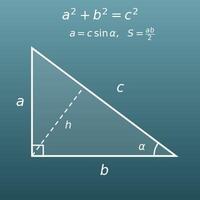
The width, height and diagonal of a screen are the three sides of a right triangle, so the Pythagorean theorem gives "the diagonal of 16:9 is \(\sqrt{16^{2}+9^{2}} = \sqrt{337}\)". The viewing angle formula \(\theta = 2\arctan(W \div 2L)\) turns the \(\tan\) of the right triangle formed by your eyes and the edge of the screen back into an angle with \(\arctan\).
It is a familiar example of how textbook formulas connect to the math of buying a TV.
Formulas and figures
Symbols and terms
Symbols
| \(S\) | S | The screen size in inches, from "size". The "55" in a 55-inch TV, which is the length of the screen diagonal in inches (1 in = 2.54 cm). |
| \(D\) | D | The length of the screen diagonal, from "diagonal". In inches it equals \(S\); in centimeters it is \(D = 2.54S\). |
| \(H\) | H | The screen height, from "height". The viewing distance guideline is given as a multiple of this height. |
| \(W\) | W | The screen width, from "width". Used to check whether the TV fits on a stand and to calculate the viewing angle. |
| \(a:b\) | a to b | The aspect ratio (width : height). Current TVs and monitors are \(16:9\), old TVs and some tablets \(4:3\), and ultrawide monitors \(21:9\). |
| \(L\) | L | The viewing distance (in or ft), from "length". The distance from your eyes to the screen. |
| \(k\) | k | The factor for "viewing distance in screen heights". 4K = 1.5, Full HD = 3 and 8K = 0.75 are the common guidelines, and you can change them in this calculator. |
| \(\theta\) | theta | The viewing angle (degrees): the angle the screen width fills in your view. The Greek letter theta is often used for angles. Found with \(\theta = 2\arctan(W \div 2L)\). |
| \(\tan\) | tangent | The tangent: "opposite ÷ adjacent" in a right triangle. For half the viewing angle, \(\theta \div 2\), \(\tan(\theta \div 2) = W \div 2L\). |
| \(\arctan\) | arctangent inverse tangent (\(\tan^{-1}\)) | The inverse tangent: returns the angle whose \(\tan\) is a given value. Also written \(\tan^{-1}\). Used to find the viewing angle from the screen width and the viewing distance. |
| \(\sqrt{\ }\) | square root | The square root: the positive number that gives the value when squared. Used with the Pythagorean theorem to relate the diagonal to the width and height (for example, \(\sqrt{16^{2}+9^{2}} = \sqrt{337} \approx 18.36\)). |
| \(\approx\) | approximately equal to | The symbol for "approximately equal to". Used when a value that does not divide evenly, or an \(\arctan\) result, is rounded to a decimal. |
Terms
| viewing distance | The distance from the viewer's eyes to the screen. Measure between your eyes, sitting on the sofa or a chair, and the screen. Note that it is the distance from your eyes, not from the back of the TV stand. |
| screen size | A TV's size, the length of the screen diagonal in inches (1 in = 2.54 cm). It is measured across the viewable picture area, so a "55-inch class" TV may measure slightly less, such as 54.6 inches. |
| diagonal | The line (and its length) from the bottom-left corner of the screen to the top-right corner. A TV's size in inches is this length. It is related to the width and height by the Pythagorean theorem. |
| aspect ratio | The ratio of the screen width to its height. Current TVs and monitors are 16:9 (16 across for every 9 up), old tube TVs and some tablets are 4:3, and ultrawide monitors are 21:9. The 21:9 in this calculator may actually be about 2.37:1 (64:27) for some products, so check the maker's specifications for exact sizes. |
| viewable area | The part of the TV that actually shows the picture. The width, height and diagonal from this calculator are for this area; the actual TV is a bit larger because of the frame (bezel) and the stand. |
| pixel | One of the tiny dots that make up the screen. Full HD has 1,920 × 1,080 pixels, 4K 3,840 × 2,160 and 8K 7,680 × 4,320. The more pixels, the less grainy the picture looks up close. |
| Full HD | A resolution of 1,920 pixels across and 1,080 down, also called 1080p or 2K. The suggested viewing distance is about 3 screen heights. |
| 4K | A resolution of about 4,000 (3,840) pixels across and 2,160 down, also called UHD. It is twice Full HD in each direction (four times the pixels). The grain is harder to see, so the suggested distance is half that of Full HD (about 1.5 screen heights). |
| 8K | A resolution of 7,680 pixels across and 4,320 down, twice 4K in each direction (four times the pixels of 4K and 16 times Full HD). The suggested distance is half that of 4K again (about 0.75 screen heights). |
| visual acuity | How fine a detail the eye can tell apart. Eyes with 20/20 vision are said to be unable to see details finer than about 1/60 of a degree (1 arcminute). The distance at which one pixel looks smaller than this angle is where the grain disappears, and the factors Full HD = about 3, 4K = about 1.5 and 8K = about 0.75 screen heights come from it (the calculated values are about 3.2, 1.6 and 0.8, rounded to convenient guidelines). |
| viewing angle | The angle the screen width fills in your view, between the two lines from your eyes to the left and right edges of the screen. It gets larger as you move closer to the same TV, and the larger it is, the more the picture fills your view. |
| SMPTE | The Society of Motion Picture and Television Engineers, a US-based group that sets standards for film and video technology. About 30° is often quoted as its guideline for the viewing angle from a theater seat. |
| THX | A brand known for certifying the sound and picture of movie theaters and home theaters. About 36° to 40° is often quoted as its guideline for the viewing angle, with 40° for the most immersive seats. Neither is a strict rule; both are guides to how immersive the picture feels. |
| tangent | The trigonometric ratio \(\tan\): "opposite ÷ adjacent" in a right triangle. For half the viewing angle, \(\tan(\theta \div 2) = W \div 2L\). |
| inverse tangent | The reverse of \(\tan\) (\(\arctan\)): it answers "what angle has this \(\tan\) value?". It is the \(\tan^{-1}\) key on a scientific calculator and the ATAN function in Excel. |
| radian | A unit of angle: \(180^\circ = \pi\) radians (1 radian \(\approx 57.3^\circ\)). Excel's ATAN and Python's math.atan return angles in radians, so use DEGREES (Excel) or math.degrees (Python) to read the viewing angle in degrees. |
| Pythagorean theorem | The rule that in a right triangle, "leg² + leg² = hypotenuse²". The width, height and diagonal of a screen are the three sides of a right triangle, so they are related by this theorem. |
Good to know before you start
Here is what helps you use the calculation on this page with real understanding, not just by pressing the button.
If you get stuck, going back over these topics is the quickest way forward.
| Converting units of length (Grades 4–5) |
|
| Ratios (Grade 6) |
|
| Rounding (Grades 3–4) |
|
| Right triangles and the Pythagorean theorem (Grade 8) |
|
| The tangent ratio and inverse trig functions (Geometry, Precalculus) |
|
How to calculate it in Excel
| Screen size S (inches) | 55 |
| Aspect ratio width a | 16 |
| Aspect ratio height b | 9 |
| Diagonal D (in) | =B1 |
| Screen height H (in) | =B4*B3/SQRT(B2^2+B3^2) |
| Screen width W (in) | =B4*B2/SQRT(B2^2+B3^2) |
| Screen height H (in) | 26.96 |
| Factor k (4K=1.5, Full HD=3, 8K=0.75) | 1.5 |
| Suggested viewing distance L (in) | =B1*B2 |
| Viewing distance L (in) | 84 |
| Factor k (4K=1.5, Full HD=3, 8K=0.75) | 3 |
| Aspect ratio width a | 16 |
| Aspect ratio height b | 9 |
| Suggested screen height H (in) | =B1/B2 |
| Suggested screen size S (inches) | =B5*SQRT(B3^2+B4^2)/B4 |
| Screen width W (in) | 47.94 |
| Viewing distance L (in) | 84 |
| Viewing angle θ (°) | =DEGREES(2*ATAN(B1/(2*B2))) |
The first table is 55 inches at 16:9: B4 shows 55, B5 about 26.96 and B6 about 47.94. The second table is a 4K TV with a 26.96 in screen height (factor 1.5), and B3 shows about 40.4 in (about 3.4 ft). The third table is a 7 ft (84 in) viewing distance with Full HD (factor 3): B5 shows 28 and B6 about 57.1 (inches). B3 in the fourth table shows about 31.9 (°).
"SQRT" is the square root and "^2" squares a number. "ATAN" gives the inverse tangent (arctan), and because it returns radians, "DEGREES" converts the answer to degrees. To use a different factor for Full HD, 4K or 8K, change the factor cell to 1.5, 3, 0.75 and so on. For centimeters, multiply the inches by 2.54.
How to calculate it in Google Sheets
| Screen size S (inches) | 55 |
| Aspect ratio width a | 16 |
| Aspect ratio height b | 9 |
| Diagonal D (in) | =B1 |
| Screen height H (in) | =B4*B3/SQRT(B2^2+B3^2) |
| Screen width W (in) | =B4*B2/SQRT(B2^2+B3^2) |
| Screen height H (in) | 26.96 |
| Factor k (4K=1.5, Full HD=3, 8K=0.75) | 1.5 |
| Suggested viewing distance L (in) | =B1*B2 |
| Viewing distance L (in) | 84 |
| Factor k (4K=1.5, Full HD=3, 8K=0.75) | 3 |
| Aspect ratio width a | 16 |
| Aspect ratio height b | 9 |
| Suggested screen height H (in) | =B1/B2 |
| Suggested screen size S (inches) | =B5*SQRT(B3^2+B4^2)/B4 |
| Screen width W (in) | 47.94 |
| Viewing distance L (in) | 84 |
| Viewing angle θ (°) | =DEGREES(2*ATAN(B1/(2*B2))) |
How to calculate it in Python
import math

inch = 55            # screen size S (inches)
aspect_w, aspect_h = 16, 9   # aspect ratio a:b (16:9)
distance_in = 84     # viewing distance L (in); 7 ft = 84 in

# screen dimensions (in). The size in inches is the diagonal itself
diagonal_in = inch
diag_ratio = math.sqrt(aspect_w ** 2 + aspect_h ** 2)   # √(a² + b²)
height_in = diagonal_in * aspect_h / diag_ratio
width_in = diagonal_in * aspect_w / diag_ratio
print(f"Diagonal: {diagonal_in:.1f} in, height: {height_in:.2f} in, width: {width_in:.2f} in")

# suggested viewing distance (screen height × factor)
for name, k in (("4K", 1.5), ("Full HD", 3), ("8K", 0.75)):
    print(f"Suggested viewing distance for {name}: {height_in * k / 12:.2f} ft")

# suggested screen size (inches) from the viewing distance
for name, k in (("4K", 1.5), ("Full HD", 3)):
    best_height_in = distance_in / k
    best_inch = best_height_in * diag_ratio / aspect_h
    print(f"Suggested {name} size at {distance_in} in: {best_inch:.1f} in")

# viewing angle (how much of your view the screen width fills)
viewing_angle = math.degrees(2 * math.atan(width_in / (2 * distance_in)))
print(f"Viewing angle of a {inch} in TV at {distance_in} in: {viewing_angle:.1f}°")
How to write it in LaTeX and other math languages (copy and paste)
D = S, H = D × b ÷ √(a² + b²), W = D × a ÷ √(a² + b²)
D = S,\quad H = D \cdot \frac{b}{\sqrt{a^{2}+b^{2}}},\quad W = D \cdot \frac{a}{\sqrt{a^{2}+b^{2}}}
<math xmlns="http://www.w3.org/1998/Math/MathML" display="block">
<mrow>
<mi>D</mi><mo>=</mo><mi>S</mi>
<mo>,</mo>
<mi>H</mi><mo>=</mo><mi>D</mi><mo>⋅</mo>
<mfrac><mi>b</mi><msqrt><msup><mi>a</mi><mn>2</mn></msup><mo>+</mo><msup><mi>b</mi><mn>2</mn></msup></msqrt></mfrac>
<mo>,</mo>
<mi>W</mi><mo>=</mo><mi>D</mi><mo>⋅</mo>
<mfrac><mi>a</mi><msqrt><msup><mi>a</mi><mn>2</mn></msup><mo>+</mo><msup><mi>b</mi><mn>2</mn></msup></msqrt></mfrac>
</mrow>
</math>
D = S, H = D b / sqrt(a^2 + b^2), W = D a / sqrt(a^2 + b^2)
diag = S; {diag, diag*b/Sqrt[a^2 + b^2], diag*a/Sqrt[a^2 + b^2]} (* D is reserved for derivatives, so the diagonal is written diag *)
diag := S; H := diag*b/sqrt(a^2 + b^2); W := diag*a/sqrt(a^2 + b^2); # D is the differential operator, so the diagonal is written diag
D = S; H = D*b/sqrt(a^2 + b^2); W = D*a/sqrt(a^2 + b^2); % S in inches, a:b is the aspect ratio (a=16, b=9 for 16:9)
D = S, H = Db/√(a^2 + b^2), W = Da/√(a^2 + b^2)
L = k × H, H = L ÷ k, S = H ÷ (b ÷ √(a² + b²))
L = kH,\quad H = \frac{L}{k},\quad S = \frac{H\sqrt{a^{2}+b^{2}}}{b}
<math xmlns="http://www.w3.org/1998/Math/MathML" display="block">
<mrow>
<mi>L</mi><mo>=</mo><mi>k</mi><mo>⁢</mo><mi>H</mi>
<mo>,</mo>
<mi>H</mi><mo>=</mo><mfrac><mi>L</mi><mi>k</mi></mfrac>
<mo>,</mo>
<mi>S</mi><mo>=</mo>
<mfrac>
<mrow><mi>H</mi><msqrt><msup><mi>a</mi><mn>2</mn></msup><mo>+</mo><msup><mi>b</mi><mn>2</mn></msup></msqrt></mrow>
<mi>b</mi>
</mfrac>
</mrow>
</math>
L = k H, H = L / k, S = H sqrt(a^2 + b^2) / b
{k*H, L/k, H*Sqrt[a^2 + b^2]/b}
L := k*H; H := L/k; S := H*sqrt(a^2 + b^2)/b;
L = k*H; H = L/k; S = H*sqrt(a^2 + b^2)/b; % k is the factor (4K=1.5, Full HD=3, 8K=0.75)
L = kH, H = L/k, S = H√(a^2 + b^2)/b
θ = 2 × arctan(W ÷ (2L))
\theta = 2\arctan\frac{W}{2L}
<math xmlns="http://www.w3.org/1998/Math/MathML" display="block">
<mrow>
<mi>θ</mi><mo>=</mo><mn>2</mn><mo>⁢</mo>
<mi>arctan</mi><mo>⁡</mo>
<mfrac><mi>W</mi><mrow><mn>2</mn><mo>⁢</mo><mi>L</mi></mrow></mfrac>
</mrow>
</math>
theta = 2 arctan(W / (2 L))
2*ArcTan[W/(2*L)]*180/Pi
theta := 2*arctan(W/(2*L))*180/Pi;
theta = 2*atand(W/(2*L)); % W is the screen width, L the viewing distance (in the same unit)
θ = 2 tan^(-1)(W/(2L))
How to have ChatGPT do the calculation
You are a TV viewing distance calculation assistant. Do the following calculation by actually running Python code, and base your answer only on the numbers from the execution result (do not answer by mental math or guessing).

I will watch a 55-inch TV (aspect ratio 16:9) from a viewing distance of 7 ft (84 in).
Find each of the following:
1. The screen diagonal, height and width (in; diagonal = size in inches, height = diagonal × 9 ÷ √(16² + 9²), width = diagonal × 16 ÷ √(16² + 9²))
2. The suggested viewing distance for 4K, Full HD and 8K (screen height × 1.5, × 3 and × 0.75), in feet
3. The suggested 4K and Full HD screen sizes at 84 in (height = distance ÷ factor → diagonal → inches)
4. The viewing angle (degrees; θ = 2 × arctan(width ÷ (2 × distance)), converting radians to degrees), and how it compares with the SMPTE guideline of about 30° and the THX guideline of about 40°

Show the formulas you used and the numbers from the execution result.
How to Use
-
1Enter your numbersType the numbers you want to calculate with into the input fields
-
2CalculatePress the "Calculate" button
-
3Check the resultThe result appears on the spot. The same page also explains the idea behind the calculation and the formula
DataChef Features

No technical knowledge required.
Intuitive and user-friendly operation.

Can be used without registering personal information.

Automatic file deletion by clicking "download".

and rapid file conversion.

No attribution required.

No need to contact us for commercial use permission.
Related Features
Wall Area Calculator (Wall, Ceiling and Floor Square Footage, with Doors, Windows, Perimeter and Volume)
Find the floor and wall areas of the room for your TV at once, to plan a wall mount or a new layout
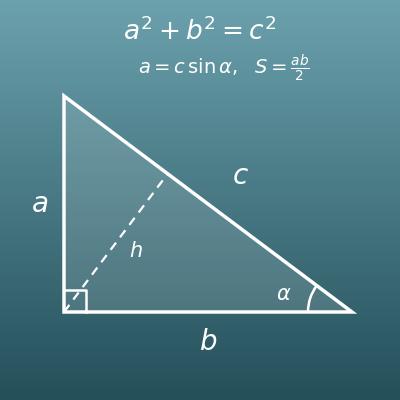
Right Triangle Calculator (Sides, Angles, Area and Height from Any Two Values)
Work with the sides and angles of right triangles, behind the screen width, height and diagonal (Pythagorean theorem) and the viewing angle
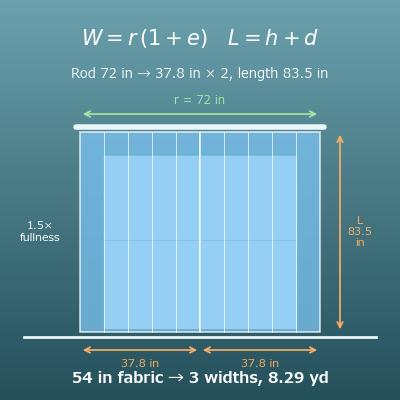
Curtain Size Calculator (Finished Width, Length and Fabric Yardage from Fullness)
For the same room, find the finished curtain size and the fabric you need from the rod width and height
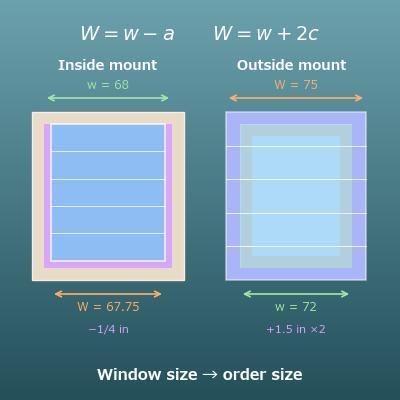
Blind and Shade Size Calculator (Inside and Outside Mount)
Find the order size of blinds and shades for inside or outside mounts from the window frame
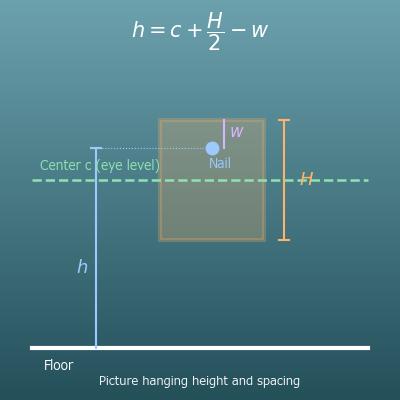
Picture Hanging Height and Spacing Calculator (Nail Height, Gallery Wall)
Find the nail height for frames next to or above the TV, and the spacing for a row of frames
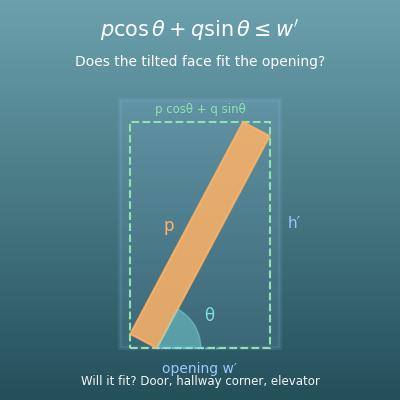
Furniture Fit Calculator (Through a Door, Around a Hallway Corner, Into an Elevator)
Check whether a new TV or piece of furniture fits through doors, hallway corners and elevators