



























DataChef Features

Easy and Free
Unlimited conversions for free.
No technical knowledge required.
Intuitive and user-friendly operation.
No technical knowledge required.
Intuitive and user-friendly operation.

No Registration Required
Available immediately after access.
Can be used without registering personal information.
Can be used without registering personal information.

Safe and Secure
Fully SSL encrypted communication.
Automatic file deletion by clicking "download".
Automatic file deletion by clicking "download".

Fast
High-speed site access
and rapid file conversion.
and rapid file conversion.

No Watermark
No watermark.
No attribution required.
No attribution required.

Commercial Use Available
Free for commercial use.
No need to contact us for commercial use permission.
No need to contact us for commercial use permission.
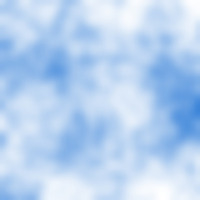
Blue sky & white clouds example

Sunset sky example

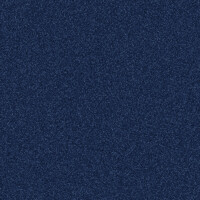
Black-and-white texture example

On this page, you can generate a cloud-pattern background image (a fluffy sky texture) at any size you choose.
No image upload is needed — just press "GENERATE" and a new, unique cloud pattern is created every time.
Use it instead of hunting for stock images: as a background for designs, websites, and slide decks, or as a wallpaper for your PC or smartphone.
You can freely pick two colors, the "Sky Color" and the "Cloud Color".
Beyond the default blue sky with white clouds, simply changing the colors gives you a completely different mood: orange and pink for a sunset, navy and gray for a night sky or an overcast day.
To choose a color, click the colored square to open the color picker and pick any color you like. The palette comes preloaded with colors that suit skies and sunsets.
The "Cloud Detail" slider takes you from big, fluffy clouds to a fine, mottled texture.
Lower numbers make the clouds larger and softer; higher numbers make the pattern finer.
Turn on the black-and-white texture option to create a monochrome cloud texture, like the one produced by Photoshop's Filter > Render > Clouds.
Handy for illustrators and designers as a texture, a mask, or a base for smoke and fog effects.
The maximum size is 5120px for both width and height. The output format is PNG.
Blue sky & white clouds example
Sunset sky example
Black-and-white texture example
Related Features

Gradient Background Image Generator
Create a two-color gradient image (linear, cylindrical, or radial) at any size you choose.

Solid Color Background Image Generator
Create an image filled with a single color of your choice, at any size. Transparent and translucent images are also supported.

Ad 

