Enter the two values you know out of original value, percent change and new value, leave the one you want to find blank, and press "Calculate". The blank one is calculated.
Table of Contents
-
What you can do on this page
-
What is this calculation used for?
-
How to Use
-
Formula
-
Symbols and terms
-
Good to know before you start
-
How to calculate it in Excel
-
How to calculate it in Google Sheets
-
How to calculate it in Python
-
How to write it in LaTeX and other math languages (copy and paste)
-
How to have ChatGPT do the calculation
-
DataChef Features
-
Related Features
-
NumberChef Calculators List
What you can do on this page
- Enter any two of the original value, the percent change and the new value, and the third is calculated on the spot
- "What is $50 increased by 10%?", "200 went up to 250, so what is the percent increase?", "It cost $40 after 20% off, so what was the original price?" This one tool answers all three kinds of questions about going up and going down
- Use it as is for everyday percent increases and decreases such as adding sales tax, sale discounts, pay raises and year-over-year changes
- A plain-language explanation of the formulas and copy-and-paste formulas for Excel, Google Sheets and Python are all on this page
What is this calculation used for?
With an 8% sales tax, a $40 item costs \(40 \times 1.08 = 43.20\), or $43.20. Remembering that "up 8% = times 1.08" lets you get the total with a single multiplication.
A tip works the same way. A 20% tip on a $65 restaurant bill makes the total \(65 \times 1.2 = 78\), or $78. "Up some percent = times (1 + the rate as a decimal)" is math you can use every day.
If a $60 jacket is 30% off, you pay \(60 \times 0.7 = 42\), or $42 (30% off = 0.7 times).
Going the other way, "The jacket was $42 on sale, so what was the regular price?" is answered by dividing by 0.7: \(42 \div 0.7 = 60\), or $60. Adding 30% back onto the sale price gives the wrong answer. Knowing this difference helps you check "compare at" prices and other price claims for yourself.
If your hourly pay goes from $20 to $21, the raise is \((21 - 20) \div 20 \times 100 = 5\%\).
"A 5% raise" is easier to compare with the inflation rate than "a dollar more". It is a common yardstick for judging whether money went up or down, such as raises, Social Security adjustments and rent increases.
If a company reports sales up 15% year over year and last year's sales were $2 million, this year's sales are \(2 \times 1.15 = 2.3\), or $2.3 million. You can also check the percent change from the two years' numbers: \((2.3 - 2) \div 2 \times 100 = 15\%\).
Many numbers in business news are percent changes, so knowing this formula lets you check the news for yourself.
Say visitors to Town A went from 200 to 250 (a 25% increase) and visitors to Town B went from 1,000 to 1,050 (a 5% increase). Both towns gained 50 visitors, but the percent change shows that Town A grew much faster.
It is the standard way to compare fairly how things of different sizes go up or down, such as population, website traffic or case counts.
A 12 oz bag of chips labeled "25% more free" holds \(12 \times 1.25 = 15\) oz. A snack with "30% less sugar" has 0.7 times the sugar of the product it is compared with.
Once you can turn the percents on a package into real amounts, you can decide for yourself which is the better deal, based on both price and amount.
Formula
Symbols and terms
Symbols
| \(X\) | X | The original value, before it goes up or down. It is what you compare against, like the $50 in "$50 increased by 10%". |
| \(P\) | P | The percent change. It shows how many percent the value went up or down compared with the original. On this page it has a sign: \(+10\) is a 10% increase and \(-10\) is 10% off. |
| \(Z\) | Z | The new value, after it goes up or down. It is the $55 in "$50 increased by 10% is $55". |
| \(Z - X\) | Z minus X | The amount of change, how much the value actually went up or down. A minus sign shows a decrease. It is not a percent but an amount in real units, such as dollars or people. |
| \(1 + P \div 100\) | 1 plus P divided by 100 | The multiplier. It is the size of the new value when the original counts as 1 (up 10% → 1.1 times, 10% off → 0.9 times). |
| \(\%\) | percent | The percent sign. It shows how many out of 100. The word comes from the Latin per centum, "for each hundred". |
Terms
| percent change | How much a value went up or down compared with the original, written as a percent. It is called a percent increase when it goes up and a percent decrease when it goes down, but the calculation is the same. |
| percent increase | Adding a set percent on top of the original value. "Up 10%" or "10% more" makes the new value 1.1 times the original. |
| percent off | Taking a set percent away from the original price, as in "20% off". The sale price is 0.8 times the original. It is also called a percent decrease or a discount. |
| multiplier | The size of the new value when the original counts as 1. Up 10% gives 1.1 times, 10% off gives 0.9 times. Seeing every increase and decrease as "multiply or divide by the multiplier" is the key idea behind the formulas on this page. |
| original value | The amount you compare against in a percent calculation (also called the base). For a percent change, it is always the value before it went up or down. It is easy to divide by the wrong number, so take care. |
| percent | A rate written with the base counted as 100. The sign is %. Multiply a decimal rate by 100 to get the percent (0.25 → 25%). |
| year over year | A comparison with the same period one year earlier, often shortened to YoY. "Sales up 15% year over year" gives the percent change from last year. News and company reports use it all the time. |
| percentage point | The plain difference between two percents. A rate that goes from 4% to 5% rose by 1 percentage point, which is a 25% increase in the rate itself. News reports often mix the two up. |
Good to know before you start
Here is what helps you use the calculation on this page with real understanding, not just by pressing the button.
If you get stuck, going back over these topics is the quickest way forward.
| Percents (Grade 6) |
|
| Percent increase and decrease (Grade 7) |
|
| Positive and negative numbers (Grades 6–7) |
|
| Multiplying and dividing decimals (Grades 5–6) |
|
How to calculate it in Excel
| Original value | 500 |
| Percent increase (%) | 10 |
| Value after increase | =B1*(1+B2/100) |
| Original value | 500 |
| Percent off (%) | 10 |
| Value after decrease | =B1*(1-B2/100) |
| Original value | 200 |
| New value | 250 |
| Percent change (%) | =(B2-B1)/B1*100 |
| New value | 400 |
| Percent change (%, minus for off) | -20 |
| Original value | =B1/(1+B2/100) |
"B1" and "B2" in a formula tell Excel to use the number in that cell. "*" is multiplication and "/" is division.
For example, B3 shows 550 in the first table, 450 in the second, 25 in the third and 500 in the fourth. In the fourth table, enter the percent change with a sign (-20 for 20% off). Just replace B1 and B2 with your own numbers.
How to calculate it in Google Sheets
| Original value | 500 |
| Percent increase (%) | 10 |
| Value after increase | =B1*(1+B2/100) |
| Original value | 500 |
| Percent off (%) | 10 |
| Value after decrease | =B1*(1-B2/100) |
| Original value | 200 |
| New value | 250 |
| Percent change (%) | =(B2-B1)/B1*100 |
| New value | 400 |
| Percent change (%, minus for off) | -20 |
| Original value | =B1/(1+B2/100) |
How to calculate it in Python
# Find the new value (500 increased by 10%? For 10% off, set percent = -10)
before = 500    # original value
percent = 10    # percent change (%): + for increase, - for decrease
after = before * (1 + percent / 100)
print(f"{before} changed by {percent}% is {after}")

# Find the percent change (200 to 250 is what percent change?)
before = 200    # original value
after = 250     # new value
percent = (after - before) / before * 100
print(f"The percent change from {before} to {after} is {percent}%")

# Work back to the original value (it is 400 after 20% off, so what was it before?)
after = 400      # new value
percent = -20    # percent change (%): -20 because it is 20% off
before = after / (1 + percent / 100)
print(f"If a {percent}% change gives {after}, the original value is {before}")
How to write it in LaTeX and other math languages (copy and paste)
Z = X × (1 + P ÷ 100)
Z = X \times \left(1 + \frac{P}{100}\right)
<math xmlns="http://www.w3.org/1998/Math/MathML" display="block">
<mrow>
<mi>Z</mi>
<mo>=</mo>
<mi>X</mi>
<mo>×</mo>
<mrow>
<mo>(</mo>
<mn>1</mn>
<mo>+</mo>
<mfrac><mi>P</mi><mn>100</mn></mfrac>
<mo>)</mo>
</mrow>
</mrow>
</math>
Z = X xx (1 + P/100)
before*(1 + percent/100)
after := before*(1 + percent/100);
after = before*(1 + percent/100);
Z = X × (1 + P/100)
Z = X × (1 − P ÷ 100)
Z = X \times \left(1 - \frac{P}{100}\right)
<math xmlns="http://www.w3.org/1998/Math/MathML" display="block">
<mrow>
<mi>Z</mi>
<mo>=</mo>
<mi>X</mi>
<mo>×</mo>
<mrow>
<mo>(</mo>
<mn>1</mn>
<mo>−</mo>
<mfrac><mi>P</mi><mn>100</mn></mfrac>
<mo>)</mo>
</mrow>
</mrow>
</math>
Z = X xx (1 - P/100)
before*(1 - percent/100)
after := before*(1 - percent/100);
after = before*(1 - percent/100);
Z = X × (1 - P/100)
P = (Z − X) ÷ X × 100
P = \frac{Z - X}{X} \times 100
<math xmlns="http://www.w3.org/1998/Math/MathML" display="block">
<mrow>
<mi>P</mi>
<mo>=</mo>
<mfrac>
<mrow><mi>Z</mi><mo>−</mo><mi>X</mi></mrow>
<mi>X</mi>
</mfrac>
<mo>×</mo>
<mn>100</mn>
</mrow>
</math>
P = (Z - X)/X xx 100
(after - before)/before*100
percent := (after - before)/before*100;
percent = (after - before)/before*100;
P = (Z - X)/X × 100
X = Z ÷ (1 + P ÷ 100)
X = \frac{Z}{1 + \frac{P}{100}}
<math xmlns="http://www.w3.org/1998/Math/MathML" display="block">
  <mrow>
    <mi>X</mi>
    <mo>=</mo>
    <mfrac>
      <mi>Z</mi>
      <mrow>
        <mn>1</mn>
        <mo>+</mo>
        <mfrac><mi>P</mi><mn>100</mn></mfrac>
      </mrow>
    </mfrac>
  </mrow>
</math>
X = Z/(1 + P/100)
after/(1 + percent/100)
before := after/(1 + percent/100);
before = after/(1 + percent/100);
X = Z/(1 + P/100)
How to have ChatGPT do the calculation
You are a calculation assistant for percent increase and decrease. Do the following calculations by actually running Python code, and base your answer only on the numbers from the execution result (do not answer by mental math or guessing).

1. $50 increased by 10%
2. The percent change when 200 people grow to 250
3. The original price of an item that cost $40 in a 20%-off sale

Show the formulas you used and the numbers from the execution result.
How to Use
-
1Enter your numbersType the numbers you want to calculate with into the input fields
-
2CalculatePress the "Calculate" button
-
3Check the resultThe result appears on the spot. The same page also explains the idea behind the calculation and the formula
DataChef Features

No technical knowledge required.
Intuitive and user-friendly operation.

Can be used without registering personal information.

Automatic file deletion by clicking "download".

and rapid file conversion.

No attribution required.

No need to contact us for commercial use permission.
Related Features
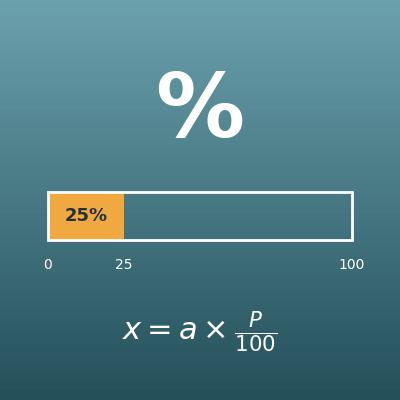
Percentage Calculator (Percent, Part and Whole)
Find the percent, the part or the whole from the other two

Percent Difference Calculator
Divide the difference between two values by their average and show it as a percent (for comparing when neither value is the reference)
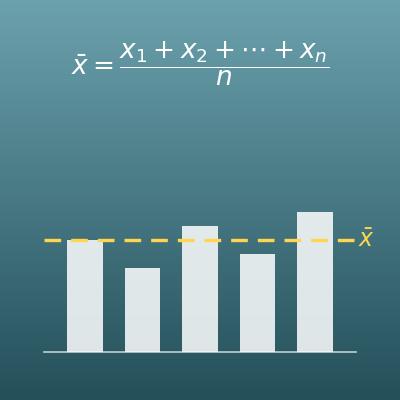
Average Calculator (Mean)
From comma-separated numbers, calculate the average, median, maximum, minimum and more at once
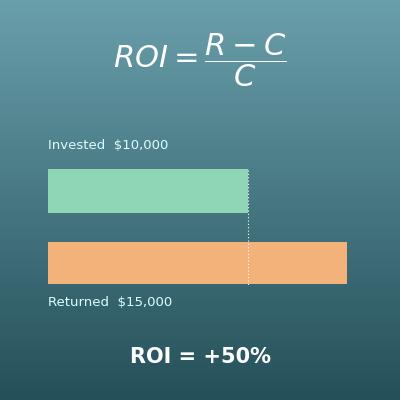
ROI Calculator (Return on Investment and Annualized ROI)
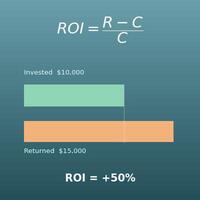
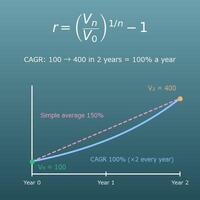
The percent change formula applied to an investment. Also finds the profit or loss and the annualized ROI