Enter the two values you want to compare. The percentage difference (how many percent the difference is of the average of the two values) and, for reference, the percent change based on value 1 are calculated together.
Table of Contents
-
What you can do on this page
-
What is this calculation used for?
-
How to Use
-
Formula
-
Symbols and terms
-
Good to know before you start
-
How to calculate it in Excel
-
How to calculate it in Google Sheets
-
How to calculate it in Python
-
How to write it in LaTeX and other math languages (copy and paste)
-
How to have ChatGPT do the calculation
-
DataChef Features
-
Related Features
-
NumberChef Calculators List
What you can do on this page
- Enter the two values you want to compare, and the percentage difference (how many percent the difference is of the average of the two values) appears on the spot
- Use it to compare two values when it is hard to pick one as the reference, such as "Store A had 60 customers and Store B had 100. How different is that as a percent?"
- For reference, it also calculates the percent change based on value 1 (how many percent it went up or down from value 1 to value 2)
- A plain-language explanation of the formulas and copy-and-paste formulas for Excel, Google Sheets and Python are all on this page
What is this calculation used for?
If Store A had 60 customers and Store B had 100, then with Store B as the reference "Store A had 40% fewer", but with Store A as the reference "Store B had about 66.7% more". The number changes a lot depending on the reference.
When you want to compare without taking sides, use the percentage difference based on the average (80 customers): \(40 \div 80 \times 100 = 50\%\). One number shows the size of the gap fairly, whatever the order.
You measure the same quantity twice and get 9.6 and 10.0. You cannot tell which measurement is right, so you use the average, 9.8, as the reference: \(0.4 \div 9.8 \times 100 \approx 4.1\%\).
The percentage difference in science lab reports is exactly this calculation. It is the standard way to show how repeatable a measurement is (how well two results agree).
If the same item costs $12 at Store A and $15 at Store B, the $3 gap is a percentage difference of \(3 \div 13.5 \times 100 \approx 22.2\%\) of the average price, $13.50.
Looking at the gap compared with the price level, not just the dollar amount ($3), lets you judge on the same scale how much a $3 gap matters on a $12 item versus a $1,000 item.
Two runners finish the 100-meter dash in 11.0 and 11.5 seconds. Compared with the average of 11.25 seconds, their gap is a percentage difference of \(0.5 \div 11.25 \times 100 \approx 4.4\%\).
Even for events measured in different units, such as seconds, feet or pounds, turning the gaps into percentage differences lets you compare them on the same scale, as the size of the gap compared with the level of the results.
Formula
Symbols and terms
Symbols
| \(V_1,\ V_2\) | V sub 1, V sub 2 | The two values to compare. V is the first letter of "value", and the small number at the lower right (the subscript) tells the first and second apart. |
| \(|V_1 - V_2|\) | the absolute value of V sub 1 minus V sub 2 | The difference of the two values with any minus sign removed, as a positive number. The two vertical bars are the absolute value sign. (Example - \(|6 - 10| = 4\)) |
| \(\dfrac{V_1 + V_2}{2}\) | the average of V sub 1 and V sub 2 | The average, found by adding the two values and dividing by 2. The percentage difference uses this average, not either value, as the reference value. |
| \(D\) | D | The percentage difference, from the first letter of "difference". It is written as a number without the % sign (for 50%, \(D = 50\)). |
| \(C\) | C | The percent change, from the first letter of "change". On this page it is shown for reference, with value 1 as the reference value. |
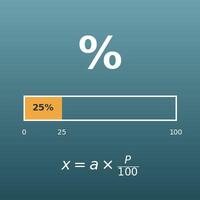
| \(\%\) | percent | The percent sign. It shows how many out of 100. The word comes from the Latin per centum, "for each hundred". |
Terms
| percentage difference | The absolute value of the difference of two values, divided by their average and written as a percent. It is also called the percent difference or relative percent difference. Its key feature is that swapping the two values gives the same result. |
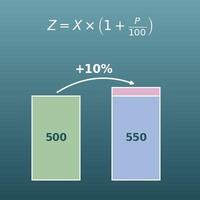
| percent change | How much a value went up or down, as a percent of the value before the change. It is also called the percentage change. It is used when the reference (the value before the change) is clear, as in "up 10% from last year". |
| absolute value | The size of a number with its sign (plus or minus) removed: \(|4| = 4\) and \(|-4| = 4\). The percentage difference uses it so that the difference is positive no matter which value is larger. |
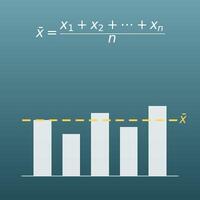
| average | A value that evens out several numbers. On this page it is the two values added together and divided by 2 (the arithmetic mean), and it is the reference value for the percentage difference. |
| symmetric | Giving the same result when the two values are swapped. The percentage difference is symmetric, but the percent change is not (the answer depends on which value is the reference). |
| reference value | The amount that counts as 1 (100%) in a percent calculation, also called the base. The answer changes with the reference value you choose, so when you see a percent, the most important thing is to check what it is compared against. |
Good to know before you start
Here is what helps you use the calculation on this page with real understanding, not just by pressing the button.
If you get stuck, going back over these topics is the quickest way forward.
| Rates and percents (Grade 6) |
|
| Averages (Grade 6) |
|
| Negative numbers and absolute value (Grade 6) |
|
| Dividing decimals (Grades 5–6) |
|
How to calculate it in Excel
| Value 1 | 60 |
| Value 2 | 100 |
| Percentage difference (%) | =ABS(B1-B2)/((B1+B2)/2)*100 |
| Value before (value 1) | 60 |
| Value after (value 2) | 100 |
| Percent change (%) | =ABS(B1-B2)/B1*100 |
"ABS" is the absolute value function (it removes a minus sign), "/" is division and "*" is multiplication.
For example, B3 shows 50 in the first table and about 66.67 in the second. Just replace B1 and B2 with your own numbers.
How to calculate it in Google Sheets
| Value 1 | 60 |
| Value 2 | 100 |
| Percentage difference (%) | =ABS(B1-B2)/((B1+B2)/2)*100 |
| Value before (value 1) | 60 |
| Value after (value 2) | 100 |
| Percent change (%) | =ABS(B1-B2)/B1*100 |
How to calculate it in Python
value_1 = 60    # first value to compare
value_2 = 100   # second value to compare

difference = abs(value_1 - value_2)                  # difference of the two values (absolute value)
average = (value_1 + value_2) / 2                    # average of the two values
percentage_difference = difference / average * 100   # percentage difference (%)
percentage_change = difference / value_1 * 100       # percent change from value 1 (%)

print(f"Difference of the two values: {difference}")
print(f"Average of the two values: {average}")
print(f"Percentage difference: {percentage_difference}%")
print(f"Percent change from value 1: {percentage_change}%")
How to write it in LaTeX and other math languages (copy and paste)
D = |V₁ − V₂| ÷ ((V₁ + V₂) ÷ 2) × 100
D = \dfrac{|V_1 - V_2|}{(V_1 + V_2)/2} \times 100
<math xmlns="http://www.w3.org/1998/Math/MathML" display="block">
<mrow>
<mi>D</mi>
<mo>=</mo>
<mfrac>
<mrow>
<mo>|</mo>
<msub><mi>V</mi><mn>1</mn></msub>
<mo>−</mo>
<msub><mi>V</mi><mn>2</mn></msub>
<mo>|</mo>
</mrow>
<mrow>
<mo>(</mo>
<msub><mi>V</mi><mn>1</mn></msub>
<mo>+</mo>
<msub><mi>V</mi><mn>2</mn></msub>
<mo>)</mo>
<mo>/</mo>
<mn>2</mn>
</mrow>
</mfrac>
<mo>×</mo>
<mn>100</mn>
</mrow>
</math>
D = (|V_1 - V_2|)/((V_1 + V_2)/2) xx 100
Abs[v1 - v2]/((v1 + v2)/2)*100
pctDiff := abs(v1 - v2)/((v1 + v2)/2)*100;
pct_diff = abs(v1 - v2)/((v1 + v2)/2)*100;
D = |V_1 − V_2|/((V_1 + V_2)/2) × 100
C = |V₁ − V₂| ÷ V₁ × 100
C = \dfrac{|V_1 - V_2|}{V_1} \times 100
<math xmlns="http://www.w3.org/1998/Math/MathML" display="block">
<mrow>
<mi>C</mi>
<mo>=</mo>
<mfrac>
<mrow>
<mo>|</mo>
<msub><mi>V</mi><mn>1</mn></msub>
<mo>−</mo>
<msub><mi>V</mi><mn>2</mn></msub>
<mo>|</mo>
</mrow>
<msub><mi>V</mi><mn>1</mn></msub>
</mfrac>
<mo>×</mo>
<mn>100</mn>
</mrow>
</math>
C = (|V_1 - V_2|)/V_1 xx 100
Abs[v1 - v2]/v1*100
pctChange := abs(v1 - v2)/v1*100;
pct_change = abs(v1 - v2)/v1*100;
C = |V_1 − V_2|/V_1 × 100
How to have ChatGPT do the calculation
You are a percent calculation assistant. Do the following calculations by actually running Python code, and base your answer only on the numbers from the execution result (do not answer by mental math or guessing).

There are two values to compare: value 1 = 60 and value 2 = 100.
Find each of the following:
1. The percentage difference (absolute value of the difference of the two values ÷ average of the two values × 100)
2. The percent change based on value 1 (absolute value of the difference of the two values ÷ value 1 × 100), and whether the change from value 1 to value 2 is an increase or a decrease

Show the formulas you used and the numbers from the execution result.
How to Use
-
1Enter your numbersType the numbers you want to calculate with into the input fields
-
2CalculatePress the "Calculate" button
-
3Check the resultThe result appears on the spot. The same page also explains the idea behind the calculation and the formula
DataChef Features

No technical knowledge required.
Intuitive and user-friendly operation.

Can be used without registering personal information.

Automatic file deletion by clicking "download".

and rapid file conversion.

No attribution required.

No need to contact us for commercial use permission.
Related Features
Percentage Calculator (Percent, Part and Whole)
Find the percent, the part or the whole from the other two
Percentage Change Calculator (Increase and Decrease)
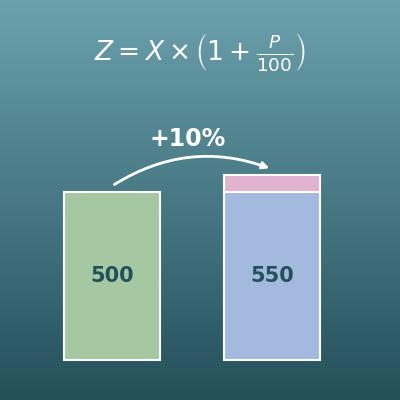
"What is $50 increased by 10%?", "How many percent did it go up?" Calculate percent increase and decrease based on the value before the change
Average Calculator (Mean)
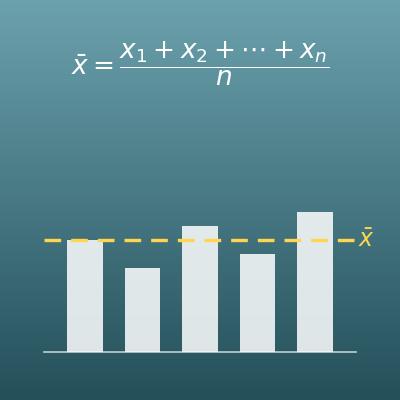
Enter comma-separated numbers to get the average (arithmetic mean), median, sum and more at once