Enter the date and time you want to convert and choose the "from" and "to" time zones. The date, time and day of the week in the "to" zone and the time difference are calculated.
Table of Contents
-
What you can do on this page
-
What is this calculation used for?
-
How to Use
-
Formula
-
Symbols and terms
-
Good to know before you start
-
How to calculate it in Excel
-
How to calculate it in Google Sheets
-
How to calculate it in Python
-
How to write it in LaTeX and other math languages (copy and paste)
-
How to have ChatGPT do the calculation
-
DataChef Features
-
Related Features
-
NumberChef Calculators List
What you can do on this page
- Choose a date, a time and the "from" and "to" time zones, and you get the date, time and day of the week in the other zone right away
- US Eastern (New York) to US Pacific (Los Angeles) is selected from the start, so a question like "What time is 3:00 PM in New York in Los Angeles?" takes one click
- The result also shows the time difference between the two zones (such as −3 h) and the date and time in UTC (Coordinated Universal Time) along the way
- Conversions that cross midnight, the end of a year or a leap day are handled correctly, just as on the calendar
- A plain-language explanation of the formulas and copy-and-paste formulas for Excel, Google Sheets and Python are all on this page
What is this calculation used for?
"What time is 10:00 AM in New York in Los Angeles?" It is 7:00 AM (a difference of −3 hours). When you set up a meeting with coworkers in other places, this conversion helps you find a time that falls within everyone's working hours. For a team in Tokyo, 9:00 AM in New York is 11:00 PM in Tokyo in winter (+14 hours).
Watch out for daylight saving time. From mid-March to early November, New York moves from UTC−5 to UTC−4, and the gap with Tokyo shrinks to 13 hours, because Japan does not change its clocks. During those months, choose UTC−04:00 for New York (EDT) instead.
On a ticket, the departure time is the local time where you leave, and the arrival time is the local time where you land. A flight that leaves New York at 8:00 AM and lands in Los Angeles at 11:30 AM seems to take 3.5 hours, but it is really in the air for 6.5 hours, because Los Angeles is 3 hours behind.
Once you can convert local times, you can tell whether it is a good time to call home and plan when to sleep to deal with jet lag.
Events abroad are often announced in local time. A soccer match that kicks off at 3:00 PM in London (GMT) starts at 10:00 AM in New York (EST) and at 7:00 AM in Los Angeles (PST).
This helps when you set a recording or plan a late night or an early morning. Note that the US and the UK change their clocks on different dates (the US in mid-March and early November, the UK at the end of March and the end of October), so for a few weeks a year the gap between London and New York is 4 hours instead of 5.
To contact someone at a good time for them, you need to know right away what time it is there. For example, 9:00 PM on Monday in Los Angeles (PST) is already 2:00 PM on Tuesday in Tokyo.
Calculate the time difference once and remember a pattern such as "my evening is their next afternoon", and you will know good times to call without calculating every time.
The New York Stock Exchange trades from 9:30 AM to 4:00 PM Eastern Time, which is 6:30 AM to 1:00 PM Pacific Time. Eastern and Pacific switch to daylight saving time on the same days, so this 3-hour gap holds all year. Economic reports are also usually announced in Eastern Time, so for investing and international business this conversion is part of the daily routine.
Markets abroad are trickier. The London Stock Exchange opens at 8:00 AM London time, which is 3:00 AM in New York in winter, but the gap changes for a few weeks when only one side has switched its clocks. Checking the conversion by season is the practical habit.
Formula
Symbols and terms
Symbols
| \(T_1\) | T sub 1 | The input date and time, in the "from" time zone. The small number at the lower right is a subscript that tells the first and second values apart. |
| \(T_2\) | T sub 2 | The converted date and time in the "to" time zone. This is what the calculator finds in the end. |
| \(U\) | U | The date and time converted to UTC (Coordinated Universal Time). It is the halfway point of the conversion and the reference time shared by the whole world. U stands for "Universal". |
| \(Z_1\), \(Z_2\) | Z sub 1, Z sub 2 | The UTC offsets of the "from" zone (\(Z_1\)) and the "to" zone (\(Z_2\)). Each one is a signed value that tells how many hours and minutes that time zone is ahead of or behind UTC. (Example - New York in winter is −5 hours, Los Angeles in winter is −8 hours, Japan is +9 hours) |
| \(D\) | D | The time difference between the two zones. It is found as \(D = Z_2 - Z_1\). A negative value means the "to" zone is behind. D stands for "difference". |
Terms
| time zone | An area that uses the same standard time. The contiguous United States has four time zones (Eastern, Central, Mountain and Pacific), with Alaska and Hawaii in their own zones. Russia has 11. China, although it is a very wide country, uses just one (UTC+8), and so does Japan (UTC+9). |
| UTC (Coordinated Universal Time) | The reference time for the whole world, kept by atomic clocks. Every local time is written as how many hours it is ahead of or behind UTC. US Eastern Standard Time is 5 hours behind UTC, so it is "UTC−5". |
| GMT (Greenwich Mean Time) | The time based on the Sun as observed at the Royal Observatory in Greenwich, England. The world standard is now UTC, which is based on atomic clocks, but the two are kept within 1 second of each other, so in everyday life they mean almost the same thing. The UK uses GMT in winter. |
| offset | How many hours and minutes a time zone is ahead of or behind UTC, written like "UTC−05:00" or "UTC+09:00". Most offsets are whole hours, but some are not, such as India (+5:30) and Nepal (+5:45). |
| daylight saving time (DST) | Setting the clocks 1 hour ahead during the summer, when days are long. In most of the US it runs from the second Sunday in March to the first Sunday in November, and the offset changes by 1 hour (New York goes from UTC−5 to UTC−4, which is EDT). Hawaii and most of Arizona do not use it. Europe switches on the last Sundays of March and October, so for a few weeks each year the gap between the US and Europe is 1 hour different from usual. This calculator does not apply DST. |
| International Date Line | The line in the Pacific Ocean, roughly along 180° longitude, where the date changes. The date differs by about one day across it, so at the same moment a place at UTC−12 and a place at UTC+12 show clock times that are 24 hours (one full day) apart. If you convert from UTC−12:00 to UTC+12:00 in this calculator, the time difference is "+24 h". The clock time stays the same and only the date moves forward by one day. |
| standard time | The official time a country or region uses outside daylight saving time. In the US, the main ones are Eastern (EST, UTC−5), Central (CST, UTC−6), Mountain (MST, UTC−7) and Pacific (PST, UTC−8). Each US zone is roughly 15° of longitude wide. |
Good to know before you start
Here is what helps you use the calculation on this page with real understanding, not just by pressing the button.
If you get stuck, going back over these topics is the fastest way forward.
| Telling time and the 24-hour clock (Grade 3 and up) |
|
| Elapsed time across midnight (Grades 3–4) |
|
| Adding and subtracting negative numbers (Grade 7) |
|
| Time zones and longitude (middle school geography) |
|
How to calculate it in Excel
| Date | 2026-01-15 |
| Time | 15:00:00 |
| "From" offset (hours) | -5 |
| "To" offset (hours) | -8 |
| Date and time in UTC | =B1+B2-B3/24 |
| Converted date and time | =B5+B4/24 |
| Converted day of the week | =TEXT(B6,"dddd") |
| "From" offset (hours) | -5 |
| "To" offset (hours) | -8 |
| Time difference (hours) | =B2-B1 |
If B5 or B6 shows a number such as "46037.83333", change the cell format to the custom format "m/d/yyyy h:mm:ss". In the first table, the date and time in UTC is 1/15/2026 20:00:00, the converted date and time is 1/15/2026 12:00:00, and B7 shows the day of the week (Thursday). The answer in the second table is −3 (hours).
Enter offsets that are not whole hours as decimal hours: India (UTC+5:30) is "5.5" and Nepal (UTC+5:45) is "5.75" (30 minutes = 0.5 hours, 45 minutes = 0.75 hours). Just replace the values in column B with your own.
How to calculate it in Google Sheets
| Date | 2026-01-15 |
| Time | 15:00:00 |
| "From" offset (hours) | -5 |
| "To" offset (hours) | -8 |
| Date and time in UTC | =B1+B2-B3/24 |
| Converted date and time | =B5+B4/24 |
| Converted day of the week | =TEXT(B6,"dddd") |
| "From" offset (hours) | -5 |
| "To" offset (hours) | -8 |
| Time difference (hours) | =B2-B1 |
=TEXT(B6,"dddd") shows the full name of the day of the week (Thursday). If a result appears as a number (a serial value), change it to a date and time with "Format → Number → Date time" in the menu.
How to calculate it in Python
from datetime import datetime, timedelta

input_datetime = datetime(2026, 1, 15, 15, 0, 0)  # date and time in the "from" zone (year, month, day, hour, minute, second)
from_offset = timedelta(hours=-5)                 # "from" offset (US Eastern, standard time, UTC-05:00)
to_offset = timedelta(hours=-8)                   # "to" offset (US Pacific, standard time, UTC-08:00)

utc_datetime = input_datetime - from_offset       # step 1: convert to UTC (Coordinated Universal Time)
converted_datetime = utc_datetime + to_offset     # step 2: convert to the "to" zone
diff_hours = (to_offset - from_offset).total_seconds() / 3600  # time difference between the two zones

weekday_names = ['Monday', 'Tuesday', 'Wednesday', 'Thursday', 'Friday', 'Saturday', 'Sunday']
print(f"Date and time in UTC: {utc_datetime:%m/%d/%Y %H:%M:%S}")
print(f"Converted date and time: {converted_datetime:%m/%d/%Y %H:%M:%S} ({weekday_names[converted_datetime.weekday()]})")
print(f"Time difference: {diff_hours:+.2f} hours")
How to write it in LaTeX and other math languages (copy and paste)
U = T₁ − Z₁, T₂ = U + Z₂
U = T_1 - Z_1, \quad T_2 = U + Z_2
<math xmlns="http://www.w3.org/1998/Math/MathML" display="block">
<mrow>
<mi>U</mi><mo>=</mo>
<msub><mi>T</mi><mn>1</mn></msub><mo>−</mo>
<msub><mi>Z</mi><mn>1</mn></msub>
<mo>,</mo><mspace width="0.7em"/>
<msub><mi>T</mi><mn>2</mn></msub><mo>=</mo>
<mi>U</mi><mo>+</mo>
<msub><mi>Z</mi><mn>2</mn></msub>
</mrow>
</math>
U = T_1 - Z_1, T_2 = U + Z_2
TimeZoneConvert[DateObject[{2026, 1, 15, 15, 0, 0}, TimeZone -> -5], -8]
U := T1 - Z1; T2 := U + Z2;
t = datetime(2026,1,15,15,0,0,'TimeZone','-05:00'); t.TimeZone = '-08:00';
U = T_1 - Z_1, T_2 = U + Z_2
D = Z₂ − Z₁
D = Z_2 - Z_1
<math xmlns="http://www.w3.org/1998/Math/MathML" display="block">
<mrow>
<mi>D</mi><mo>=</mo>
<msub><mi>Z</mi><mn>2</mn></msub><mo>−</mo>
<msub><mi>Z</mi><mn>1</mn></msub>
</mrow>
</math>
D = Z_2 - Z_1
d = z2 - z1
D_diff := Z2 - Z1;
d = z2 - z1;
D = Z_2 - Z_1
How to have ChatGPT do the calculation
You are a time zone calculation assistant. Do the following calculation by actually running Python code, and base your answer only on the date and time from the execution result (do not answer by mental math or guessing).

Convert 3:00:00 PM (15:00:00) on January 15, 2026 in US Eastern Standard Time (UTC−05:00) to US Pacific Standard Time (UTC−08:00). Treat both as fixed offsets (do not apply daylight saving time). Use two steps: subtract the "from" offset from the input date and time to get UTC, then add the "to" offset to UTC. If the date changes, follow the calendar.

Show the date and time in UTC along the way, the converted date and time (24-hour clock) and day of the week, and the time difference between the two zones.
How to Use
-
1Enter your numbersType the numbers you want to calculate with into the input fields
-
2CalculatePress the "Calculate" button
-
3Check the resultThe result appears on the spot. The same page also explains the idea behind the calculation and the formula
DataChef Features

No technical knowledge required.
Intuitive and user-friendly operation.

Can be used without registering personal information.

Automatic file deletion by clicking "download".

and rapid file conversion.

No attribution required.

No need to contact us for commercial use permission.
Related Features
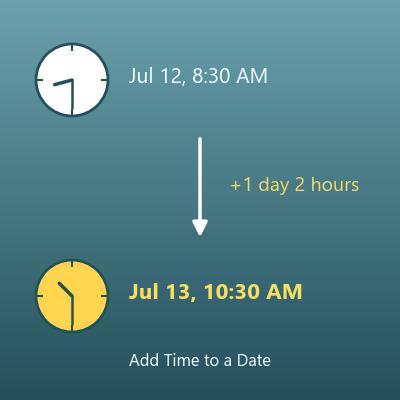
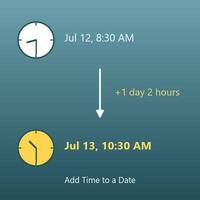
Date and Time Calculator (Add or Subtract Hours, Minutes and Seconds)
Adds days, hours, minutes and seconds to a date and time, or subtracts them, and shows the day of the week
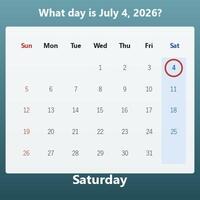
Day of the Week Calculator (What Day Was It?)
Enter a date to find out which day of the week it falls on
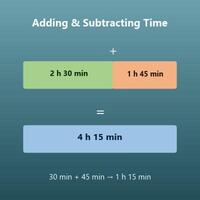
Time Calculator (Add and Subtract Days, Hours, Minutes and Seconds)
Adds and subtracts lengths of time such as "2 hours 30 minutes"