Enter the total number of items n and the number you choose r. The calculator finds the permutations nPr (order matters) and the combinations nCr (order does not matter) at the same time. The formula below is linked to the input fields, so you can also edit n and r directly in it.
Table of Contents
-
What you can do on this page
-
What is this calculation used for?
-
How to Use
-
Formula
-
Symbols and terms
-
Good to know before you start
-
How to calculate it in Excel
-
How to calculate it in Google Sheets
-
How to calculate it in Python
-
How to write it in LaTeX and other math languages (copy and paste)
-
How to have ChatGPT do the calculation
-
DataChef Features
-
Related Features
-
NumberChef Calculators List
What you can do on this page
- Just enter the total number of items \(n\) and the number you choose \(r\). You get both the permutations \({}_{n}\mathrm{P}_{r}\) (ways to choose when order matters) and the combinations \({}_{n}\mathrm{C}_{r}\) (ways to choose when order does not matter) at once
- Answer counting questions such as "How many ways can an 11-player soccer team pick a captain and a goalkeeper?" or "How many ways can it pick 2 forwards?" in one step
- Even for a large \(n\) where the answer has dozens or hundreds of digits, every digit is shown exactly, with no rounding
- A plain-language explanation of the formulas and copy-and-paste formulas for Excel, Google Sheets and Python are all on this page
What is this calculation used for?
In Powerball, you pick 5 white balls from 69 and 1 red Powerball from 26. The order of the white balls does not matter, so they are a combination: \({}_{69}\mathrm{C}_{5} = 11{,}238{,}513\) ways. Multiply by the 26 choices for the red ball and you get \(292{,}201{,}338\) possible tickets. Only 1 of them wins the jackpot, so the odds are about 1 in 292 million.
The combination formula lets you check how hard it is to win a lottery or a prize draw with real numbers instead of a vague feeling.
In a class of 30 students, choosing a class president and a vice president means the roles are different, so it is a permutation: \({}_{30}\mathrm{P}_{2} = 30 \times 29 = 870\) ways. Just picking 2 students for a cleanup duty, on the other hand, does not depend on order, so it is a combination: \({}_{30}\mathrm{C}_{2} = 435\) ways.
Once you know that the count changes depending on whether roles or order matter, you can count correctly for drawings and elections.
In a round robin, every team plays every other team once. Each game is a choice of 2 teams, so \(n\) teams play \({}_{n}\mathrm{C}_{2}\) games. With 10 teams, that is \({}_{10}\mathrm{C}_{2} = 45\) games.
Tournament organizers use this calculation to estimate how many games, days and fields they need.
If you make a 4-digit code from the 10 digits 0 to 9 without using any digit twice, order matters, so there are \({}_{10}\mathrm{P}_{4} = 5{,}040\) codes. The more codes there are, the harder it is to break the lock by trying them all, and permutations also show how much adding one more digit helps.
By the way, a "combination lock" only opens when the numbers are entered in the right order, so mathematically it is a permutation lock, not a combination lock.
When 5 products are picked for inspection from a batch of 100, there are \({}_{100}\mathrm{C}_{5} = 75{,}287{,}520\) ways to pick them.
The theory of statistical sampling inspection is built on counts like this. It finds the chance that an inspection catches a defective product in the batch, and it is a key part of quality assurance in factories.
Formula
Symbols and terms
Symbols
| \(n\) | en | The total number of items you choose from. (Example - choosing from 11 people, \(n = 11\)) |
| \(r\) | ar | The number of items you choose from the total. (Example - choosing 2 people, \(r = 2\)) |
| \(n!\) | n factorial | The product of all the whole numbers from \(n\) down to \(1\). It is the number of ways to arrange all \(n\) items in a row. By definition, \(0! = 1\). (Example - \(4! = 4 \times 3 \times 2 \times 1 = 24\)) |
| \({}_{n}\mathrm{P}_{r}\) | n P r | The number of ways to choose \(r\) of \(n\) items and put them in order (permutations). P stands for "permutation". It is also written \(P(n, r)\). |
| \({}_{n}\mathrm{C}_{r}\) | n C r | The number of ways to choose \(r\) of \(n\) items (combinations). C stands for "combination". It is also written \(C(n, r)\). |
| \(\binom{n}{r}\) | n choose r (binomial coefficient) | Another way to write \({}_{n}\mathrm{C}_{r}\). This is the form most often used in college math and in many textbooks. |
Terms
| counting | Finding how many possible outcomes there are in total. Permutations and combinations are both tools for counting. |
| permutation | A way to choose \(r\) of \(n\) items and put them in a row, where order matters. Different roles or ranks, such as "captain and vice captain", are counted as different. |
| combination | A way to choose \(r\) of \(n\) items where order does not matter. As with "2 people for a cleanup duty", the same group of people counts as 1 way. |
| factorial | Multiplying all the whole numbers from \(n\) down to \(1\). The symbol is \(n!\), and it gives the number of ways to arrange all \(n\) items. |
| binomial coefficient | Another name for \({}_{n}\mathrm{C}_{r}\). The name comes from the fact that the coefficients you get when you expand \((a+b)^n\) are exactly the values of \({}_{n}\mathrm{C}_{r}\). |
| tree diagram | A branching diagram that lists every possible outcome, so you count each one exactly once. The permutation and combination formulas do the same counting as a tree diagram in a single calculation. |
| permutation with repetition | A permutation where the same item can be chosen any number of times. There are \(n^r\) of them. The calculator on this page only handles the case without repetition. |
| combination with repetition | A combination where the same item can be chosen any number of times. The calculator on this page only handles the case without repetition. |
Good to know before you start
Here is what helps you use the calculation on this page with real understanding, not just by pressing the button.
| Multiplication and division (Grades 3–5) |
|
| Counting outcomes and tree diagrams (Grade 7) |
|
| Factorial notation (high school, Algebra 2 or Precalculus) |
|
| Permutations and combinations (high school, Algebra 2 or Statistics) |
|
How to calculate it in Excel
| Items to arrange n | 4 |
| All arrangements n! | =FACT(B1) |
| Total items n | 11 |
| Items chosen r | 2 |
| Permutations nPr | =PERMUT(B1,B2) |
| Total items n | 11 |
| Items chosen r | 2 |
| Combinations nCr | =COMBIN(B1,B2) |
FACT, PERMUT and COMBIN are the Excel functions for the factorial, permutations and combinations.
For example, B3 shows 110 in the second table and 55 in the third. Just replace B1 and B2 with your own numbers.
Note that Excel keeps only 15 significant digits, so when n is large and the answer has dozens of digits, the last digits are rounded.
How to calculate it in Google Sheets
| Items to arrange n | 4 |
| All arrangements n! | =FACT(B1) |
| Total items n | 11 |
| Items chosen r | 2 |
| Permutations nPr | =PERMUT(B1,B2) |
| Total items n | 11 |
| Items chosen r | 2 |
| Combinations nCr | =COMBIN(B1,B2) |
Copy the whole table, paste it into cell A1, and replace B1 and B2 with your own numbers.
How to calculate it in Python
import math

total_items = 11    # total number of items n
chosen_items = 2    # number of items chosen r

permutations = math.perm(total_items, chosen_items)   # permutations nPr
combinations = math.comb(total_items, chosen_items)   # combinations nCr

print(f"Permutations nPr (order matters): {permutations}")
print(f"Combinations nCr (order does not matter): {combinations}")
How to write it in LaTeX and other math languages (copy and paste)
n! = n × (n − 1) × ⋯ × 2 × 1
n! = n \times (n-1) \times \cdots \times 2 \times 1
<math xmlns="http://www.w3.org/1998/Math/MathML" display="block">
<mrow>
<mi>n</mi><mo>!</mo>
<mo>=</mo>
<mi>n</mi>
<mo>×</mo>
<mo>(</mo><mi>n</mi><mo>−</mo><mn>1</mn><mo>)</mo>
<mo>×</mo>
<mo>⋯</mo>
<mo>×</mo>
<mn>2</mn>
<mo>×</mo>
<mn>1</mn>
</mrow>
</math>
n! = n xx (n-1) xx cdots xx 2 xx 1
Factorial[n]
nFactorial := factorial(n);
n_factorial = factorial(n);
n! = n × (n − 1) × ⋯ × 2 × 1
ₙPᵣ = n! ÷ (n − r)!
{}_{n}P_{r} = \dfrac{n!}{(n-r)!}
<math xmlns="http://www.w3.org/1998/Math/MathML" display="block">
<mrow>
<mmultiscripts>
<mi>P</mi>
<mi>r</mi><none/>
<mprescripts/>
<mi>n</mi><none/>
</mmultiscripts>
<mo>=</mo>
<mfrac>
<mrow><mi>n</mi><mo>!</mo></mrow>
<mrow><mo>(</mo><mi>n</mi><mo>−</mo><mi>r</mi><mo>)</mo><mo>!</mo></mrow>
</mfrac>
</mrow>
</math>
P(n, r) = (n!)/((n-r)!)
n!/(n - r)!
nPr := factorial(n)/factorial(n - r);
npr = factorial(n)/factorial(n - r);
P(n,r) = n!/(n − r)!
ₙCᵣ = n! ÷ (r! × (n − r)!)
{}_{n}C_{r} = \dfrac{n!}{r!\,(n-r)!}
<math xmlns="http://www.w3.org/1998/Math/MathML" display="block">
<mrow>
<mmultiscripts>
<mi>C</mi>
<mi>r</mi><none/>
<mprescripts/>
<mi>n</mi><none/>
</mmultiscripts>
<mo>=</mo>
<mfrac>
<mrow><mi>n</mi><mo>!</mo></mrow>
<mrow>
<mi>r</mi><mo>!</mo>
<mo>(</mo><mi>n</mi><mo>−</mo><mi>r</mi><mo>)</mo><mo>!</mo>
</mrow>
</mfrac>
</mrow>
</math>
C(n, r) = (n!)/(r!(n-r)!)
Binomial[n, r]
nCr := binomial(n, r);
ncr = nchoosek(n, r);
C(n,r) = n!/(r!(n − r)!)
How to have ChatGPT do the calculation
You are a calculation assistant for counting (permutations and combinations). Do the following calculation by actually running Python code, and base your answer only on the numbers from the execution result (do not answer by mental math or guessing).

A soccer team has 11 players.
1. How many ways are there to choose a captain and a goalkeeper? (The roles are different, so this is a permutation.)
2. How many ways are there to choose 2 forwards? (The order of the 2 does not matter, so this is a combination.)

For each question, say whether you used the permutations nPr or the combinations nCr, and show the numbers from the execution result.
How to Use
-
1Enter your numbersType the numbers you want to calculate with into the input fields
-
2CalculatePress the "Calculate" button
-
3Check the resultThe result appears on the spot. The same page also explains the idea behind the calculation and the formula
DataChef Features

No technical knowledge required.
Intuitive and user-friendly operation.

Can be used without registering personal information.

Automatic file deletion by clicking "download".

and rapid file conversion.

No attribution required.

No need to contact us for commercial use permission.
Related Features
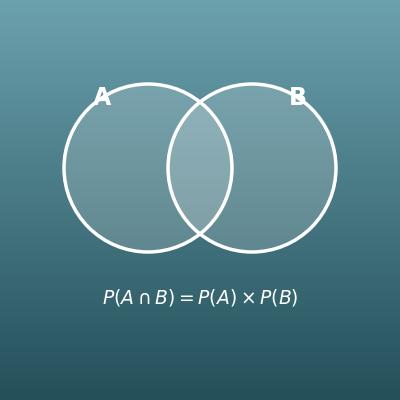
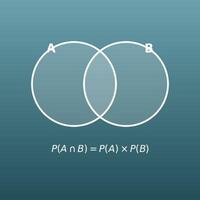
Probability of Two Events (And, Or, Neither)
From two probabilities, find the chance that both happen, that at least one happens, and more
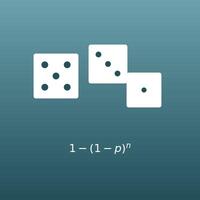
Probability of Repeated Trials (n in a Row, At Least Once)
Find the chance that something happens n times in a row, or at least once in n tries
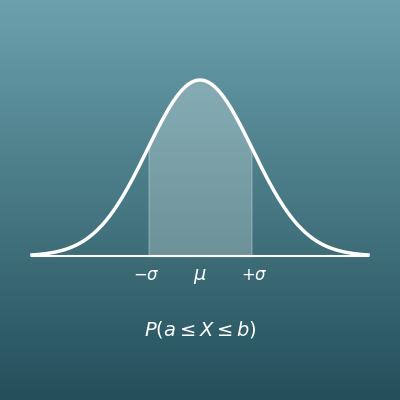
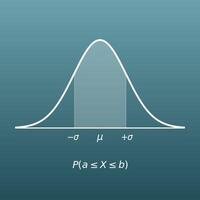
Normal Distribution Probability Calculator
From the mean and standard deviation, find the probability of falling in a given range
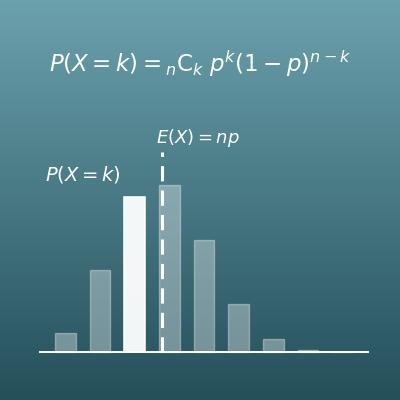
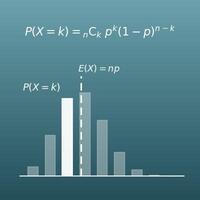
Binomial Distribution Calculator
A classic use of the combination nCk. Find the probability of exactly k successes in n trials, with a bar chart of the distribution