Enter the two you know out of cost, revenue, margin (%) and profit, leave the others blank, and press "Calculate". The blank fields and the markup are calculated, and a pie chart shows how the revenue breaks down.
Table of Contents
-
What you can do on this page
-
What is this calculation used for?
-
How to Use
-
Formulas and figures
-
Symbols and terms
-
Good to know before you start
-
How to calculate it in Excel
-
How to calculate it in Google Sheets
-
How to calculate it in Python
-
How to write it in LaTeX and other math languages (copy and paste)
-
How to have ChatGPT do the calculation
-
DataChef Features
-
Related Features
-
NumberChef Calculators List
What you can do on this page
- Enter any two of cost, revenue, margin (%) and profit, and the other two are calculated, along with the markup (profit as a percentage of cost)
- "If I buy at $12 and sell at $16, what is my margin?" "What price gives a 20% margin on a $10 cost?" - pricing and profit questions answered in one place
- A pie chart shows at a glance how revenue splits into cost and profit
- A plain-language explanation of the formulas and copy-and-paste formulas for Excel, Google Sheets and Python are all on this page
What is this calculation used for?
Say an item costs you $8 in materials and shipping, and you want a 40% margin. The price is \(8 \div (1 - 0.4) \approx 13.33\) dollars, so a price of about $13.50 works.
If you just pick $10, the margin is only 20% (a $2 profit), and after marketplace fees almost nothing is left. The numbers help you avoid that mistake before you list the item.
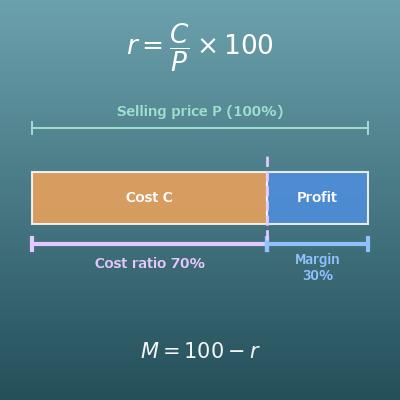
Restaurants often aim for a food cost of about 30% of the menu price. A 30% food cost is the same as a 70% gross margin, so a dish with $3 of ingredients is priced at \(3 \div 0.3 = 10\) dollars.
"$10 for $3 of food?" you may think, but the restaurant pays wages, rent and utilities out of the remaining $7 of gross profit. This formula shows how restaurant prices work.
If the news says "revenue of $100 billion and operating income of $8 billion", the operating margin is \(8 \div 100 \times 100 = 8\)% (operating income is gross profit minus operating expenses such as wages).
Typical margins vary a lot by industry, but the calculation "profit ÷ revenue × 100" is the same as on this page. With this, you can judge for yourself how well a company makes money, whether you are investing or choosing where to work.
If you mark up a $1,000 item by 20% and sell it for $1,200, the markup is 20%, but the margin is only \(200 \div 1200 \times 100 \approx 16.67\)%. If your goal is a 20% margin, the right price is \(1000 \div 0.8 = 1250\) dollars.
It looks like a small difference, but on $10 million in sales it adds up to more than $300,000 in profit a year. It is a well-known mix-up in real businesses.
A deli sandwich that costs $1.50 to make and sells for $5 has a margin of \((5 - 1.5) \div 5 \times 100 = 70\)%. Even at half price, $2.50, just before closing, the margin is \((2.5 - 1.5) \div 2.5 \times 100 = 40\)%, so it still makes money.
But a discount that takes the price below the $1.50 cost means a loss. This calculation is behind a store's decision that "half price is better than throwing it away".
Formulas and figures
Symbols and terms
Symbols
| \(C\) | see | Cost. What it cost to buy or make the item. (Example - if you bought it for $1,200, \(C = 1200\)) |
| \(R\) | are | Revenue. The money you receive when you sell the item (the selling price). |
| \(P\) | pee | Profit. Revenue minus cost (gross profit). It is found with \(P = R - C\). |
| \(M\) | em | Margin. Profit as a percentage of revenue. It is found with \(M = P \div R \times 100\). |
| \(K\) | kay | Markup. Profit as a percentage of cost. There is no standard one-letter symbol for it, so this page uses \(K\). It is found with \(K = P \div C \times 100\). |
Terms
| profit margin | Profit as a percentage of revenue, often just called "margin". It shows what percent of revenue you keep as profit. The "gross margin", "operating margin" and "net margin" in company earnings reports all use revenue as the base in the same way. |
| markup | Profit as a percentage of cost. It shows by what percent the price was raised above cost. Retailers often set prices by adding a markup to the cost. |
| gross profit | Revenue minus only the cost of the goods. It is the profit before expenses such as wages and rent. "Profit" on this page means gross profit. |
| cost of goods sold (COGS) | What it cost to buy or make the goods you sold. For a store, it is the wholesale price it paid; for a manufacturer, it is the materials and production costs. It is the "cost" on this page. |
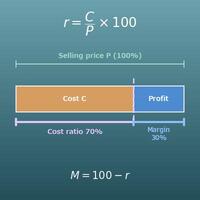
| cost percentage | Cost as a percentage of revenue. It adds up to exactly 100% with the margin (cost percentage = 100 − margin). Restaurants use it as "food cost percentage", often aiming for about 30%. |
| revenue (sales) | The money received from selling goods or services. For a single item, it is the selling price. |
Good to know before you start
Here is what helps you use the calculation on this page with real understanding, not just by pressing the button.
| Percents (Grade 6) |
|
| Percent problems: part, whole and percent (Grades 6–7) |
|
| Multiplying and dividing decimals (Grades 5–6) |
|
| Rearranging formulas (Grades 7–8) |
|
How to calculate it in Excel
| Cost C | 1200 |
| Revenue R | 1600 |
| Profit P | =B2-B1 |
| Profit P | 400 |
| Revenue R | 1600 |
| Margin M (%) | =B1/B2*100 |
| Profit P | 400 |
| Cost C | 1200 |
| Markup K (%) | =B1/B2*100 |
| Cost C | 1000 |
| Margin M (%) | 20 |
| Revenue R | =B1/(1-B2/100) |
B3 shows 400 in the first table (a $400 profit), 25 in the second (a 25% margin), about 33.33 in the third, and 1250 in the fourth (a $1,250 selling price). Just replace B1 and B2 with your own numbers.
How to calculate it in Google Sheets
| Cost C | 1200 |
| Revenue R | 1600 |
| Profit P | =B2-B1 |
| Profit P | 400 |
| Revenue R | 1600 |
| Margin M (%) | =B1/B2*100 |
| Profit P | 400 |
| Cost C | 1200 |
| Markup K (%) | =B1/B2*100 |
| Cost C | 1000 |
| Margin M (%) | 20 |
| Revenue R | =B1/(1-B2/100) |
How to calculate it in Python
cost = 1200      # cost
revenue = 1600   # revenue

profit = revenue - cost            # profit
margin = profit / revenue * 100    # margin (%)
markup = profit / cost * 100       # markup (%)

print(f"Profit: {profit}")
print(f"Margin: {margin}%")
print(f"Markup: {markup}%")

# Working backward: find the revenue (selling price) from the cost and a target margin
cost2 = 1000            # cost
target_margin = 20      # target margin (%)
revenue2 = cost2 / (1 - target_margin / 100)
print(f"Revenue for a {target_margin}% margin: {revenue2}")
How to write it in LaTeX and other math languages (copy and paste)
P = R − C
P = R - C
<math xmlns="http://www.w3.org/1998/Math/MathML" display="block">
<mrow>
<mi>P</mi>
<mo>=</mo>
<mi>R</mi>
<mo>−</mo>
<mi>C</mi>
</mrow>
</math>
P = R - C
r - c
P := R - C;
P = R - C;
P = R - C
M = P ÷ R × 100
M = \dfrac{P}{R} \times 100
<math xmlns="http://www.w3.org/1998/Math/MathML" display="block">
<mrow>
<mi>M</mi>
<mo>=</mo>
<mfrac><mi>P</mi><mi>R</mi></mfrac>
<mo>×</mo>
<mn>100</mn>
</mrow>
</math>
M = P/R xx 100
p/r*100
M := P/R*100;
M = P/R*100;
M = P/R × 100
K = P ÷ C × 100
K = \dfrac{P}{C} \times 100
<math xmlns="http://www.w3.org/1998/Math/MathML" display="block">
<mrow>
<mi>K</mi>
<mo>=</mo>
<mfrac><mi>P</mi><mi>C</mi></mfrac>
<mo>×</mo>
<mn>100</mn>
</mrow>
</math>
K = P/C xx 100
p/c*100
K := P/C*100;
K = P/C*100;
K = P/C × 100
R = C ÷ (1 − M/100)
R = \dfrac{C}{1 - M/100}
<math xmlns="http://www.w3.org/1998/Math/MathML" display="block">
<mrow>
<mi>R</mi>
<mo>=</mo>
<mfrac>
<mi>C</mi>
<mrow><mn>1</mn><mo>−</mo><mi>M</mi><mo>/</mo><mn>100</mn></mrow>
</mfrac>
</mrow>
</math>
R = C/(1 - M/100)
c/(1 - m/100)
R := C/(1 - M/100);
R = C/(1 - M/100);
R = C/(1 - M/100)
How to have ChatGPT do the calculation
You are a calculation assistant for profit and pricing. Do the following calculations by actually running Python code, and base your answer only on the numbers from the execution result (do not answer by mental math or guessing).

An item bought for $1,200 is sold for $1,600.
Find each of the following:
1. The profit (revenue − cost)
2. The profit margin (profit ÷ revenue × 100, in %)
3. The markup (profit ÷ cost × 100, in %)
4. For a different item: the selling price that gives exactly a 20% margin on a cost of $1,000 (price = cost ÷ (1 − 20/100))

Show the formulas you used and the numbers from the execution result.
How to Use
-
1Enter your numbersType the numbers you want to calculate with into the input fields
-
2CalculatePress the "Calculate" button
-
3Check the resultThe result appears on the spot. The same page also explains the idea behind the calculation and the formula
DataChef Features

No technical knowledge required.
Intuitive and user-friendly operation.

Can be used without registering personal information.

Automatic file deletion by clicking "download".

and rapid file conversion.

No attribution required.

No need to contact us for commercial use permission.
Related Features
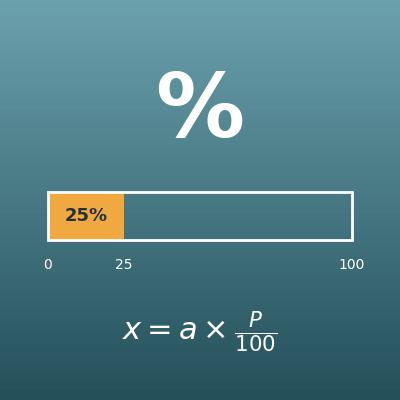
Percentage Calculator (Percent, Part and Whole)
Enter any two of the base amount, the part and the percentage, and get the third. The foundation of margin math

Discount Calculator (Sale Price, Amount Off and Percent Off)
Finds the sale price from the original price and the discount. Use it for "% off" calculations
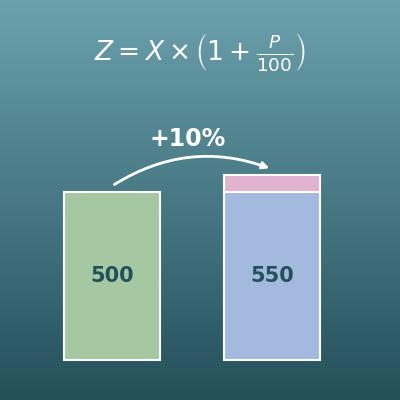
Percentage Change Calculator (Increase and Decrease)
Finds "by what percent did it go up or down?" Useful for year-over-year sales growth
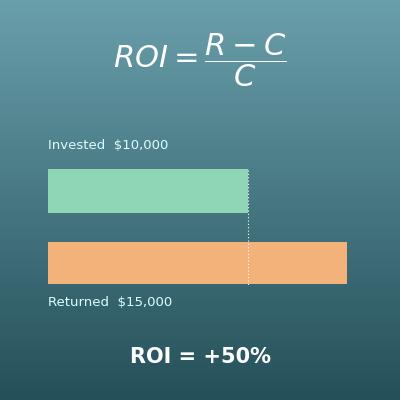
ROI Calculator (Return on Investment and Annualized ROI)
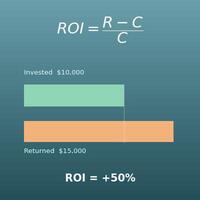
Finds the ROI and the annualized ROI from the amount invested and the amount returned. The investment version of a margin
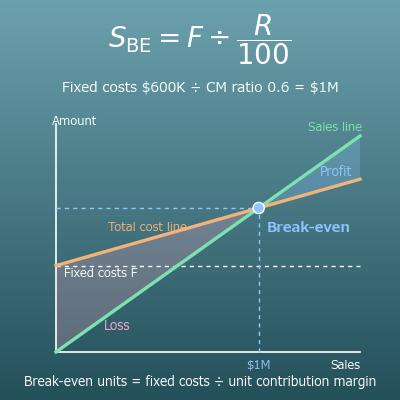
Break-Even Point Calculator (Break-Even Sales and Units, Margin of Safety, Sales for a Target Profit)
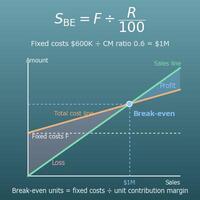
Finds the sales and units needed to stop losing money (the break-even point) and the margin of safety from fixed costs, price and variable cost