Enter the tile size, the grout width and the area to tile. Tiles per box and price are optional (if left blank, they are not calculated).
Table of Contents
-
What you can do on this page
-
What is this calculation used for?
-
How to Use
-
Formulas and figures
-
Symbols and terms
-
Good to know before you start
-
How to calculate it in Excel
-
How to calculate it in Google Sheets
-
How to calculate it in Python
-
How to write it in LaTeX and other math languages (copy and paste)
-
How to have ChatGPT do the calculation
-
DataChef Features
-
Related Features
-
NumberChef Calculators List
What you can do on this page
- Enter the size of one tile (length × width) and the size of the area to tile, and you get the number of tiles you need on the spot
- The grout width (the gap between tiles) is included in the count. Enter a negative value to calculate pieces that overlap at the edges
- The result also shows how many to buy with 5-10% extra for cuts, breakage and spares
- Enter the tiles per box and the price, and you also get the number of boxes and an estimated cost
- A plain-language explanation of the formulas and copy-and-paste formulas for Excel, Google Sheets and Python are all on this page
What is this calculation used for?
Say you tile a 5 × 5 ft bathroom floor (25 ft²) with 4 × 4 in tiles and 1/8 in grout. Each tile takes up \((4 + 0.125)^2 = 17.015625\) in², so you need \(\lceil 25 \times 144 \div 17.015625 \rceil = 212\) tiles, or 223 to 234 with waste.
The smaller the tile, the faster the count goes up. Working it out before you shop helps you avoid running short or buying far too many.
A remodeling quote lists items such as "kitchen floor tile, 200 sq ft" with the material cost. With large 24 × 24 in tiles and 1/8 in grout, each tile takes up \(24.125^2 = 582.015625\) in², so 200 ft² needs \(\lceil 200 \times 144 \div 582.015625 \rceil = 50\) tiles before waste.
Knowing this formula lets you follow where the tile count and material cost in a quote come from, and makes it easier to list the questions to ask the contractor. (A real quote also includes labor, surface preparation and the waste factor, so the tile count alone cannot tell you whether the price is fair.)
Snap-together 12 × 12 in deck tiles that just sit on the surface are a popular DIY project, even for renters. A 4 × 10 ft balcony (40 ft²) with no gaps (grout width 0) takes exactly \(40 \div 1 = 40\) tiles, since each tile is 1 ft².
Deck tiles are usually sold in packs of 10 or so, so using the box formula to work out the number of packs (4 packs here) lets you order in one go.
A mosaic mural for a school fair, or a bulletin board covered with squares of colored paper, can be estimated with this formula too. To fill a 6 × 8 ft wall (48 ft² = 6,912 in²) with 2 × 2 in pieces and no gaps, you need \(6912 \div 4 = 1728\) pieces.
If you count the share of each color on the design sketch, you can also work out how many pieces of each color you need in advance.
Formulas and figures
Symbols and terms
Symbols
| \(l\) | ell | The length of one tile. For the calculation it is put in inches (in US units). (Example - 1 ft → 12 in) |
| \(w\) | double-u | The width of one tile. For a square tile it is the same as the length. |
| \(g\) | gee | The grout width (the gap between tiles). A negative value means an overlap. |
| \(a\) | ay | The area one tile takes up, grout included. It is found with \(a = (l+g)(w+g)\). |
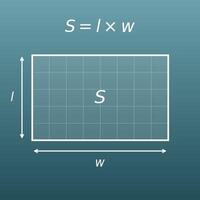
| \(S\) | ess | The area to tile. You enter it as length × width, or as a total area (ft²). |
| \(N\) | en | The number of tiles needed. It is found with \(N = \lceil S \div a \rceil\). |
| \(N_{5}\), \(N_{10}\) | N sub 5, N sub 10 | The number of tiles to buy with waste (cuts and spares). They are the tiles needed plus 5% and plus 10%, rounded up. |
| \(k\) | kay | The number of tiles in one box (carton). |
| \(B\) | bee | The number of boxes needed. It is found with \(B = \lceil N \div k \rceil\). |
| \(u\) | you | The unit price of the tile (per tile, per box or per square foot). |
| \(Q\) | cue | The quantity that matches the unit of the price (number of tiles, number of boxes or area). |
| \(T\) | tee | The estimated cost (tile only; grout, adhesive and other supplies are not included). |
| \(\lceil x \rceil\) | ceiling of x | The symbol for rounding up to a whole number (the ceiling function). (Example - \(\lceil 117.54 \rceil = 118\), \(\lceil 8 \rceil = 8\)) |
Terms
| grout line (grout joint) | The gap left between tiles and filled with grout (a cement-based filler). It absorbs small size differences between tiles and helps prevent cracking and loose tiles. In the US, 1/16 to 1/4 in is common, with 1/8 in typical for floor tile, but the right width depends on the tile and where it goes. |
| waste | The cut-off pieces left over when tiles are cut to fit at the edges of the room or around posts. The amount depends on the layout and the shape of the room, so it is common to buy 5-10% more than the tiles needed (often called a waste factor or overage). |
| area to tile | The size of the surface you tile. For a floor it is the floor area; for a wall it is the area to be covered. If there are parts you do not tile, such as windows or doors, subtract them first. |
| rounding up | Raising a number with a decimal part to the next whole number. You can only buy whole tiles and boxes, so counts are always rounded up. |
| overlap (lapping) | Laying pieces so that their edges cover each other a little, as with roof shingles or siding. The overlap makes the area each piece covers smaller, so you need more pieces. On this page, enter a negative grout width to calculate an overlap. |
Good to know before you start
Here is what helps you use the calculation on this page with real understanding, not just by pressing the button.
| Area of a rectangle (Grade 3) |
|
| Converting units of length and area (Grades 4–5) |
|
| Multiplying and dividing decimals (Grades 5–6) |
|
| Percents (Grade 6) |
|
| Rounding (Grades 3–4) |
|
How to calculate it in Excel
| Tile length (in) | 12 |
| Tile width (in) | 12 |
| Grout width (in) | 0.125 |
| Area per tile (in²) | =(B1+B3)*(B2+B3) |
| Area to tile (ft²) | 120 |
| Area per tile with grout (in²) | 147.015625 |
| Tiles needed | =ROUNDUP(B1*144/B2,0) |
| Tiles needed | 118 |
| Count with 5% extra | =ROUNDUP(B1*1.05,0) |
| Count with 10% extra | =ROUNDUP(B1*1.1,0) |
| Tiles needed | 118 |
| Tiles per box | 15 |
| Boxes needed | =ROUNDUP(B1/B2,0) |
| Unit price ($) | 2.5 |
| Quantity (tiles, boxes or ft²) | 118 |
| Estimated cost ($) | =B1*B2 |
"ROUNDUP(value, 0)" rounds up to a whole number (the ⌈ ⌉ in the formulas).
The first table adds the grout width to the tile length and width in inches and multiplies them (B4 shows 147.015625).
In the second table, "*144" turns the area in ft² into in² before dividing, and B3 shows 118. The third table gives 124 and 130, and B3 in the fourth table is 8 boxes. Just replace the numbers in column B with your own.
How to calculate it in Google Sheets
| Tile length (in) | 12 |
| Tile width (in) | 12 |
| Grout width (in) | 0.125 |
| Area per tile (in²) | =(B1+B3)*(B2+B3) |
| Area to tile (ft²) | 120 |
| Area per tile with grout (in²) | 147.015625 |
| Tiles needed | =ROUNDUP(B1*144/B2,0) |
| Tiles needed | 118 |
| Count with 5% extra | =ROUNDUP(B1*1.05,0) |
| Count with 10% extra | =ROUNDUP(B1*1.1,0) |
| Tiles needed | 118 |
| Tiles per box | 15 |
| Boxes needed | =ROUNDUP(B1/B2,0) |
| Unit price ($) | 2.5 |
| Quantity (tiles, boxes or ft²) | 118 |
| Estimated cost ($) | =B1*B2 |
How to calculate it in Python
import math

tile_length_in = 12      # tile length (in)
tile_width_in = 12       # tile width (in)
grout_in = 0.125         # grout width, gap between tiles (in)
room_length_ft = 12      # room length (ft)
room_width_ft = 10       # room width (ft)
tiles_per_box = 15       # tiles per box
price_per_tile = 2.50    # price per tile ($)

# area one tile takes up with grout (in²). 1 ft² = 144 in²
tile_area_in2 = (tile_length_in + grout_in) * (tile_width_in + grout_in)
total_area_ft2 = room_length_ft * room_width_ft

tiles_needed = math.ceil(total_area_ft2 * 144 / tile_area_in2)  # tiles needed (round up)
tiles_low = math.ceil(tiles_needed * 1.05)                      # with waste, 5% extra
tiles_high = math.ceil(tiles_needed * 1.10)                     # with waste, 10% extra
boxes_needed = math.ceil(tiles_needed / tiles_per_box)          # boxes needed (round up)
cost = tiles_needed * price_per_tile                            # estimated cost ($)

print(f"Area to tile: {total_area_ft2} ft²")
print(f"Tiles needed: {tiles_needed}")
print(f"Tiles to buy with waste: {tiles_low} to {tiles_high}")
print(f"Boxes needed: {boxes_needed}")
print(f"Estimated cost: ${cost:.2f}")
How to write it in LaTeX and other math languages (copy and paste)
a = (l + g) × (w + g)
a = (l + g)(w + g)
<math xmlns="http://www.w3.org/1998/Math/MathML" display="block">
<mrow>
<mi>a</mi>
<mo>=</mo>
<mrow><mo>(</mo><mi>l</mi><mo>+</mo><mi>g</mi><mo>)</mo></mrow>
<mo>⁢</mo>
<mrow><mo>(</mo><mi>w</mi><mo>+</mo><mi>g</mi><mo>)</mo></mrow>
</mrow>
</math>
a = (l + g)(w + g)
(l + g)*(w + g)
a := (l + g)*(w + g);
a = (l + g)*(w + g);
a = (l + g)(w + g)
N = ⌈S ÷ a⌉
N = \left\lceil \frac{S}{a} \right\rceil
<math xmlns="http://www.w3.org/1998/Math/MathML" display="block">
<mrow>
<mi>N</mi>
<mo>=</mo>
<mo>⌈</mo>
<mfrac><mi>S</mi><mi>a</mi></mfrac>
<mo>⌉</mo>
</mrow>
</math>
N = |~ S / a ~|
Ceiling[s/a]
N := ceil(S/a);
N = ceil(S/a);
N = ⌈S/a⌉
N₅ = ⌈N × 1.05⌉, N₁₀ = ⌈N × 1.10⌉
N_{5} = \lceil N \times 1.05 \rceil,\quad N_{10} = \lceil N \times 1.10 \rceil
<math xmlns="http://www.w3.org/1998/Math/MathML" display="block">
<mrow>
<msub><mi>N</mi><mn>5</mn></msub>
<mo>=</mo>
<mo>⌈</mo>
<mi>N</mi><mo>×</mo><mn>1.05</mn>
<mo>⌉</mo>
<mo>,</mo>
<msub><mi>N</mi><mn>10</mn></msub>
<mo>=</mo>
<mo>⌈</mo>
<mi>N</mi><mo>×</mo><mn>1.10</mn>
<mo>⌉</mo>
</mrow>
</math>
N_5 = |~ N xx 1.05 ~|, N_10 = |~ N xx 1.10 ~|
{Ceiling[n*1.05], Ceiling[n*1.10]}
N5 := ceil(N*1.05); N10 := ceil(N*1.10);
N5 = ceil(N*1.05); N10 = ceil(N*1.10);
N_5 = ⌈N × 1.05⌉, N_10 = ⌈N × 1.10⌉
B = ⌈N ÷ k⌉
B = \left\lceil \frac{N}{k} \right\rceil
<math xmlns="http://www.w3.org/1998/Math/MathML" display="block">
<mrow>
<mi>B</mi>
<mo>=</mo>
<mo>⌈</mo>
<mfrac><mi>N</mi><mi>k</mi></mfrac>
<mo>⌉</mo>
</mrow>
</math>
B = |~ N / k ~|
Ceiling[n/k]
B := ceil(N/k);
B = ceil(N/k);
B = ⌈N/k⌉
T = u × Q
T = u \times Q
<math xmlns="http://www.w3.org/1998/Math/MathML" display="block">
<mrow>
<mi>T</mi>
<mo>=</mo>
<mi>u</mi>
<mo>×</mo>
<mi>Q</mi>
</mrow>
</math>
T = u * Q
u*q
T := u*Q;
T = u*Q;
T = u × Q
How to have ChatGPT do the calculation
You are a quantity calculation assistant for tile work. Do the following calculation by actually running Python code, and base your answer only on the numbers from the execution result (do not answer by mental math or guessing).

I am laying 12 × 12 inch tiles with 1/8 inch grout lines on a floor that is 12 ft long and 10 ft wide.
Find each of the following:
1. The area one tile takes up including grout (in²)
2. The number of tiles needed (area to tile ÷ area per tile, rounded up)
3. The number of tiles to buy with waste (the tiles needed plus 5% and plus 10%, each rounded up)
4. The number of boxes needed if there are 15 tiles per box (rounded up)

Show the formulas you used and the numbers from the execution result.
How to Use
-
1Enter your numbersType the numbers you want to calculate with into the input fields
-
2CalculatePress the "Calculate" button
-
3Check the resultThe result appears on the spot. The same page also explains the idea behind the calculation and the formula
DataChef Features

No technical knowledge required.
Intuitive and user-friendly operation.

Can be used without registering personal information.

Automatic file deletion by clicking "download".

and rapid file conversion.

No attribution required.

No need to contact us for commercial use permission.
Related Features
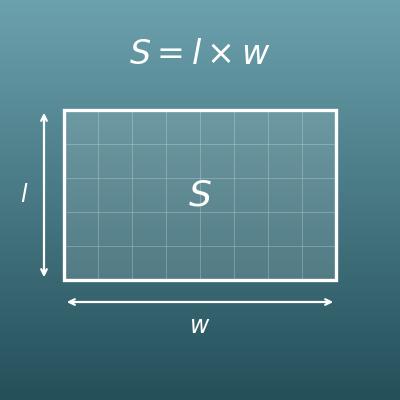
Area of a Rectangle Calculator (Length × Width)
Find the area of the room or wall you are tiling from length × width
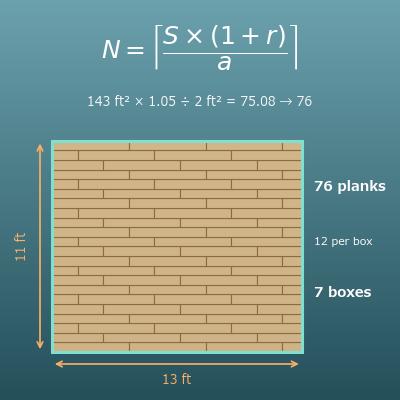
Flooring Calculator (Planks, Boxes, Waste Factor and Cost)
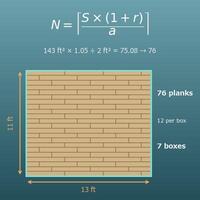
Find how many flooring planks and boxes you need, with a waste allowance, for flooring laid without grout
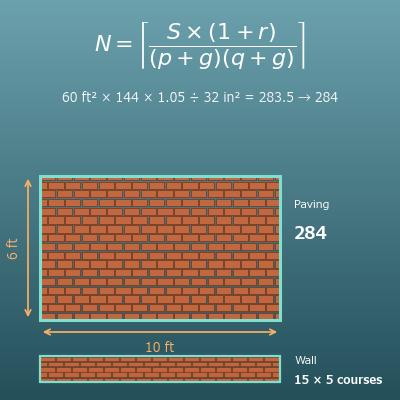
Brick Calculator (Patios, Paths, Garden Edges and Low Walls)
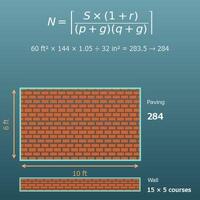
Find how many bricks you need to lay or stack, and how much mortar for the joints
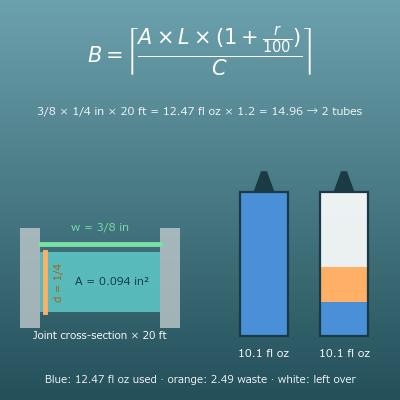
Caulk Calculator (How Many Tubes of Caulk and Sealant, and Adhesive by Coverage)
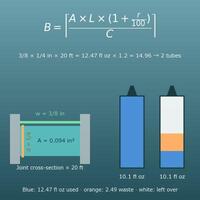
Find how much tile adhesive you need (area × coverage rate) and how many tubes of caulk for the joints
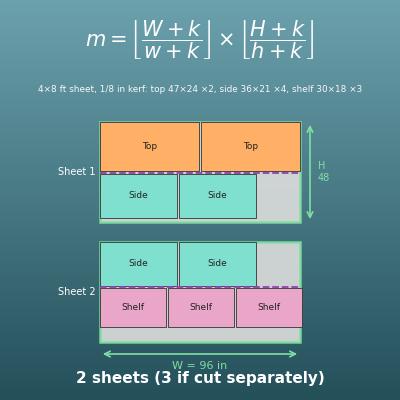
Plywood Cut Calculator (How Many Pieces from a Sheet, 2D Cutting Layout)
Find how many pieces you can cut from a sheet of plywood, including the saw kerf