Choose the operation and the matrix sizes (rows and columns), then enter the entries in the grids. The transpose Aᵀ and the power Aⁿ use matrix A only.
Table of Contents
-
What you can do on this page
-
What is this calculation used for?
-
How to Use
-
Formula
-
Symbols and terms
-
Good to know before you start
-
How to calculate it in Excel
-
How to calculate it in Google Sheets
-
How to calculate it in Python
-
How to write it in LaTeX and other math languages (copy and paste)
-
How to have ChatGPT do the calculation
-
DataChef Features
-
Related Features
-
NumberChef Calculators List
What you can do on this page
- Add \(A+B\), subtract \(A-B\) and multiply \(AB\) matrices from 2×2 to 4×4 on the spot (rectangular sizes such as 2×3 work too)
- You can also find the transpose \(A^{T}\), which swaps rows and columns, and powers \(A^{n}\) of a square matrix (\(n\) from 1 to 10)
- See how each calculation works, such as the "row × column" dot product in multiplication, in steps with your actual numbers
- A plain-language explanation of the formulas and copy-and-paste formulas for Excel, Google Sheets (MMULT, TRANSPOSE) and Python are all on this page
What is this calculation used for?
In 3D graphics, transformations such as rotating or scaling a character are calculated by "multiplying the coordinates by a matrix". Several transformations can be combined into one matrix by multiplying the matrices together first.
The GPU (graphics processor) in a game console or computer is a special-purpose calculator built to do huge numbers of these matrix multiplications.
A digital image is itself a matrix: the brightness of each pixel arranged in rows and columns. Filters in photo apps, such as blur and sharpen, are calculated as operations on this matrix.
Seeing "an image as a matrix" is also the starting point of AI techniques such as image recognition.
A system of equations with many unknowns can be written as a single equation, \(A\boldsymbol{x} = \boldsymbol{b}\), by putting the coefficients in a matrix.
In the strength analysis of buildings and the analysis of electric circuits, thousands or tens of thousands of equations are put into this form and solved at once by computer matrix calculations.
Write the links between stations, or between people, as a matrix with "1 if connected, 0 if not" (an adjacency matrix). Then the entry in row \(i\), column \(j\) of the power \(A^{n}\) is "the number of ways to get from \(i\) to \(j\) by following exactly \(n\) links".
This idea is one of the foundations of route planners and of "friends of friends" analysis in social networks.
National and regional economic statistics use a large matrix, called an input-output table, to show how much each industry buys from the others. The ripple effect, "if demand in one industry grows, how much does production grow in the others", is estimated with matrix calculations on this table (a method developed by Wassily Leontief, who won the Nobel Prize in Economics for it).
Most of the calculation in AI that handles text and images (neural networks) is repeating "multiply a list of input numbers by a learned matrix".
Because so much of the computing for training and running AI is matrix multiplication, GPUs, which are good at matrix calculations, have become essential for AI development.
Formula
Symbols and terms
Symbols
| \(A,\ B\) | A, B | Names given to matrices. By custom, matrices are named with capital letters. |
| \(a_{ij}\) | a sub i j | The entry of matrix \(A\) in row \(i\), column \(j\) (the number in the \(i\)th row from the top and the \(j\)th column from the left). The small letters at the lower right (the subscripts) give its position. |
| \(b_{ij}\) | b sub i j | The entry of matrix \(B\) in row \(i\), column \(j\). It is read the same way as \(a_{ij}\); only the name of the matrix differs. |
| \(m \times n\) | m by n | The size (dimensions) of a matrix: \(m\) rows (horizontal lines) and \(n\) columns (vertical lines). (Example: a 2×3 matrix has 2 numbers down and 3 across, 6 numbers in all.) |
| \(c_{ij}\) | c sub i j | When the product \(AB\) is called \(C\), the entry of \(C\) in row \(i\), column \(j\). |
| \(A^{T}\) | A transpose | The transpose of \(A\): the matrix with rows and columns swapped. It is also written \(A^{\top}\) or \(A'\). |
| \(A^{n}\) | A to the n | The matrix made by multiplying \(n\) copies of \(A\). It is defined only for square matrices. |
| \(\sum\) | sigma | The sign for "add them all up". \(\sum_{k=1}^{n} a_{ik} b_{kj}\) tells you to add up \(a_{ik} b_{kj}\) for every \(k\) from 1 to \(n\). |
Terms
| matrix | Numbers arranged in a rectangle (rows and columns). Each number in it is called an entry. As in a spreadsheet, a position is given by "which row and which column". |
| row | A horizontal line of numbers in a matrix. Rows are counted from the top - row 1, row 2, and so on. Think of rows of seats in a theater. |
| column | A vertical line of numbers in a matrix. Columns are counted from the left - column 1, column 2, and so on. Think of the columns (pillars) of a building, which stand up and down. |
| entry | Each number in a matrix. It is also called an element. The entry in row \(i\), column \(j\) is written with subscripts, like \(a_{ij}\). |
| square matrix | A matrix with the same number of rows and columns (shaped like a square). Powers, as well as determinants and inverses (not covered on this page), exist only for square matrices. |
| transpose | The matrix with rows and columns swapped. The transpose of an \(m \times n\) matrix is an \(n \times m\) matrix. |
| dot product | The value you get by pairing up two lists of numbers from the start, multiplying each pair and adding them all. In matrix multiplication, the dot product of a row of A and a column of B gives one entry of the product. |
| linear algebra | The branch of mathematics that deals with matrices and vectors. It is often a required first- or second-year college course and is the foundation of computer graphics, statistics, AI and more. |
Good to know before you start
Here is what helps you use the calculation on this page with real understanding, not just by pressing the button.
| Operations with negative numbers (Grade 7) |
|
| Variables and subscripts (Grade 6 to high school) |
|
| Exponents (Grade 6) |
|
| Rows and columns of a table (elementary school) |
|
How to calculate it in Excel
| Row 1 of matrix A | 1 | 2 |
| Row 2 of matrix A | 3 | 4 |
| Row 1 of matrix B | 5 | 6 |
| Row 2 of matrix B | 7 | 8 |
| Row 1 of A + B | =B1+B3 | =C1+C3 |
| Row 2 of A + B | =B2+B4 | =C2+C4 |
| Row 1 of matrix A | 9 | 8 |
| Row 2 of matrix A | 7 | 6 |
| Row 1 of matrix B | 1 | 2 |
| Row 2 of matrix B | 3 | 4 |
| Row 1 of A − B | =B1-B3 | =C1-C3 |
| Row 2 of A − B | =B2-B4 | =C2-C4 |
| Row 1 of matrix A | 1 | 2 |
| Row 2 of matrix A | 3 | 4 |
| Row 1 of matrix B | 2 | 0 |
| Row 2 of matrix B | 1 | 2 |
| AB (spills from row 1 automatically) | =MMULT(B1:C2,B3:C4) |
| Row 1 of matrix A | 1 | 2 | 3 |
| Row 2 of matrix A | 4 | 5 | 6 |
| Aᵀ (spills from row 1 automatically) | =TRANSPOSE(B1:D2) |
| Row 1 of matrix A | 1 | 1 |
| Row 2 of matrix A | 0 | 1 |
| A³ (spills from row 1 automatically) | =MMULT(MMULT(B1:C2,B1:C2),B1:C2) |
Use the MMULT function for multiplication and the TRANSPOSE function for the transpose. In recent Excel (such as Microsoft 365), the result spreads into the neighboring cells automatically (spill). In the third table AB is 4, 4, 10, 8, and in the fifth table A³ is 1, 3, 0, 1.
In older Excel, first select a range the same size as the result, type the formula, and confirm it with Ctrl+Shift+Enter.
How to calculate it in Google Sheets
| Row 1 of matrix A | 1 | 2 |
| Row 2 of matrix A | 3 | 4 |
| Row 1 of matrix B | 5 | 6 |
| Row 2 of matrix B | 7 | 8 |
| Row 1 of A + B | =B1+B3 | =C1+C3 |
| Row 2 of A + B | =B2+B4 | =C2+C4 |
| Row 1 of matrix A | 1 | 2 |
| Row 2 of matrix A | 3 | 4 |
| Row 1 of matrix B | 2 | 0 |
| Row 2 of matrix B | 1 | 2 |
| AB (spills from row 1 automatically) | =MMULT(B1:C2,B3:C4) |
| Row 1 of matrix A | 1 | 2 | 3 |
| Row 2 of matrix A | 4 | 5 | 6 |
| Aᵀ (spills from row 1 automatically) | =TRANSPOSE(B1:D2) |
| Row 1 of matrix A | 1 | 1 |
| Row 2 of matrix A | 0 | 1 |
| A³ (spills from row 1 automatically) | =MMULT(MMULT(B1:C2,B1:C2),B1:C2) |
In Google Sheets, the results of MMULT and TRANSPOSE spread into the neighboring cells automatically (no Ctrl+Shift+Enter needed).
How to calculate it in Python
A = [[1, 2], [3, 4]]
B = [[2, 0], [1, 2]]

def matrix_add(x, y):        # addition (add the entries in the same position)
    return [[x[i][j] + y[i][j] for j in range(len(x[0]))] for i in range(len(x))]

def matrix_multiply(x, y):   # multiplication (dot product of a row of A and a column of B)
    return [[sum(x[i][k] * y[k][j] for k in range(len(y))) for j in range(len(y[0]))] for i in range(len(x))]

def matrix_transpose(x):     # transpose (swap rows and columns)
    return [[x[i][j] for i in range(len(x))] for j in range(len(x[0]))]

def matrix_power(x, n):      # power (multiply n times in order from the left)
    result = x
    for _ in range(n - 1):
        result = matrix_multiply(result, x)
    return result

print("A + B =", matrix_add(A, B))
print("AB =", matrix_multiply(A, B))
print("Transpose of A =", matrix_transpose(A))
print("A cubed =", matrix_power(A, 3))
How to write it in LaTeX and other math languages (copy and paste)
(A + B)ᵢⱼ = aᵢⱼ + bᵢⱼ
(A + B)_{ij} = a_{ij} + b_{ij}
<math xmlns="http://www.w3.org/1998/Math/MathML" display="block">
  <mrow>
    <msub>
      <mrow><mo>(</mo><mi>A</mi><mo>+</mo><mi>B</mi><mo>)</mo></mrow>
      <mrow><mi>i</mi><mi>j</mi></mrow>
    </msub>
    <mo>=</mo>
    <msub><mi>a</mi><mrow><mi>i</mi><mi>j</mi></mrow></msub>
    <mo>+</mo>
    <msub><mi>b</mi><mrow><mi>i</mi><mi>j</mi></mrow></msub>
  </mrow>
</math>
(A + B)_(ij) = a_(ij) + b_(ij)
A + B
C := A + B;
C = A + B;
(A + B)_ij = a_ij + b_ij
cᵢⱼ = aᵢ₁b₁ⱼ + aᵢ₂b₂ⱼ + ⋯ + aᵢₙbₙⱼ
c_{ij} = \sum_{k=1}^{n} a_{ik} b_{kj}
<math xmlns="http://www.w3.org/1998/Math/MathML" display="block">
<mrow>
<msub><mi>c</mi><mrow><mi>i</mi><mi>j</mi></mrow></msub>
<mo>=</mo>
<munderover>
<mo>∑</mo>
<mrow><mi>k</mi><mo>=</mo><mn>1</mn></mrow>
<mi>n</mi>
</munderover>
<msub><mi>a</mi><mrow><mi>i</mi><mi>k</mi></mrow></msub>
<msub><mi>b</mi><mrow><mi>k</mi><mi>j</mi></mrow></msub>
</mrow>
</math>
c_(ij) = sum_(k=1)^(n) a_(ik) b_(kj)
A . B
C := A . B;
C = A * B;
c_ij = ∑_(k=1)^n a_ik b_kj
(Aᵀ)ᵢⱼ = aⱼᵢ
(A^{T})_{ij} = a_{ji}
<math xmlns="http://www.w3.org/1998/Math/MathML" display="block">
  <mrow>
    <msub>
      <mrow><mo>(</mo><msup><mi>A</mi><mi>T</mi></msup><mo>)</mo></mrow>
      <mrow><mi>i</mi><mi>j</mi></mrow>
    </msub>
    <mo>=</mo>
    <msub><mi>a</mi><mrow><mi>j</mi><mi>i</mi></mrow></msub>
  </mrow>
</math>
(A^T)_(ij) = a_(ji)
Transpose[A]
C := LinearAlgebra:-Transpose(A);
C = A.';
(A^T)_ij = a_ji
Aⁿ = AA⋯A
A^{n} = \underbrace{AA\cdots A}_{n}
<math xmlns="http://www.w3.org/1998/Math/MathML" display="block">
<mrow>
<msup><mi>A</mi><mi>n</mi></msup>
<mo>=</mo>
<mi>A</mi><mi>A</mi><mo>⋯</mo><mi>A</mi>
</mrow>
</math>
A^n
MatrixPower[A, n]
C := A^n;
C = A^n;
A^n
How to have ChatGPT do the calculation
You are a calculation assistant for matrices. Do the following calculation by actually running Python code, and base your answer only on the numbers from the execution result (do not answer by mental math or guessing).

For the matrices A = [[1, 2], [3, 4]] and B = [[2, 0], [1, 2]], find each of the following matrices.
1. The sum A + B
2. The difference A − B
3. The product AB
4. The transpose of A
5. A cubed (A to the 3rd power)

For each one, show the formula you used (which entries you combined and how) and the resulting matrix from the execution.
How to Use
-
1Enter your numbersType the numbers you want to calculate with into the input fields
-
2CalculatePress the "Calculate" button
-
3Check the resultThe result appears on the spot. The same page also explains the idea behind the calculation and the formula
DataChef Features

No technical knowledge required.
Intuitive and user-friendly operation.

Can be used without registering personal information.

Automatic file deletion by clicking "download".

and rapid file conversion.

No attribution required.

No need to contact us for commercial use permission.
Related Features
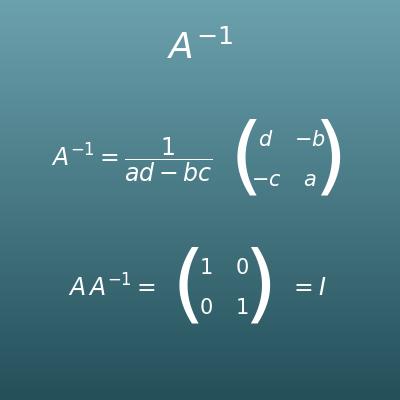
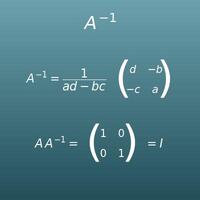
Inverse Matrix Calculator (2×2, 3×3, 4×4)
Find the inverse matrix A⁻¹, the matrix that gives the identity matrix when multiplied. It also checks whether the inverse exists
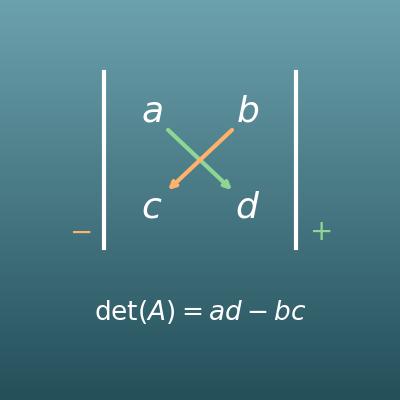
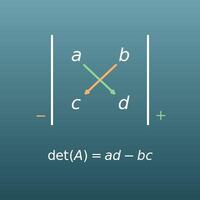
Determinant Calculator (2×2, 3×3, 4×4)
Find the determinant det(A) of a square matrix, with steps for the rule of Sarrus and cofactor expansion
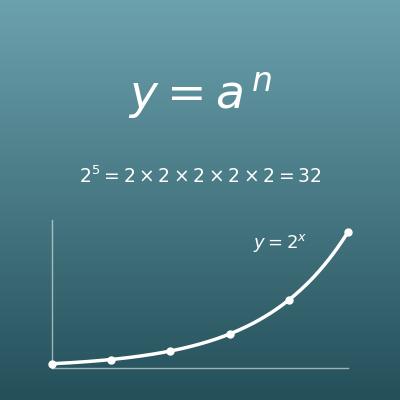
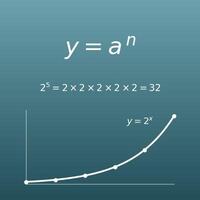
Exponent Calculator (Powers, a to the nth Power)
Powers of ordinary numbers (such as 2 to the 10th power), not of matrices
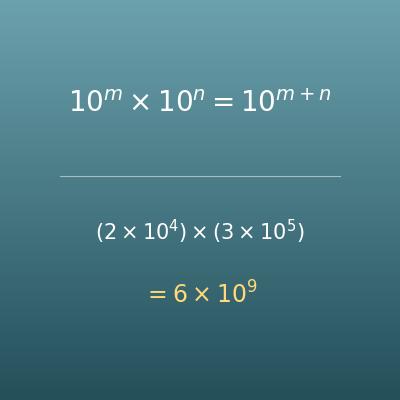
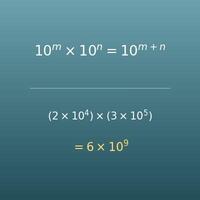
Scientific Notation Calculator (Add, Subtract, Multiply, Divide, Powers)
A sister page where you can learn calculations with the laws of exponents, step by step
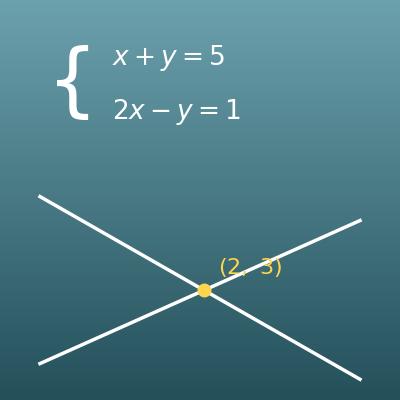
System of Equations Calculator (Elimination and Substitution with Steps)
A system of linear equations is a classic example of what matrices can express. Solve two equations by elimination or substitution, with steps and a graph of the two lines