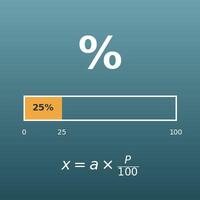
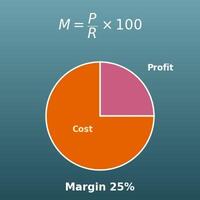
Enter the two values you know out of cost, selling price, cost ratio (%), margin (%) and markup (%), leave the rest blank and press "Calculate". The blank values and the gross profit are calculated, and a bar splitting the selling price into cost and gross profit shows where the cost ratio falls.
Table of Contents
-
What you can do on this page
-
What is this calculation used for?
-
How to Use
-
Formulas and figures
-
Symbols and terms
-
Good to know before you start
-
How to calculate it in Excel
-
How to calculate it in Google Sheets
-
How to calculate it in Python
-
How to write it in LaTeX and other math languages (copy and paste)
-
How to have ChatGPT do the calculation
-
DataChef Features
-
Related Features
-
NumberChef Calculators List
What you can do on this page
- Enter any two of the five - cost, selling price, cost ratio (%), margin (%) and markup (%) - and get the other three plus the gross profit per item
- "I buy at 70% of list. What is my margin?" "What price gives a 30% margin on a $700 cost?" "If I mark up cost by 25%, what is my margin?" Retail and wholesale pricing questions are answered in one place
- Conversion formulas and quick tables for cost ratio ⇄ margin (margin = 100 − cost ratio) and margin ⇄ markup (price or cost in the denominator) let you translate any percentage a supplier or a report uses into the base you work with
- A bar that splits the selling price into cost and gross profit shows the cost ratio (what share of the price the cost is) at a glance
- A plain-language explanation of the formulas and copy-and-paste formulas for Excel, Google Sheets and Python are all on this page
What is this calculation used for?
When a distributor or maker offers an item "at 70% of MSRP", an item with a $50 MSRP costs you \(50 \times 0.7 = 35\) dollars. If it sells at list price, your gross profit is $15 and your margin is \(100 - 70 = 30\)%.
"65% of list is a 35% margin, 60% of list is 40%": the cost ratio turns straight into your profit share. If you can do this conversion on the spot, you can judge whether a deal is good right there in the negotiation.
If an item costs $700 and your rule is to keep at least a 30% margin, the price is \(700 \div (1 - 0.3) = 1000\) dollars.
If you just add 30% to the cost and charge $910, the margin is only \(210 \div 910 \times 100 \approx 23.08\)%. Mixing up margin (based on price) and markup (based on cost) is a common mistake in practice, and the more items you carry, the more it adds up in lost profit.
Even in a department priced at a 30% initial markup, sale markdowns and unsold stock that has to be thrown out bring the gross margin at month-end down to, say, 25%. The gap (5 points here) is your markdowns and shrinkage.
The initial markup is the plan at pricing time; the gross margin is the result after items sell. Knowing that the same formula has two different meanings lets you trace "a good markup but no profit" to how you manage markdowns and shrinkage.
Supplier sites and price lists often state profit as a markup based on cost. A "50% markup" is selling at 1.5 times the cost, which as a margin based on price is \(50 \div (100 + 50) \times 100 \approx 33.33\)%.
The same "50%" gives very different profit depending on the base, so before comparing with your own margin target, use this formula to put both on the same base.
If materials and shipping put your cost at $8 per piece and you want a 40% margin, the price is \(8 \div 0.6 \approx 13.33\) dollars. But online marketplaces take their selling fees (for example, 10% of the price) after the sale, so your real gross margin ends up lower than your margin by the amount of the fees.
To avoid "I priced for a 40% margin, but little is left after fees", it is safest to check the gross margin after taking out the fees.
Formulas and figures
Symbols and terms
Symbols
| \(C\) | C | Cost (from the first letter of cost): what you paid for the item. (Example - if you bought it for $700, \(C = 700\)) |
| \(P\) | P | Selling price (from the first letter of price): the price you put on the item (the list or retail price). |
| \(r\) | r | The cost ratio (%): the cost as a percentage of the selling price. This page writes it \(r\), for rate (there is no standard one-letter symbol). It is found with \(r = C \div P \times 100\). |
| \(M\) | M | The margin (%): the gross profit (price − cost) as a percentage of the selling price. \(M\) is for margin. It is found with \(M = (P - C) \div P \times 100\). |
| \(K\) | K | The markup (%): the gross profit as a percentage of the cost. There is no standard one-letter symbol, so this page writes it \(K\) (the same symbol as on the Profit Margin Calculator page). It is found with \(K = (P - C) \div C \times 100\). |
| \(P - C\) | P minus C | The gross profit per item (price − cost), also called the dollar markup. It is the profit built into the price, and it becomes real gross profit when the item actually sells. |
Terms
| cost ratio | The cost (what you paid) as a percentage of the selling price (list price). Buying "at 70% of list" gives a cost ratio of 70%, the same as a 30% trade discount. In retail accounting it is called the cost complement. It adds up to 100% with the margin. |
| initial markup (IMU) | In retail, the profit planned into the price when an item is first priced (price − cost), usually stated as a percentage of the price. It is the "before markdowns" margin. |
| margin (markup on retail) | The gross profit as a percentage of the selling price. It tells you what percent of the price is profit, with the price as the base (denominator). Retail textbooks call it markup on retail to tell it apart from markup on cost. |
| gross margin | Gross profit (sales − cost of goods sold) as a percentage of actual sales. The formula has the same shape as the margin, but the margin at pricing time is a plan, while the gross margin is the result after items sell. Markdowns and shrinkage make the gross margin lower than the initial markup. |
| markup (markup on cost) | The gross profit as a percentage of the cost. It tells you how many percent you added on top of the cost, with the cost as the base (denominator). For the same gross profit, it is always a larger number than the margin. |
| cost (cost of goods) | What it took to get the item. For a store, it is the wholesale price; for a maker, it is materials and production costs. In the cost ratio, it is the top of the fraction - what percent of the price went to buying the item. |
| selling price (list price) | The price put on the item. In the cost ratio and the margin, this price counts as 100%. Wholesale terms are often stated against the manufacturer's suggested retail price (MSRP), as in "70% of MSRP". |
| selling below cost | When the price is lower than the cost. The cost ratio goes above 100%, and the margin and markup become negative. It happens in clearance sales to get rid of stock, for example. |
Good to know before you start
Here is what helps you use the calculation on this page with real understanding, not just by pressing the button.
| Percents (Grade 6) |
|
| The percent equation (Grades 6–7) |
|
| Multiplying and dividing decimals (Grades 5–6) |
|
| Expressions and rearranging equations (Grades 7–8) |
|
How to calculate it in Excel
| Cost C | 700 |
| Selling price P | 1000 |
| Cost ratio r (%) | =B1/B2*100 |
| Cost C | 700 |
| Selling price P | 1000 |
| Margin M (%) | =(B2-B1)/B2*100 |
| Cost ratio r (%) | 70 |
| Margin M (%) | =100-B1 |
| Cost C | 1400 |
| Cost ratio r (%) | 70 |
| Selling price P | =B1/(B2/100) |
| Cost C | 700 |
| Selling price P | 1000 |
| Markup K (%) | =(B2-B1)/B1*100 |
| Markup K (%) | 25 |
| Margin M (%) | =B1/(100+B1)*100 |
For example, the first table shows 70 in B3 (a 70% cost ratio), the second shows 30 in B3 (a 30% margin), the third shows 30 in B2, the fourth shows 2000 in B3 (a selling price of $2,000), the fifth shows about 42.86 in B3 (the markup) and the sixth shows 20 in B2 (a 20% margin). Just replace the inputs with your own numbers.
How to calculate it in Google Sheets
| Cost C | 700 |
| Selling price P | 1000 |
| Cost ratio r (%) | =B1/B2*100 |
| Cost C | 700 |
| Selling price P | 1000 |
| Margin M (%) | =(B2-B1)/B2*100 |
| Cost ratio r (%) | 70 |
| Margin M (%) | =100-B1 |
| Cost C | 1400 |
| Cost ratio r (%) | 70 |
| Selling price P | =B1/(B2/100) |
| Cost C | 700 |
| Selling price P | 1000 |
| Markup K (%) | =(B2-B1)/B1*100 |
| Markup K (%) | 25 |
| Margin M (%) | =B1/(100+B1)*100 |
How to calculate it in Python
cost = 700       # cost (what you paid)
price = 1000     # selling price (list price)

gross = price - cost                  # gross profit (dollar markup)
kake = cost / price * 100             # cost ratio (%)
neire = gross / price * 100           # margin (%) = 100 - cost ratio
markup = gross / cost * 100           # markup (%)

print(f"Gross profit: {gross}")
print(f"Cost ratio: {kake}% ({kake / 10:g}/10 of the price)")
print(f"Margin: {neire}%")
print(f"Markup: {markup}%")

# Working back: find the selling price (list price) from the cost and the cost ratio
cost2 = 1400            # cost
kake2 = 70              # cost ratio (%)
price2 = cost2 * 100 / kake2   # same as cost ÷ (cost ratio ÷ 100) (multiply by 100 first to avoid decimal error)
print(f"Selling price at a {kake2}% cost ratio: {price2}")

# Converting: find the margin from the markup
markup3 = 25            # markup (%)
neire3 = markup3 / (100 + markup3) * 100
print(f"A {markup3}% markup is a {neire3}% margin")
How to write it in LaTeX and other math languages (copy and paste)
r = C ÷ P × 100
r = \dfrac{C}{P} \times 100
<math xmlns="http://www.w3.org/1998/Math/MathML" display="block">
<mrow>
<mi>r</mi>
<mo>=</mo>
<mfrac><mi>C</mi><mi>P</mi></mfrac>
<mo>×</mo>
<mn>100</mn>
</mrow>
</math>
r = C/P xx 100
c/p*100
r := C/P*100;
r = C/P*100;
r = C/P × 100
M = (P − C) ÷ P × 100
M = \dfrac{P - C}{P} \times 100
<math xmlns="http://www.w3.org/1998/Math/MathML" display="block">
<mrow>
<mi>M</mi>
<mo>=</mo>
<mfrac>
<mrow><mi>P</mi><mo>−</mo><mi>C</mi></mrow>
<mi>P</mi>
</mfrac>
<mo>×</mo>
<mn>100</mn>
</mrow>
</math>
M = (P - C)/P xx 100
(p - c)/p*100
M := (P - C)/P*100;
M = (P - C)/P*100;
M = (P - C)/P × 100
M = 100 − r
M = 100 - r
<math xmlns="http://www.w3.org/1998/Math/MathML" display="block">
<mrow>
<mi>M</mi>
<mo>=</mo>
<mn>100</mn>
<mo>−</mo>
<mi>r</mi>
</mrow>
</math>
M = 100 - r
100 - r
M := 100 - r;
M = 100 - r;
M = 100 - r
P = C ÷ (r ÷ 100)
P = \dfrac{C}{r/100}
<math xmlns="http://www.w3.org/1998/Math/MathML" display="block">
  <mrow>
    <mi>P</mi>
    <mo>=</mo>
    <mfrac>
      <mi>C</mi>
      <mrow><mi>r</mi><mo>/</mo><mn>100</mn></mrow>
    </mfrac>
  </mrow>
</math>
P = C/(r/100)
c/(r/100)
P := C/(r/100);
P = C/(r/100);
P = C/(r/100)
K = (P − C) ÷ C × 100
K = \dfrac{P - C}{C} \times 100
<math xmlns="http://www.w3.org/1998/Math/MathML" display="block">
<mrow>
<mi>K</mi>
<mo>=</mo>
<mfrac>
<mrow><mi>P</mi><mo>−</mo><mi>C</mi></mrow>
<mi>C</mi>
</mfrac>
<mo>×</mo>
<mn>100</mn>
</mrow>
</math>
K = (P - C)/C xx 100
(p - c)/c*100
K := (P - C)/C*100;
K = (P - C)/C*100;
K = (P - C)/C × 100
M = K ÷ (100 + K) × 100
M = \dfrac{K}{100 + K} \times 100
<math xmlns="http://www.w3.org/1998/Math/MathML" display="block">
<mrow>
<mi>M</mi>
<mo>=</mo>
<mfrac>
<mi>K</mi>
<mrow><mn>100</mn><mo>+</mo><mi>K</mi></mrow>
</mfrac>
<mo>×</mo>
<mn>100</mn>
</mrow>
</math>
M = K/(100 + K) xx 100
k/(100 + k)*100
M := K/(100 + K)*100;
M = K/(100 + K)*100;
M = K/(100 + K) × 100
How to have ChatGPT do the calculation
You are an assistant for retail and wholesale pricing. Do the following calculation by actually running Python code, and base your answer only on the numbers from the execution result (do not answer by mental math or guessing).

An item costs $700 (what I paid) and sells for $1,000.
Find each of the following:
1. The gross profit (price − cost)
2. The cost ratio (cost ÷ price × 100, in %)
3. The margin (gross profit ÷ price × 100, in %)
4. The markup (gross profit ÷ cost × 100, in %)
5. For another item: if I paid $1,400 for it at 70% of list (a 70% cost ratio), what is the list price? (price = cost ÷ (70/100))
6. Conversion: what margin does a 25% markup give? (margin = 25 ÷ (100 + 25) × 100)

Show the formulas you used and the numbers from the execution result.
How to Use
-
1Enter your numbersType the numbers you want to calculate with into the input fields
-
2CalculatePress the "Calculate" button
-
3Check the resultThe result appears on the spot. The same page also explains the idea behind the calculation and the formula
DataChef Features

No technical knowledge required.
Intuitive and user-friendly operation.

Can be used without registering personal information.

Automatic file deletion by clicking "download".

and rapid file conversion.

No attribution required.

No need to contact us for commercial use permission.
Related Features
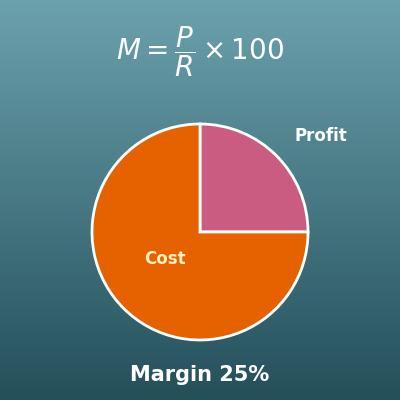
Profit Margin Calculator (Cost, Revenue, Profit and Markup)
Find cost, revenue, margin or profit from any two. Use it when you think in terms of profit and profit margin rather than cost ratio
Percentage Calculator (Percent, Part and Whole)
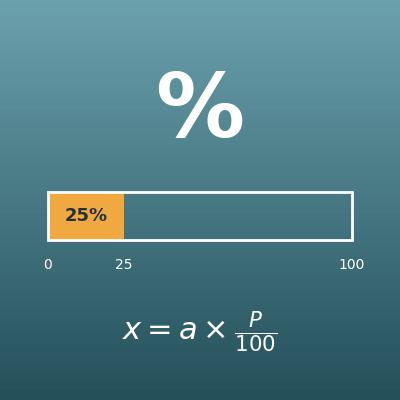
Find the part, the whole or the percent from the other two. It is the basis of the markup and margin calculations
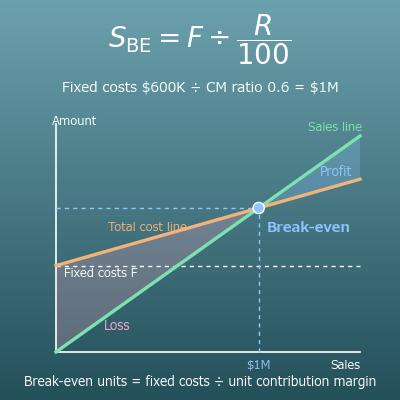
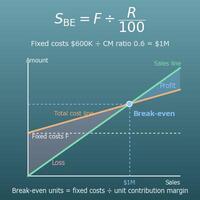
Break-Even Point Calculator (Break-Even Sales and Units, Margin of Safety, Sales for a Target Profit)
Find the sales and units needed to avoid a loss (the break-even point) from fixed costs, price and variable cost. The next step after pricing one item