Choose the matrix size (2×2 to 4×4) and enter the entries in the grid. A determinant is defined only for a square matrix (rows = columns).
Table of Contents
-
What you can do on this page
-
What is this calculation used for?
-
How to Use
-
Formula
-
Symbols and terms
-
Good to know before you start
-
How to calculate it in Excel
-
How to calculate it in Google Sheets
-
How to calculate it in Python
-
How to write it in LaTeX and other math languages (copy and paste)
-
How to have ChatGPT do the calculation
-
DataChef Features
-
Related Features
-
NumberChef Calculators List
What you can do on this page
- Find the determinant \(\det(A)\) of a 2×2, 3×3 or 4×4 square matrix on the spot
- Steps follow the textbook methods: "\(ad - bc\)" for 2×2, the rule of Sarrus for 3×3 and cofactor expansion for 4×4
- It also tells you whether the matrix is invertible: if \(\det(A) \neq 0\), an inverse exists
- A plain-language explanation of the formulas and copy-and-paste formulas for Excel, Google Sheets (MDETERM) and Python are all on this page
What is this calculation used for?
For a system of linear equations with as many equations as unknowns, if the determinant of the square matrix of coefficients is not 0, the system has exactly one solution. If the determinant is 0, there is either no solution or infinitely many.
With Cramer's rule, you can even write the solution itself using only ratios of determinants. This is part of the theory behind engineering work that solves huge numbers of equations, such as structural analysis and circuit analysis.
When you transform a flat shape with a 2×2 matrix (rotate it, stretch or shrink it, or shear it), its area is multiplied by exactly \(|\det(A)|\). For a solid and a 3×3 matrix, the volume is multiplied by \(|\det(A)|\).
This role of the determinant as a scale factor also appears in college calculus as the correction factor for a change of variables in an integral (the Jacobian), and it is used all over science and engineering.
3D graphics software and game engines use matrices to transform models. If the determinant of a transformation matrix is negative, the transformation flips the model like a mirror image, and the front and back of each face (the direction of its normal) are swapped.
So graphics software checks the sign of the determinant to detect flipping and corrects it so that the drawing does not break.
If you know the coordinates of a triangle's vertices, its area is half the absolute value of a determinant built from those coordinates. Extended to polygons, this is called the shoelace formula, a standard way to calculate land area in surveying and in mapping (GIS) software.
The secret behind "enter the coordinates and get the area" is exactly the determinant.
Vibration analysis, which studies how a building or machine tends to shake, and principal component analysis, which pulls the main trends out of large data sets, both use values of a matrix called eigenvalues.
Eigenvalues are found from the equation "find \(\lambda\) such that \(\det(A - \lambda I) = 0\)" (the characteristic equation). The determinant is also a doorway to this more advanced tool.
Formula
Symbols and terms
Symbols
| \(A\) | A | The name given to a matrix. By custom, matrices are named with capital letters. |
| \(\det(A),\ |A|\) | determinant of A | The determinant of matrix \(A\). The vertical-bar form \(|A|\) is also common (it is the same sign as absolute value for numbers, but around a matrix it stands for the determinant). |
| \(a_{ij}\) | a sub i j | The entry of matrix \(A\) in row \(i\), column \(j\) (the number in the \(i\)th row from the top and the \(j\)th column from the left). The small letters at the lower right (the subscripts) give its position. |
| \(M_{ij}\) | M sub i j | A minor: the determinant of the one-size-smaller matrix left after removing row \(i\) and column \(j\) from matrix \(A\). |
| \((-1)^{i+j}\) | negative 1 to the power i plus j | The sign used in cofactor expansion. It is \(+1\) when \(i+j\) is even and \(-1\) when it is odd, so + and − alternate like a checkerboard, starting with "+" at the top left. |
| \(\sum\) | sigma | The sign for "add them all up". \(\sum_{j=1}^{n}\) tells you to add up the terms for every \(j\) from 1 to \(n\). |
Terms
| determinant | A single number determined by a square matrix. It packs key facts about the matrix (whether it has an inverse, how many times a transformation scales area or volume, and so on) into one number. |
| square matrix | A matrix with the same number of rows and columns (shaped like a square). Determinants and inverses exist only for square matrices. |
| rule of Sarrus | A way to find a 3×3 determinant by adding and subtracting the products along 6 diagonals. It is also called the diagonal method. It is named after the French mathematician Pierre Sarrus and works only for 3×3 matrices. |
| cofactor expansion | A method that splits a determinant into a sum of "entry × minor × sign", turning it into determinants one size smaller. It is also called Laplace expansion, and it works for 4×4 and larger determinants. |
| minor | The determinant of the smaller matrix left after removing one row and one column. It is a building block of cofactor expansion. |
| cofactor | A minor \(M_{ij}\) multiplied by the sign \((-1)^{i+j}\). "Cofactor expansion" gets its name from expanding into a sum of these cofactors. |
| invertible matrix | A square matrix whose determinant is not 0. It is also called nonsingular, and it has an inverse. A matrix with determinant 0 is called singular and has no inverse. |
| inverse matrix | The matrix that gives the identity matrix (1s on the diagonal and 0s elsewhere) when multiplied. It is the matrix version of a reciprocal and is written \(A^{-1}\). It exists only when the determinant is not 0. |
| linear algebra | The branch of mathematics that deals with matrices and vectors. It is often a required first- or second-year college course and is the foundation of computer graphics, statistics, AI and more. |
Good to know before you start
Here is what helps you use the calculation on this page with real understanding, not just by pressing the button.
| Operations with negative numbers (Grade 7) |
|
| Variables and subscripts (Grade 6 to high school) |
|
| Powers and signs (Grades 6–7) |
|
| Matrix basics (linear algebra) |
|
How to calculate it in Excel
| Row 1 of matrix A | 4 | 7 |
| Row 2 of matrix A | 2 | 6 |
| Determinant det(A) | =MDETERM(B1:C2) |
| Row 1 of matrix A | 1 | 0 | 2 |
| Row 2 of matrix A | -1 | 3 | 1 |
| Row 3 of matrix A | 1 | 1 | 1 |
| Determinant det(A) | =MDETERM(B1:D3) |
| Row 1 of matrix A | 1 | 2 | 0 | 1 |
| Row 2 of matrix A | 0 | 1 | 3 | 2 |
| Row 3 of matrix A | 2 | 0 | 1 | 1 |
| Row 4 of matrix A | 1 | 1 | 0 | 2 |
| Determinant det(A) | =MDETERM(B1:E4) |
The first table gives 10, the second gives -6 and the third gives 18.
When MDETERM returns 0, the matrix has no inverse (the MINVERSE function, which finds the inverse, returns an error).
How to calculate it in Google Sheets
| Row 1 of matrix A | 4 | 7 |
| Row 2 of matrix A | 2 | 6 |
| Determinant det(A) | =MDETERM(B1:C2) |
| Row 1 of matrix A | 1 | 0 | 2 |
| Row 2 of matrix A | -1 | 3 | 1 |
| Row 3 of matrix A | 1 | 1 | 1 |
| Determinant det(A) | =MDETERM(B1:D3) |
The first table gives 10 and the second gives -6.
How to calculate it in Python
A = [[1, 0, 2], [-1, 3, 1], [1, 1, 1]]

def determinant(matrix):    # cofactor expansion (computed recursively along row 1)
    n = len(matrix)
    if n == 1:
        return matrix[0][0]
    total = 0
    for j in range(n):
        minor = [row[:j] + row[j + 1:] for row in matrix[1:]]   # submatrix without row 1 and column j
        total += (-1) ** j * matrix[0][j] * determinant(minor)
    return total

print("det(A) =", determinant(A))
How to write it in LaTeX and other math languages (copy and paste)
|A| = ad − bc
\det(A) = \begin{vmatrix} a & b \\ c & d \end{vmatrix} = ad - bc
<math xmlns="http://www.w3.org/1998/Math/MathML" display="block">
<mrow>
<mi>det</mi><mo>⁡</mo><mrow><mo>(</mo><mi>A</mi><mo>)</mo></mrow>
<mo>=</mo>
<mi>a</mi><mi>d</mi>
<mo>-</mo>
<mi>b</mi><mi>c</mi>
</mrow>
</math>
det(A) = |(a, b), (c, d)| = ad - bc
Det[{{a, b}, {c, d}}]
LinearAlgebra:-Determinant(Matrix([[a, b], [c, d]]));
d = det(A);
det(A) = ad − bc
|A| = aei + bfg + cdh − ceg − afh − bdi
\det(A) = aei + bfg + cdh - ceg - afh - bdi
<math xmlns="http://www.w3.org/1998/Math/MathML" display="block">
<mrow>
<mi>det</mi><mo>⁡</mo><mrow><mo>(</mo><mi>A</mi><mo>)</mo></mrow>
<mo>=</mo>
<mi>a</mi><mi>e</mi><mi>i</mi>
<mo>+</mo>
<mi>b</mi><mi>f</mi><mi>g</mi>
<mo>+</mo>
<mi>c</mi><mi>d</mi><mi>h</mi>
<mo>-</mo>
<mi>c</mi><mi>e</mi><mi>g</mi>
<mo>-</mo>
<mi>a</mi><mi>f</mi><mi>h</mi>
<mo>-</mo>
<mi>b</mi><mi>d</mi><mi>i</mi>
</mrow>
</math>
det(A) = aei + bfg + cdh - ceg - afh - bdi
Det[{{a, b, c}, {d, e, f}, {g, h, i}}]
LinearAlgebra:-Determinant(Matrix([[a, b, c], [d, e, f], [g, h, i]]));
d = det(A);
det(A) = aei + bfg + cdh − ceg − afh − bdi
det(A) = Σ (−1)¹⁺ʲ a₁ⱼ M₁ⱼ (j = 1 to n)
\det(A) = \sum_{j=1}^{n} (-1)^{1+j} a_{1j} M_{1j}
<math xmlns="http://www.w3.org/1998/Math/MathML" display="block">
<mrow>
<mi>det</mi><mo>⁡</mo><mrow><mo>(</mo><mi>A</mi><mo>)</mo></mrow>
<mo>=</mo>
<munderover>
<mo>∑</mo>
<mrow><mi>j</mi><mo>=</mo><mn>1</mn></mrow>
<mi>n</mi>
</munderover>
<msup>
<mrow><mo>(</mo><mo>-</mo><mn>1</mn><mo>)</mo></mrow>
<mrow><mn>1</mn><mo>+</mo><mi>j</mi></mrow>
</msup>
<msub><mi>a</mi><mrow><mn>1</mn><mi>j</mi></mrow></msub>
<msub><mi>M</mi><mrow><mn>1</mn><mi>j</mi></mrow></msub>
</mrow>
</math>
det(A) = sum_(j=1)^(n) (-1)^(1+j) a_(1j) M_(1j)
Det[A]
LinearAlgebra:-Determinant(A);
d = det(A);
det(A) = ∑_(j=1)^n (−1)^(1+j) a_1j M_1j
How to have ChatGPT do the calculation
You are a calculation assistant for matrices. Do the following calculation by actually running Python code, and base your answer only on the numbers from the execution result (do not answer by mental math or guessing).

Find the determinant (det) of each of the following two square matrices.
1. A = [[1, 0, 2], [-1, 3, 1], [1, 1, 1]]
2. B = [[1, 2], [2, 4]]

For each one, show the value of the determinant and whether the matrix is invertible (whether the determinant is nonzero, that is, whether an inverse exists).
How to Use
-
1Enter your numbersType the numbers you want to calculate with into the input fields
-
2CalculatePress the "Calculate" button
-
3Check the resultThe result appears on the spot. The same page also explains the idea behind the calculation and the formula
DataChef Features

No technical knowledge required.
Intuitive and user-friendly operation.

Can be used without registering personal information.

Automatic file deletion by clicking "download".

and rapid file conversion.

No attribution required.

No need to contact us for commercial use permission.
Related Features
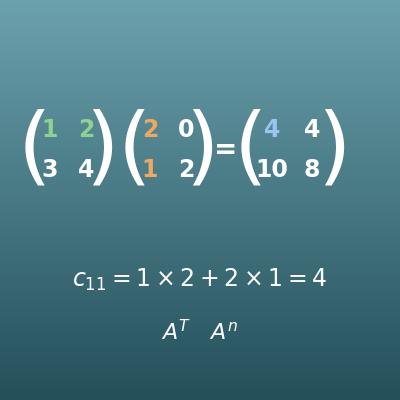
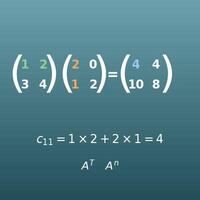
Matrix Calculator (Add, Subtract, Multiply, Transpose, Power)
Calculate with matrices themselves. The basics of rows, columns and entries are explained there too
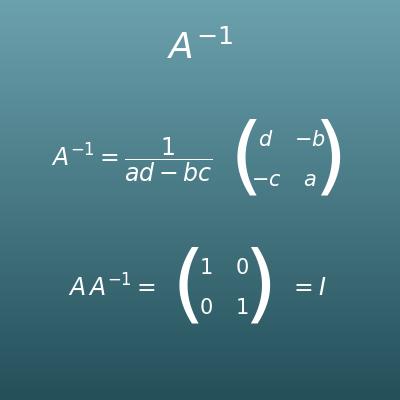
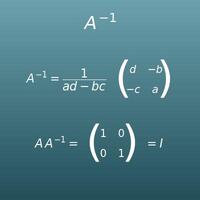
Inverse Matrix Calculator (2×2, 3×3, 4×4)
Find the inverse matrix A⁻¹, which exists only when det(A) ≠ 0, with a check for existence and steps
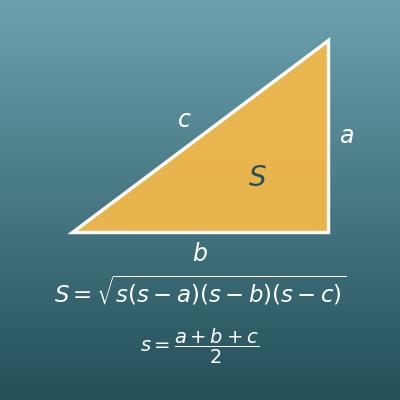
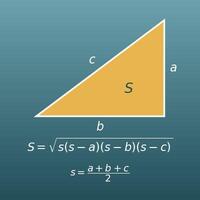
Triangle Area Calculator (from Three Sides with Heron's Formula)
Find the area of a triangle from its three sides. With a determinant, you can also find the area from the coordinates of the vertices
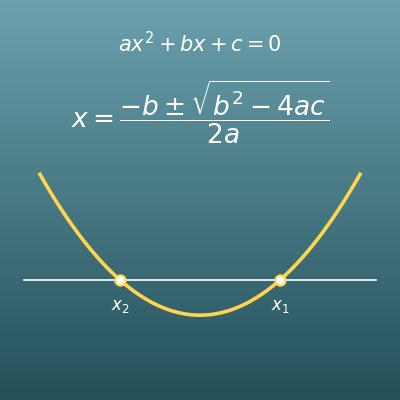
Quadratic Formula Calculator (Discriminant and Complex Roots)
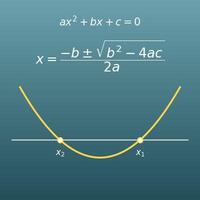
A related page that also "decides from the value of an expression", telling the kind of solutions from the discriminant b²−4ac