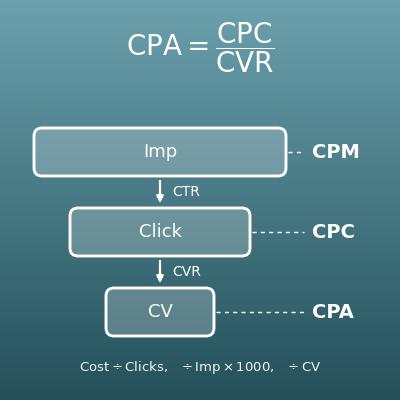
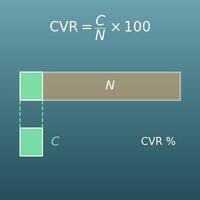
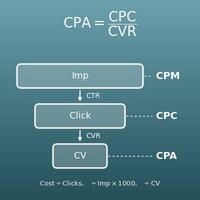
Enter the two values you know out of impressions, clicks and click-through rate (CTR), leave the other blank, and press "Calculate". The blank value is calculated, and a figure shows the clicks per 1,000 impressions.
Table of Contents
-
What you can do on this page
-
What is this calculation used for?
-
How to Use
-
Formulas and figures
-
Symbols and terms
-
Good to know before you start
-
How to calculate it in Excel
-
How to calculate it in Google Sheets
-
How to calculate it in Python
-
How to write it in LaTeX and other math languages (copy and paste)
-
How to have ChatGPT do the calculation
-
DataChef Features
-
Related Features
-
NumberChef Calculators List
What you can do on this page
- Enter the two values you know out of impressions, clicks and click-through rate (CTR), and the third is calculated
- "10,000 impressions and 250 clicks - what is the CTR?" "At a 1.5% CTR, how many impressions do I need for 1,000 clicks?" This one page answers click-through rate questions for ads, search results and email
- The impressions needed for a target number of clicks are rounded up so that the number of impressions is a whole number
- A figure shows the clicks per 1,000 impressions
- A plain-language explanation of the formulas and copy-and-paste formulas for Excel, Google Sheets and Python are all on this page
What is this calculation used for?
Say that in a search ad campaign, ad A got 96 clicks from 8,000 impressions (CTR \(96 \div 8000 \times 100 = 1.2\)%), and ad B, with a new headline, got 160 clicks from the same 8,000 impressions (CTR 2%). With the same impressions, B got about 1.67 times as many clicks, and the CTR gap shows in numbers which ad text catches more interest.
People who manage ads repeat this CTR comparison to choose ad text and images. While impressions are still few, though, differences can be due to chance, so it is common to wait until enough impressions build up before deciding.
Say a page on your site appears 20,000 times a month in search results and gets 400 clicks. The CTR is \(400 \div 20000 \times 100 = 2\)%. If a more appealing page title and description raise the CTR to 3%, clicks become \(20000 \times 3 \div 100 = 600\) at the same ranking, 1.5 times as many.
This calculation shows that besides ranking higher, there is another way to improve: getting more clicks from the same impressions. You can check impressions and clicks for free in Google Search Console.
Say you want 1,000 clicks (visits) to your site from a campaign. If your ads have had a 1.5% CTR so far, the impressions needed are \(1000 \div 1.5 \times 100 = 66666.6\cdots\), rounded up to 66,667.
Once you know the impressions, you can combine them with the cost per 1,000 impressions (CPM) and past results to estimate the budget and time needed. Actual CTR varies, so it is normal to plan for a bit more.
If an email sent to 5,000 people got 150 clicks on the links in it, the click rate based on emails sent is \(150 \div 5000 \times 100 = 3\)%. Compare it with sends that used a different subject line or body text to see which style gets readers to act.
In email, though, a rate based on "what percent of the people who opened it clicked" (called click-to-open, or CTOR) is also used, and a different base gives a different number. When reading a report, always check which base the rate uses.
On video platforms, the click-through rate is calculated from how many times a video's thumbnail was shown and how many times people clicked to watch, and it appears in the creator dashboard (for example, "impressions click-through rate" in YouTube Studio). If a thumbnail was shown 50,000 times and clicked 2,000 times, the CTR is \(2000 \div 50000 \times 100 = 4\)%.
Watching how this number moves when you change the thumbnail or title shows in numbers what kind of presentation viewers choose. The same idea applies to social media posts and banner ads.
Formulas and figures
Symbols and terms
Symbols
| \(\mathrm{CTR}\) | C T R | Click-through rate. Clicks as a percentage of impressions, found with \(\mathrm{CTR} = C \div I \times 100\). |
| \(C\) | C | Clicks, from the first letter of "clicks". In the working-backward formula it is the target number of clicks. (Example - 250 clicks means \(C = 250\)) |
| \(I\) | I | Impressions, from the first letter of "impressions". The number of times an ad, a search result or a link was shown on screen; it is the number you divide by (the base) in the CTR formula. |
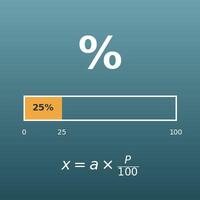
| \(100\) | one hundred | The base of a percent. Multiply a decimal rate by 100 to get a percent, and divide a percent by 100 to get back the decimal (\(0.025 \times 100 = 2.5\%\), \(2.5\% \div 100 = 0.025\)). |
| \(\lceil\ \rceil\) | ceiling | The symbol for rounding the number inside up to a whole number (the ceiling function). Whole numbers stay the same: \(\lceil 4285.71 \rceil = 4286\), \(\lceil 2500 \rceil = 2500\). "Ceiling" means the nearest whole number at or above the number. |
Terms
| click-through rate (CTR) | Clicks as a percentage of the times something was shown. It is the basic measure of how well anything that is "shown and clicked" performs - ads, search results, social media posts, email links. It changes a lot with the headline, the image and the ad position. |
| impression | One showing of an ad, a search result or a post on screen. If the same person sees it 3 times, that counts as 3 impressions (it counts times, not people). It is sometimes shortened to "impr." in ad reports. |
| clicks | The number of times what was shown was actually clicked (or tapped). For an ad, it is the number of times people went to the ad's landing page; for a search result, the number of times the page was opened. |
| search ads | Ads shown above or below search results, matched to the words people search for (such as Google Ads and Microsoft Advertising search campaigns). Impressions, clicks and CTR can be checked every day in the account, so this is the field where CTR is calculated and improved most often. Also called paid search or pay-per-click (PPC) ads. |
| organic search | The part of search results that is not ads. How many times your site appeared (impressions) and was clicked can be checked with free tools such as Google Search Console, and improving that CTR is one of the basic tasks of SEO. |
| conversion rate (CVR) | The percentage of people who clicked and then took the action you want, such as a purchase or a sign-up (a conversion). If CTR is the rate from "saw it" to "clicked", CVR is the rate from "clicked" to "bought", the next step after CTR. |
| rounding up | Rounding to the next whole number up (4285.71 → 4286). When you want a number that is enough, like the impressions needed, rounding down or to the nearest whole number may fall short of the target, so you round up. |
| percent equation | part = percent × whole, and its rearranged forms percent = part ÷ whole and whole = part ÷ percent. The three formulas on this page are exactly these, with clicks as the part and impressions as the whole. |
Good to know before you start
Here is what helps you use the calculation on this page with real understanding, not just by pressing the button.
| Percents (Grade 6) |
|
| The percent equation (Grades 6–7) |
|
| Multiplying and dividing decimals (Grades 5–6) |
|
| Rounding (Grades 3–4) |
|
| Expressions and rearranging equations (Grades 7–8) |
|
How to calculate it in Excel
| Clicks C | 250 |
| Impressions I | 10000 |
| Click-through rate CTR (%) | =B1/B2*100 |
| Impressions I | 40000 |
| Click-through rate CTR (%) | 2.5 |
| Expected clicks C | =B1*B2/100 |
| Target clicks C | 50 |
| Click-through rate CTR (%) | 2 |
| Impressions needed I | =ROUNDUP(B1/B2*100,0) |
For example, the first table shows 2.5 in B3 (a 2.5% CTR), the second shows 1000 (1,000 expected clicks) and the third shows 2500 (2,500 impressions needed). The ROUNDUP function in the third table rounds up to a whole number, so when it does not divide evenly (for example, 30 ÷ 0.7 × 100 = 4285.71…) it returns one more, such as 4286. Just replace B1 and B2 with your own numbers.
How to calculate it in Google Sheets
| Clicks C | 250 |
| Impressions I | 10000 |
| Click-through rate CTR (%) | =B1/B2*100 |
| Impressions I | 40000 |
| Click-through rate CTR (%) | 2.5 |
| Expected clicks C | =B1*B2/100 |
| Target clicks C | 50 |
| Click-through rate CTR (%) | 2 |
| Impressions needed I | =ROUNDUP(B1/B2*100,0) |
How to calculate it in Python
import math

clicks = 250          # clicks
impressions = 10000   # impressions

ctr = clicks / impressions * 100   # click-through rate CTR (%)
print(f"Click-through rate: {ctr}%")

# Expected clicks: from impressions and CTR
impressions2 = 40000
ctr2 = 2.5
expected_clicks = impressions2 * ctr2 / 100
print(f"Expected clicks: {expected_clicks}")

# Impressions needed: from target clicks and CTR (rounded up)
target_clicks = 50
ctr3 = 2
# round(..., 6) guards against floating-point error (such as 1000.0000000001) making the result one too high
required_impressions = math.ceil(round(target_clicks / ctr3 * 100, 6))
print(f"Impressions needed: {required_impressions}")
How to write it in LaTeX and other math languages (copy and paste)
CTR = C ÷ I × 100
\mathrm{CTR} = \dfrac{C}{I} \times 100
<math xmlns="http://www.w3.org/1998/Math/MathML" display="block">
<mrow>
<mi>CTR</mi>
<mo>=</mo>
<mfrac><mi>C</mi><mi>I</mi></mfrac>
<mo>×</mo>
<mn>100</mn>
</mrow>
</math>
CTR = C/I xx 100
clicks/impressions*100
CTR := clicks/impressions*100;
CTR = clicks/impressions*100;
CTR = C/I × 100
C = I × CTR ÷ 100
C = I \times \dfrac{\mathrm{CTR}}{100}
<math xmlns="http://www.w3.org/1998/Math/MathML" display="block">
<mrow>
<mi>C</mi>
<mo>=</mo>
<mi>I</mi>
<mo>×</mo>
<mfrac><mi>CTR</mi><mn>100</mn></mfrac>
</mrow>
</math>
C = I xx CTR/100
impressions*ctr/100
clicks := impressions*ctr/100;
clicks = impressions*ctr/100;
C = I × CTR/100
I = ⌈C ÷ CTR × 100⌉
I = \left\lceil \dfrac{C}{\mathrm{CTR}} \times 100 \right\rceil
<math xmlns="http://www.w3.org/1998/Math/MathML" display="block">
<mrow>
<mi>I</mi>
<mo>=</mo>
<mo>⌈</mo>
<mfrac><mi>C</mi><mi>CTR</mi></mfrac>
<mo>×</mo>
<mn>100</mn>
<mo>⌉</mo>
</mrow>
</math>
I = |~ C/CTR xx 100 ~|
Ceiling[clicks/ctr*100]
impressions := ceil(clicks/ctr*100);
impressions = ceil(clicks/ctr*100);
I = ⌈C/CTR × 100⌉
How to have ChatGPT do the calculation
You are an assistant for online advertising metrics. Do the following calculation by actually running Python code, and base your answer only on the numbers from the execution result (do not answer by mental math or guessing).

An ad was shown 10,000 times and clicked 250 times.
Find each of the following:
1. The click-through rate CTR (clicks ÷ impressions × 100, in %)
2. The expected clicks if it is shown 40,000 times at the same CTR (impressions × CTR ÷ 100)
3. For a different ad: with a CTR of 0.7%, the impressions needed to get 30 clicks (clicks ÷ CTR × 100, rounded up to a whole number)

Show the formulas you used and the numbers from the execution result.
How to Use
-
1Enter your numbersType the numbers you want to calculate with into the input fields
-
2CalculatePress the "Calculate" button
-
3Check the resultThe result appears on the spot. The same page also explains the idea behind the calculation and the formula
DataChef Features

No technical knowledge required.
Intuitive and user-friendly operation.

Can be used without registering personal information.

Automatic file deletion by clicking "download".

and rapid file conversion.

No attribution required.

No need to contact us for commercial use permission.
Related Features
Percentage Calculator (Percent, Part and Whole)
Enter any two of the whole, the part and the percentage, and get the third. For percentages in general, not just CTR
Percentage Change Calculator (Increase and Decrease)
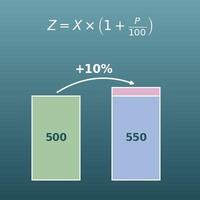
Finds how many percent something went up or down. Useful for comparing CTR before and after an improvement
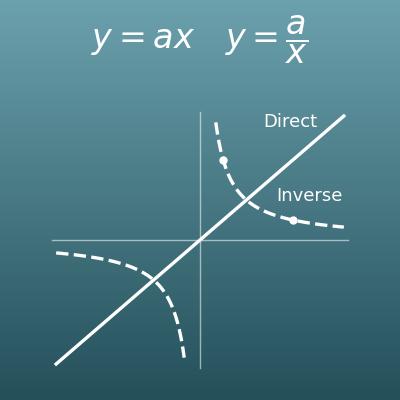
Direct and Inverse Variation Calculator (Equation and Constant of Variation from One Point)
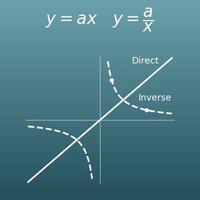
Check a proportional relationship such as "twice the impressions, twice the clicks" with an equation, a table and a graph
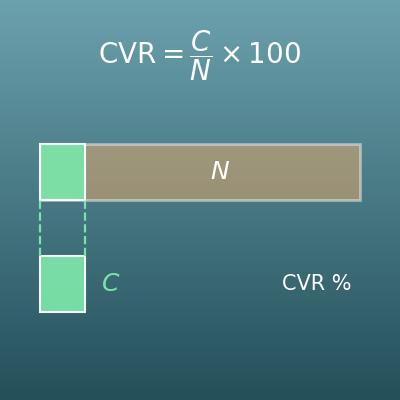
Conversion Rate Calculator (CVR, Visitors Needed and Expected Conversions)
Enter any two of visitors (clicks), conversions and conversion rate to get the third. Also finds the visitors needed for a target number of conversions