















DataChef Features

Easy and Free
Unlimited conversions for free.
No technical knowledge required.
Intuitive and user-friendly operation.
No technical knowledge required.
Intuitive and user-friendly operation.

No Registration Required
Available immediately after access.
Can be used without registering personal information.
Can be used without registering personal information.

Safe and Secure
Fully SSL encrypted communication.
Automatic file deletion by clicking "download".
Automatic file deletion by clicking "download".

Fast
High-speed site access
and rapid file conversion.
and rapid file conversion.

No Watermark
No watermark.
No attribution required.
No attribution required.

Commercial Use Available
Free for commercial use.
No need to contact us for commercial use permission.
No need to contact us for commercial use permission.
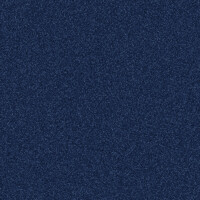
Navy noise example

Grainy gradient example

Monochrome noise example

This page lets you generate a textured background image covered with gritty, grainy noise, at any size you specify.
No image upload is needed — just press the "GENERATE" button and a noise background with a different grain pattern is generated each time.
Because it easily adds a paper- or film-like grit to a flat single-color background for an on-trend textured look,
use it for web design backgrounds, YouTube thumbnails, posters and flyers, slide cover pages, and the base of social media images — instead of hunting for free stock assets.
Under "Base Color" you can freely choose the underlying color. Dark colors such as navy and dark gray make the noise texture stand out, so they are recommended.
To pick a color, click the colored square to open the color picker and choose the color you want. The palette is preset with colors that show off the noise nicely.
Check "Make It a Gradient" to layer noise over a gradient that shifts from the base color to a second color —
the so-called "grainy gradient" — a style popular as a trendy look for posters and banners.
The "Noise Strength" slider ranges from a faint, refined grit to a coarse, static-like texture.
"Grain Size" lets you choose from fine, film-grain-style speckles to coarse, dotted grain.
Check "Output Monochrome Noise Only" to create a noise-only texture with no color.
It is the kind of asset you would make with Photoshop's "Add Noise" filter,
and it is handy for designers and illustrators as a compositing layer to add texture to their own images using Overlay or Soft Light blending.
The maximum size is 5120px for both width and height. The output format is PNG.
Navy noise example
Grainy gradient example
Monochrome noise example
Related Features

Gradient Background Image Generator
Create a two-color gradient image (linear, cylindrical, or radial) at any size you choose.

Solid Color Background Image Generator
Create an image filled with a single color of your choice, at any size. You can also make transparent or translucent images.

Ad 

