Enter the expression you want to calculate. You can use integers, decimals, fractions (written as a division, like 1/2), parentheses and powers (^2 or ²). For expressions with only addition and subtraction, the moves to the answer are also shown on a number line.
Table of Contents
-
What you can do on this page
-
What is this calculation used for?
-
How to Use
-
Formulas and number line
-
Symbols and terms
-
Good to know before you start
-
How to calculate it in Excel
-
How to calculate it in Google Sheets
-
How to calculate it in Python
-
How to write it in LaTeX and other math languages (copy and paste)
-
How to have ChatGPT do the calculation
-
DataChef Features
-
Related Features
-
NumberChef Calculators List
What you can do on this page
- Enter an expression with positive and negative numbers, such as -3+5-(-2), and get not just the answer but every step, in the order taught in school
- Each step explains in plain words which sign rule was used: "subtracting is adding the opposite", "same signs give +, different signs give −" when removing parentheses, and "an even number of negatives gives +, an odd number gives −" for multiplying and dividing
- For expressions with only addition and subtraction, you can also follow the calculation as arrows moving along a number line (+ to the right, − to the left)
- Integers, decimals, fractions (entered as a division, like 1/2), nested parentheses and powers (^2 or ²) all work. It also handles the easy-to-miss difference between \((-2)^2\) and \(-2^2\)
- When a division does not come out even, the answer is shown as an exact fraction in simplest form, not a rounded decimal. A plain-language explanation of the formulas and copy-and-paste formulas for Excel, Google Sheets and Python are all on this page
What is this calculation used for?
A winter forecast of "a low of −5°F" is one of the most familiar negative numbers. If the temperature rises from −5°F in the morning to 3°F at noon, the rise is 3 − (−5) = 8°F, which is exactly "subtracting a negative number".
The difference between the high and the low, or between today and yesterday, is found with the same subtraction, and "5 degrees colder than yesterday" is the same as adding −5.
If you write income as + and spending as −, a month's balance is the sum of positive and negative numbers. For example, +$4,000 (paycheck), −$2,800 (living costs) and −$700 (other bills) give 4000 − 2800 − 700 = +$500, a gain.
Company accounts and a store's books work the same way. Adding up totals that include losses (negative numbers) correctly is a basic skill for managing money.
With sea level as 0, heights above sea level are + and depths below it are −. In California, the top of Mount Whitney is at 14,505 ft and Badwater Basin in Death Valley is at −282 ft. The difference in height is 14505 − (−282) = 14,787 ft, found in one step by subtracting a negative number.
Elevations on maps and depths on nautical charts use this same system, and positive and negative numbers are essential for differences that cross the reference level (sea level).
Time zones are written as offsets from a standard time (UTC) with positive and negative numbers, such as −5 for New York and −8 for Los Angeles in winter. The time difference between them is (−5) − (−8) = 3 hours, which is subtraction of a negative number.
Scheduling a call across time zones or working out a flight's arrival time both rely on this subtraction with signed numbers.
In golf, the score is written relative to par, such as −3 (3 under) or +2 (2 over), and the total is the sum of positive and negative numbers from each hole. The difference between a player at −3 and a player at +2 is (−3) − (+2) = −5, so the first player leads by 5 strokes.
The goal difference in soccer and the point differential in basketball are also signed numbers (points scored minus points allowed), and they are actually used to break ties in the standings.
Formulas and number line
Symbols and terms
Symbols
| \(+\) | plus | A symbol with two jobs. It shows addition, as in "3 + 5", and it shows that a number is greater than 0 (positive), as in "+3" (the positive sign). The positive sign is usually left out, so 3 and +3 are the same number. |
| \(-\) | minus | Like +, a symbol with two jobs. It shows subtraction, as in "5 − 3", and it shows that a number is less than 0 (negative), as in "−3" (the negative sign). Switching between these two jobs (rewriting subtraction as adding a negative number) is the key to calculating with positive and negative numbers. |
| \(\times,\ \div\) | times, divided by | The symbols for multiplication and division. In an expression, they are done before addition and subtraction. On a keyboard, * is usually used for × and / for ÷, and this calculator accepts both. |
| \((\ )\) | parentheses | Symbols that group part of a calculation. What is inside parentheses is calculated first. They also wrap a negative number when an operation sign and a number sign would sit side by side, as in "5 − (−2)" (so that two signs are never written next to each other, like − −). |
| \(a^{2}\) | a squared | How a power is written. The small raised number (the exponent) tells how many factors of the same number are multiplied, so \(a^2 = a \times a\). The exponent applies only to what is just to its left, so \((-2)^2 = +4\) and \(-2^2 = -4\) are different expressions. |
Terms
| positive number | A number greater than 0, such as +3 or 2.5. On a number line, it is to the right of 0. The + sign can be left out, so all the ordinary numbers you have used so far are positive numbers. |
| negative number | A number less than 0, such as −3 or −0.5. On a number line, it is to the left of 0. It is used for amounts below a reference point or in the opposite direction, such as a temperature of −5°F or a balance of −$300 (a loss). 0 is neither positive nor negative. |
| sign | The + or − in front of a number. A number with + (or with nothing) is positive, and a number with − is negative. Calculating with positive and negative numbers always has two parts - deciding the sign and calculating the absolute value. |
| absolute value | The distance of a number from 0 on the number line. It is the size of the number without its sign - the absolute value of −5 is 5 and of +3 is 3. All the sign rules for addition and multiplication are stated using the sign and the absolute value. |
| term | Each separate number when an expression is rewritten as additions only. −3 + 5 − (−2) becomes −3 + 5 + 2, which has three terms - −3, +5 and +2. |
| same sign | When two numbers have the same sign (+ and +, or − and −). Both the addition rules and the rules for removing parentheses depend on whether the signs are the same or different. |
| different signs | When two numbers have different signs (+ and −). Both the addition rules and the rules for removing parentheses depend on whether the signs are the same or different. |
| four operations | Addition, subtraction, multiplication and division together. An expression that mixes them is worked out in the order of operations. |
| addition | Combining numbers into a sum. With positive and negative numbers, the starting point is that any subtraction can be turned into addition by changing the sign of the number being subtracted. |
| subtraction | Taking one number away from another to find the difference. With positive and negative numbers, subtraction is rewritten as adding the opposite of the number being subtracted. |
| multiplication | Finding a product. In an expression it is done before addition and subtraction. The sign of the answer is + for an even number of negatives and − for an odd number. |
| division | Finding a quotient. In an expression it is done before addition and subtraction. As with multiplication, the sign of the answer is + for an even number of negatives and − for an odd number. |
| power | Multiplying the same number several times, written like \((-2)^3 = (-2) \times (-2) \times (-2) = -8\). The small raised number (the exponent) tells how many factors are multiplied. Powers are calculated before multiplication and division. |
| exponent | The small raised number in a power. It tells how many factors are multiplied. The exponent applies only to what is just to its left, so parentheses change the answer - \((-2)^2 = +4\) but \(-2^2 = -4\). |
| number line | A drawing that shows numbers as points on a straight line. Positive numbers are to the right of 0 and negative numbers to the left, and numbers get larger to the right. Addition can be shown as arrows (right for +, left for −), which makes it a great way to picture positive and negative numbers. |
| reciprocal | The number you multiply by to get 1. The reciprocal of \(\dfrac{2}{3}\) is \(\dfrac{3}{2}\). Dividing by a fraction is done by multiplying by its reciprocal. Note that the sign does not change (the reciprocal of a negative number is still negative). |
Good to know before you start
Here is what helps you use the calculation on this page with real understanding, not just by pressing the button.
If you get stuck, going back over these topics is the quickest way forward.
| Operations with whole numbers and decimals (Grades 1–6) |
|
| Working with fractions (Grades 4–6) |
|
| Order of operations (Grades 5–6) |
|
| The number line (Grades 3–6) |
|
How to calculate it in Excel
| Expression (type = and then the expression) | =-3+5-(-2) |
| Number a | -3 |
| Number b | -4 |
| Sum a+b | =B1+B2 |
| Number a | -3 |
| Number b | 5 |
| Sum a+b | =B1+B2 |
| Number a | 8 |
| Number subtracted b | -5 |
| Difference a−b | =B1-B2 |
| Number a | -2 |
| Number b | -3 |
| Product a×b | =B1*B2 |
| Quotient a÷b | =B1/B2 |
| Number a | -3 |
| Exponent n | 2 |
| Power a^n | =B1^B2 |
The other tables check the sign rules from the "Formula" section with cell references. The same-sign addition example gives −7, the different-sign addition example gives 2, the subtraction example gives 8−(−5) = 13, and the multiplication example gives (−2)×(−3) = 6.
The power table uses cell references (=B1^B2), so it gives (−3)² = 9, as in math. But if you type "=-3^2" directly, Excel returns 9, because it applies the leading minus before the power (the opposite of the math convention, −3² = −9). If you want −3², type "=-(3^2)".
How to calculate it in Google Sheets
| Expression (type = and then the expression) | =-3+5-(-2) |
| Number a | -3 |
| Number b | -4 |
| Sum a+b | =B1+B2 |
| Number a | -3 |
| Number b | 5 |
| Sum a+b | =B1+B2 |
| Number a | 8 |
| Number subtracted b | -5 |
| Difference a−b | =B1-B2 |
| Number a | -2 |
| Number b | -3 |
| Product a×b | =B1*B2 |
| Quotient a÷b | =B1/B2 |
| Number a | -3 |
| Exponent n | 2 |
| Power a^n | =B1^B2 |
Google Sheets also returns 9 if you type "=-3^2" directly (the leading minus comes before the power), just like Excel. If you want −3², type "=-(3^2)".
How to calculate it in Python
from fractions import Fraction

# Write the expression as is (× is *, ÷ is /, a power is **)
# Python handles signs the same way as math: -2**2 is -(2 squared) = -4
result = -3 + 5 - (-2)
print(f"Answer: {result}")

# For expressions with division, Fraction keeps the exact value as a fraction with no rounding error
exact_value = Fraction(6) / (-4) + 1   # 6 ÷ (−4) + 1
print(f"Answer as a fraction: {exact_value}")
print(f"As a decimal: {float(exact_value)}")
How to write it in LaTeX and other math languages (copy and paste)
(−a) + (−b) = −(a + b)
(-a) + (-b) = -(a + b)
<math xmlns="http://www.w3.org/1998/Math/MathML" display="block">
<mrow>
<mo>(</mo><mo>−</mo><mi>a</mi><mo>)</mo>
<mo>+</mo>
<mo>(</mo><mo>−</mo><mi>b</mi><mo>)</mo>
<mo>=</mo>
<mo>−</mo><mo>(</mo><mi>a</mi><mo>+</mo><mi>b</mi><mo>)</mo>
</mrow>
</math>
(-a) + (-b) = -(a + b)
(-a) + (-b)
(-a) + (-b);
(-a) + (-b)
(-a) + (-b) = -(a + b)
(−a) + b = +(b − a) (when 0 < a < b)
(-a) + b = +(b - a) \quad (0 < a < b)
<math xmlns="http://www.w3.org/1998/Math/MathML" display="block">
<mrow>
<mo>(</mo><mo>−</mo><mi>a</mi><mo>)</mo>
<mo>+</mo>
<mi>b</mi>
<mo>=</mo>
<mo>+</mo><mo>(</mo><mi>b</mi><mo>−</mo><mi>a</mi><mo>)</mo>
</mrow>
</math>
(-a) + b = +(b - a)
(-a) + b
(-a) + b;
(-a) + b
(-a) + b = +(b - a)
a − (−b) = a + b
a - (-b) = a + b
<math xmlns="http://www.w3.org/1998/Math/MathML" display="block">
<mrow>
<mi>a</mi>
<mo>−</mo>
<mo>(</mo><mo>−</mo><mi>b</mi><mo>)</mo>
<mo>=</mo>
<mi>a</mi><mo>+</mo><mi>b</mi>
</mrow>
</math>
a - (-b) = a + b
a - (-b)
a - (-b);
a - (-b)
a - (-b) = a + b
(−a) × (−b) = +ab
(-a) \times (-b) = +ab
<math xmlns="http://www.w3.org/1998/Math/MathML" display="block">
<mrow>
<mo>(</mo><mo>−</mo><mi>a</mi><mo>)</mo>
<mo>×</mo>
<mo>(</mo><mo>−</mo><mi>b</mi><mo>)</mo>
<mo>=</mo>
<mo>+</mo><mi>a</mi><mi>b</mi>
</mrow>
</math>
(-a) xx (-b) = +ab
(-a) * (-b)
(-a) * (-b);
(-a) * (-b)
(-a) × (-b) = +ab
(−a)² = +a², −a² = −(a × a)
(-a)^{2} = +a^{2}, \quad -a^{2} = -(a \times a)
<math xmlns="http://www.w3.org/1998/Math/MathML" display="block">
<mrow>
<msup><mrow><mo>(</mo><mo>−</mo><mi>a</mi><mo>)</mo></mrow><mn>2</mn></msup>
<mo>=</mo>
<mo>+</mo><msup><mi>a</mi><mn>2</mn></msup>
<mo>,</mo>
<mo>−</mo><msup><mi>a</mi><mn>2</mn></msup>
<mo>=</mo>
<mo>−</mo><mo>(</mo><mi>a</mi><mo>×</mo><mi>a</mi><mo>)</mo>
</mrow>
</math>
(-a)^2 = +a^2, -a^2 = -(a xx a)
{(-a)^2, -a^2}
(-a)^2; -a^2;
[(-a)^2, -a^2]
(-a)^2 = +a^2, -a^2 = -(a × a)
How to have ChatGPT do the calculation
You are a math calculation assistant (middle school math). Do the following calculation by actually running Python code, and base your answer only on the numbers from the execution result (do not answer by mental math or guessing).

Calculate each of the following expressions with positive and negative numbers.
1. -3+5-(-2)
2. (-2)×(-3)-4
3. 6÷(-2)+1
4. (-2)^2 and -2^2 (also explain the difference between the two)

In Python, change × to *, ÷ to / and powers to **, and calculate expressions with division exactly using the fractions module from the standard library. For each one, explain the sign rules used (same or different signs, how many negative numbers) in words a 7th grader can understand, and show the formulas you used and the numbers from the execution result.
How to Use
-
1Enter your numbersType the numbers you want to calculate with into the input fields
-
2CalculatePress the "Calculate" button
-
3Check the resultThe result appears on the spot. The same page also explains the idea behind the calculation and the formula
DataChef Features

No technical knowledge required.
Intuitive and user-friendly operation.

Can be used without registering personal information.

Automatic file deletion by clicking "download".

and rapid file conversion.

No attribution required.

No need to contact us for commercial use permission.
Related Features
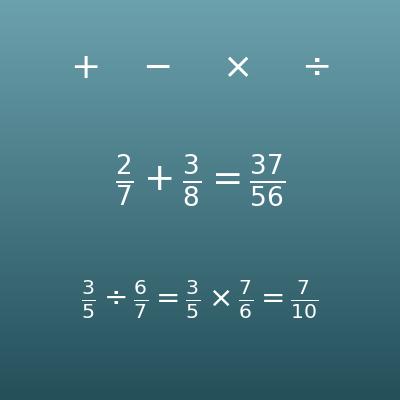
Fraction Calculator (Add, Subtract, Multiply and Divide Fractions)
Adds, subtracts, multiplies and divides fractions, with steps for common denominators and simplifying
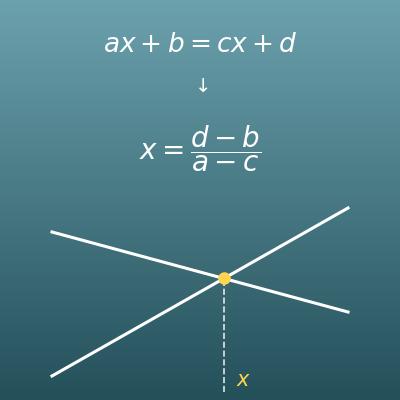
Linear Equation Calculator (Solve for x with Steps)
The next step after positive and negative numbers. Solves ax+b=cx+d with steps, a check and a graph
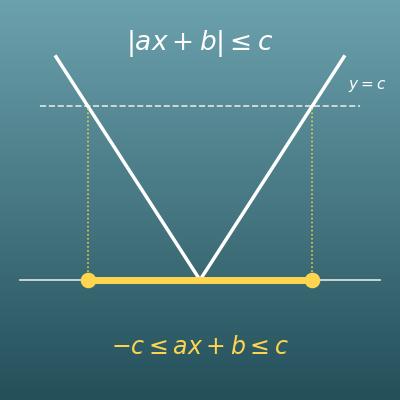
Absolute Value Equation and Inequality Calculator (Two Methods with Steps and a Number Line)
Solves |ax+b|=c, <c, ≤c, >c and ≥c in two ways, with steps, a check of the solutions and a number line