For each day from Monday to Sunday, enter the clock-in and clock-out times and the break in minutes. Leave days you did not work blank. Enter an hourly wage in dollars to get the estimated pay too.
Table of Contents
-
What you can do on this page
-
What is this calculation used for?
-
How to Use
-
Formula
-
Symbols and terms
-
Good to know before you start
-
How to calculate it in Excel
-
How to calculate it in Google Sheets
-
How to calculate it in Python
-
How to write it in LaTeX and other math languages (copy and paste)
-
How to have ChatGPT do the calculation
-
DataChef Features
-
Related Features
-
NumberChef Calculators List
What you can do on this page
- Enter the clock-in and clock-out times and the break (in minutes) for each day from Monday to Sunday, and you get the hours worked each day and the total for the week right away
- The weekly total is shown both as "37 h 30 min" and as decimal hours, "37.5 h", which you can multiply by an hourly wage as is
- Enter your hourly wage in dollars, and the estimated pay (total hours in decimal hours × hourly wage) is calculated too
- Overnight shifts, such as clocking in at 10:00 PM and out at 6:00 AM the next morning, are handled too
- A plain-language explanation of the formulas and copy-and-paste formulas for Excel, Google Sheets and Python are all on this page
What is this calculation used for?
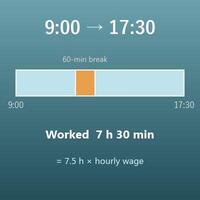
If you work 9:00 AM to 5:30 PM on 5 weekdays with a 1-hour unpaid lunch break each day, you work 7 hours 30 minutes × 5 days = 37 hours 30 minutes a week. Multiply 37.5 decimal hours by an hourly wage of $18, and that week's pay comes to about \(37.5 \times 18 = 675\) dollars.
When you can work out "how much did I earn this week?" yourself, you can plan your shifts and income with numbers instead of guesses. (Your actual paycheck changes with overtime, taxes and other deductions, so check the exact amount on your pay stub.)
If you can add up your weekly hours yourself from your time card or time-tracking app, you can check how your actual hours compare with your schedule, and whether the hours on your pay stub match your own records.
An employer's timekeeping system does the same thing inside: for each day it finds clock-out − clock-in − break and adds the days up. Knowing how it works is the first step to making sure you are paid for all the time you worked.
Several common rules in the US look at hours per week. Under the federal Fair Labor Standards Act (FLSA), hourly (non-exempt) workers are generally paid 1.5 times their regular rate for hours over 40 in a workweek. For example, working 8:00 AM to 5:30 PM with a 30-minute break is 9 hours a day, or 45 hours over 5 days, which is 5 hours of overtime. At $20 an hour, those 5 hours pay \(20 \times 1.5 \times 5 = 150\) dollars.
Other limits also count weekly hours: large employers generally treat 30 or more hours a week as full-time for health coverage under the Affordable Care Act, and international students on an F-1 visa are generally limited to 20 hours a week of on-campus work while school is in session. The exact rules can differ and can change, so check the current rules with your employer or school. Either way, this weekly total tells you exactly how many hours you worked.
For a night shift from 22:00 (10:00 PM) to 6:00 the next morning, the numbers alone give "6 − 22", which is negative. Add one day, 1440 minutes, and you see it is an 8-hour shift.
Even in a week that mixes night shifts and day shifts, you just find each day's hours with the same rule and add them up, so the total does not get mixed up. You can check for yourself whether the weekly total on your schedule is right.
If you write down "from when to when", you can use the same calculation to add up how many hours a week you spent on something other than your main job, such as studying for an exam or a side gig from home.
Seeing the weekly total lets you look back with numbers, for example "Did I make up on the weekend for the study time I skipped on weekdays?"
Formula
Symbols and terms
Symbols
| \(T_1\), \(T_2\) | T sub 1, T sub 2 | The clock-in time in minutes (\(T_1\)) and the clock-out time in minutes (\(T_2\)). A time is turned into minutes after midnight with "60 × hour + minute". (Example - 9:00 → \(T_1 = 540\), 17:30 → \(T_2 = 1050\)) |
| \(B\) | B | The break in minutes. B stands for "break". |
| \(W\) | W | The hours worked in one day (the time from clock-in to clock-out minus the break, the time you actually worked) in minutes. W stands for "work". |
| \(W_1, W_2, \ldots, W_7\) | W sub 1, W sub 2, …, W sub 7 | The hours worked on each day from Monday to Sunday, in minutes. The small number at the lower right (the subscript) shows which day of the week it is. |
| \(S\) | S | The total hours worked in the week (all the days added up) in minutes. S stands for "sum". |
| \(H\) | H | The weekly total as a decimal number of hours (decimal hours), found with \(H = S \div 60\). (Example - 2250 minutes → 37.5 hours) |
| \(R\) | R | The hourly wage (in dollars). R stands for "rate". |
| \(P\) | P | The estimated pay (in dollars), found with \(P = H \times R\). P stands for "pay". |
| \(1440\) | one thousand four hundred forty | The number of minutes in 1 day: \(24 \times 60 = 1440\). It is added for an overnight shift (one where you clock out the next day). |
Terms
| time card | A card or system that records the clock-in and clock-out times for each day. The recorded times are added up into hours worked, which are the basis for payroll. This page adds up one week of a time card at once. |
| timesheet | A record of when you worked - clock-in, clock-out, breaks and days off - for a pay period. Adding up a timesheet means turning the recorded times into total hours worked. |
| hours worked | The time from clock-in to clock-out minus the break, the time you actually worked. For hourly workers, pay is normally based on these hours. (Unpaid meal breaks are taken out; short rest breaks are usually counted as paid time.) |
| decimal hours | Time written as a decimal, such as 37 hours 30 minutes = 37.5 hours. The minutes are divided by 60, so the value can be multiplied by an hourly wage as is. Note that 37 hours 30 minutes is not 37.3 hours. |
| overnight shift | A shift during which the date changes, such as a night shift. The clock-out time is a smaller number than the clock-in time, so one day, 1440 minutes, is added in the calculation. |
| overtime pay | Pay at a higher rate than the regular hourly wage. In the US, the federal Fair Labor Standards Act (FLSA) generally requires 1.5 times the regular rate for hours over 40 in a workweek for non-exempt workers, and some states also count daily overtime. Extra pay for night shifts (a shift differential) is usually set by the employer. The conditions and rates depend on the law and your employer, so this calculator leaves them out and only calculates total hours × hourly wage. |
Good to know before you start
Here is what helps you use the calculation on this page with real understanding, not just by pressing the button.
If you get stuck, going back over these topics is the fastest way forward.
| Time of day and elapsed time (Grades 2–3) |
|
| AM, PM and the 24-hour clock (Grades 2–3) |
|
| Subtraction with regrouping and division with remainders (Grades 3–4) |
|
| Decimals and multiplication (Grades 4–5) |
|
How to calculate it in Excel
| Day | Clock in | Clock out | Break (min) | Worked (min) |
| Mon | 9:00 | 17:30 | 60 | =IF(OR(B2="",C2=""),"",ROUND(MOD(IFERROR(TIMEVALUE(C2),C2)-IFERROR(TIMEVALUE(B2),B2),1)*1440,0)-D2) |
| Tue | 9:00 | 17:30 | 60 | =IF(OR(B3="",C3=""),"",ROUND(MOD(IFERROR(TIMEVALUE(C3),C3)-IFERROR(TIMEVALUE(B3),B3),1)*1440,0)-D3) |
| Wed | 9:00 | 17:30 | 60 | =IF(OR(B4="",C4=""),"",ROUND(MOD(IFERROR(TIMEVALUE(C4),C4)-IFERROR(TIMEVALUE(B4),B4),1)*1440,0)-D4) |
| Thu | 9:00 | 17:30 | 60 | =IF(OR(B5="",C5=""),"",ROUND(MOD(IFERROR(TIMEVALUE(C5),C5)-IFERROR(TIMEVALUE(B5),B5),1)*1440,0)-D5) |
| Fri | 9:00 | 17:30 | 60 | =IF(OR(B6="",C6=""),"",ROUND(MOD(IFERROR(TIMEVALUE(C6),C6)-IFERROR(TIMEVALUE(B6),B6),1)*1440,0)-D6) |
| Sat | 0 | =IF(OR(B7="",C7=""),"",ROUND(MOD(IFERROR(TIMEVALUE(C7),C7)-IFERROR(TIMEVALUE(B7),B7),1)*1440,0)-D7) | ||
| Sun | 0 | =IF(OR(B8="",C8=""),"",ROUND(MOD(IFERROR(TIMEVALUE(C8),C8)-IFERROR(TIMEVALUE(B8),B8),1)*1440,0)-D8) | ||
| Weekly total (min) | =SUM(E2:E8) |
| Weekly total worked (min) | 2250 |
| Weekly total: hours | =QUOTIENT(B1,60) |
| Weekly total: minutes | =MOD(B1,60) |
| Decimal hours | =ROUND(B1/60,2) |
| Hourly wage ($) | 18 |
| Estimated pay ($) | =ROUND(B1/60*B5,2) |
In the second table, enter the weekly total in minutes in B1. B2 and B3 split it into 37 hours 30 minutes with QUOTIENT (the whole-number part of a division) and MOD (the remainder), and B4 shows the decimal hours (37.5; ROUND rounds to 2 decimal places when the division does not come out even). Enter your hourly wage in B5, and B6 shows the estimated pay ($675.00 in this example, rounded to the cent). Just replace the values in column B with your own.
How to calculate it in Google Sheets
| Day | Clock in | Clock out | Break (min) | Worked (min) |
| Mon | 9:00 | 17:30 | 60 | =IF(OR(B2="",C2=""),"",ROUND(MOD(IFERROR(TIMEVALUE(C2),C2)-IFERROR(TIMEVALUE(B2),B2),1)*1440,0)-D2) |
| Tue | 9:00 | 17:30 | 60 | =IF(OR(B3="",C3=""),"",ROUND(MOD(IFERROR(TIMEVALUE(C3),C3)-IFERROR(TIMEVALUE(B3),B3),1)*1440,0)-D3) |
| Wed | 9:00 | 17:30 | 60 | =IF(OR(B4="",C4=""),"",ROUND(MOD(IFERROR(TIMEVALUE(C4),C4)-IFERROR(TIMEVALUE(B4),B4),1)*1440,0)-D4) |
| Thu | 9:00 | 17:30 | 60 | =IF(OR(B5="",C5=""),"",ROUND(MOD(IFERROR(TIMEVALUE(C5),C5)-IFERROR(TIMEVALUE(B5),B5),1)*1440,0)-D5) |
| Fri | 9:00 | 17:30 | 60 | =IF(OR(B6="",C6=""),"",ROUND(MOD(IFERROR(TIMEVALUE(C6),C6)-IFERROR(TIMEVALUE(B6),B6),1)*1440,0)-D6) |
| Sat | 0 | =IF(OR(B7="",C7=""),"",ROUND(MOD(IFERROR(TIMEVALUE(C7),C7)-IFERROR(TIMEVALUE(B7),B7),1)*1440,0)-D7) | ||
| Sun | 0 | =IF(OR(B8="",C8=""),"",ROUND(MOD(IFERROR(TIMEVALUE(C8),C8)-IFERROR(TIMEVALUE(B8),B8),1)*1440,0)-D8) | ||
| Weekly total (min) | =SUM(E2:E8) |
| Weekly total worked (min) | 2250 |
| Weekly total: hours | =QUOTIENT(B1,60) |
| Weekly total: minutes | =MOD(B1,60) |
| Decimal hours | =ROUND(B1/60,2) |
| Hourly wage ($) | 18 |
| Estimated pay ($) | =ROUND(B1/60*B5,2) |
How to calculate it in Python
# Weekly time card (list only the days you worked, as (day, clock in, clock out, break in minutes))
week = [
    ("Monday", "9:00", "17:30", 60),
    ("Tuesday", "9:00", "17:30", 60),
    ("Wednesday", "9:00", "17:30", 60),
    ("Thursday", "9:00", "17:30", 60),
    ("Friday", "9:00", "17:30", 60),
]
hourly_wage = 18  # hourly wage (dollars). Set to None to skip the pay calculation

def to_minutes(time_text):
    # turn "9:00" or "17:30" (or just the hour, "9") into minutes after midnight
    parts = time_text.split(":")
    hour = int(parts[0])
    minute = int(parts[1]) if len(parts) > 1 else 0
    return hour * 60 + minute

def format_minutes(total_minutes):
    # turn minutes into the form "8 h 30 min" ("0 h" for 0 minutes)
    hours, minutes = divmod(total_minutes, 60)
    if hours == 0 and minutes == 0:
        return "0 h"
    if hours == 0:
        return f"{minutes} min"
    if minutes == 0:
        return f"{hours} h"
    return f"{hours} h {minutes} min"

total_work = 0
for day_name, clock_in, clock_out, rest_minutes in week:
    elapsed = to_minutes(clock_out) - to_minutes(clock_in)
    if elapsed < 0:
        # clock-out is earlier than clock-in -> clocked out the next day (overnight shift), so add one day
        elapsed += 1440
    work = elapsed - rest_minutes
    total_work += work
    print(f"{day_name}: {format_minutes(work)}")

decimal_hours = round(total_work / 60, 2)  # decimal hours (for hourly pay)
print(f"Weekly total: {format_minutes(total_work)} ({decimal_hours} h, {len(week)} days)")
if hourly_wage is not None:
    pay = round(total_work * hourly_wage / 60, 2)  # estimated pay (rounded to the cent)
    print(f"Estimated pay: ${pay:,.2f}")
How to write it in LaTeX and other math languages (copy and paste)
W = T₂ − T₁ − B (T₂ ≥ T₁), W = T₂ − T₁ + 1440 − B (T₂ < T₁)
W = T_2 - T_1 - B \quad (T_2 \ge T_1), \qquad W = T_2 - T_1 + 1440 - B \quad (T_2 < T_1)
<math xmlns="http://www.w3.org/1998/Math/MathML" display="block">
<mrow>
<mi>W</mi><mo>=</mo>
<msub><mi>T</mi><mn>2</mn></msub><mo>−</mo>
<msub><mi>T</mi><mn>1</mn></msub><mo>−</mo>
<mi>B</mi>
<mo>,</mo><mspace width="0.7em"/>
<mi>W</mi><mo>=</mo>
<msub><mi>T</mi><mn>2</mn></msub><mo>−</mo>
<msub><mi>T</mi><mn>1</mn></msub>
<mo>+</mo><mn>1440</mn><mo>−</mo>
<mi>B</mi>
</mrow>
</math>
W = T_2 - T_1 - B, W = T_2 - T_1 + 1440 - B
workMinutes = If[t2 >= t1, t2 - t1, t2 - t1 + 1440] - b
W := `if`(t2 >= t1, t2 - t1, t2 - t1 + 1440) - b;
if t2 >= t1, W = t2 - t1 - b; else, W = t2 - t1 + 1440 - b; end
W = T_2 - T_1 - B (T_2 ≥ T_1), W = T_2 - T_1 + 1440 - B (T_2 < T_1)
S = W₁ + W₂ + ⋯ + W₇, H = S ÷ 60
S = W_1 + W_2 + \cdots + W_7, \quad H = \dfrac{S}{60}
<math xmlns="http://www.w3.org/1998/Math/MathML" display="block">
<mrow>
<mi>S</mi><mo>=</mo>
<msub><mi>W</mi><mn>1</mn></msub><mo>+</mo>
<msub><mi>W</mi><mn>2</mn></msub><mo>+</mo>
<mo>⋯</mo><mo>+</mo>
<msub><mi>W</mi><mn>7</mn></msub>
<mo>,</mo><mspace width="0.7em"/>
<mi>H</mi><mo>=</mo>
<mfrac><mi>S</mi><mn>60</mn></mfrac>
</mrow>
</math>
S = W_1 + W_2 + cdots + W_7, H = S / 60
totalMinutes = Total[workMinutes]; decimalHours = totalMinutes / 60
S := add(w[i], i = 1 .. 7); H := S / 60;
S = sum(W); H = S / 60;
S = W_1 + W_2 + ⋯ + W_7, H = S / 60
P = H × R
P = H \times R
<math xmlns="http://www.w3.org/1998/Math/MathML" display="block">
<mrow>
<mi>P</mi><mo>=</mo>
<mi>H</mi><mo>×</mo><mi>R</mi>
</mrow>
</math>
P = H xx R
pay = decimalHours * hourlyWage
P := H * R;
P = H * R;
P = H × R
How to have ChatGPT do the calculation
You are a timesheet calculation assistant. Do the following calculation by actually running Python code, and base your answer only on the numbers from the execution result (do not answer by mental math or guessing).

Here is one week of a time card. All times are on the 24-hour clock, and breaks are in minutes.
- Monday to Friday: clock in 9:00, clock out 17:30, 60-minute break
- Saturday and Sunday: no work
The hourly wage is $18.
Find each of the following:
1. The hours worked each day (in the form "X hours Y minutes" for each day)
2. The total hours worked in the week (in the form "X hours Y minutes") and the number of days worked
3. The weekly total in decimal hours (the total minutes worked divided by 60)
4. The estimated pay (decimal hours × hourly wage, rounded to the cent, with no overtime or deductions)

Find each day's hours worked as (clock-out in minutes) − (clock-in in minutes) − break. If the clock-out time is earlier than the clock-in time on any day, treat it as clocking out the next day (overnight) and add 1440 minutes.
Show the formulas you used and the numbers from the execution result.
How to Use
-
1Enter your numbersType the numbers you want to calculate with into the input fields
-
2CalculatePress the "Calculate" button
-
3Check the resultThe result appears on the spot. The same page also explains the idea behind the calculation and the formula
DataChef Features

No technical knowledge required.
Intuitive and user-friendly operation.

Can be used without registering personal information.

Automatic file deletion by clicking "download".

and rapid file conversion.

No attribution required.

No need to contact us for commercial use permission.
Related Features
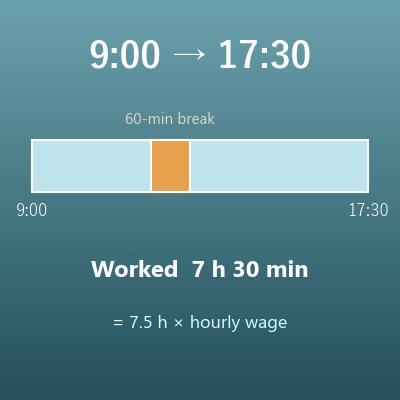
Work Hours Calculator (Hours Between Two Times, Minus Breaks)
Finds the shift length, hours worked and decimal hours for a single shift from its start and end times
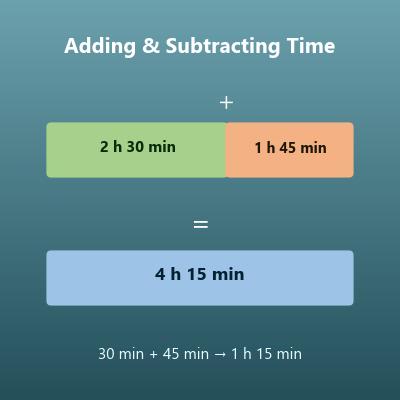
Time Calculator (Add and Subtract Days, Hours, Minutes and Seconds)
Adds and subtracts two lengths of time written in days, hours, minutes and seconds
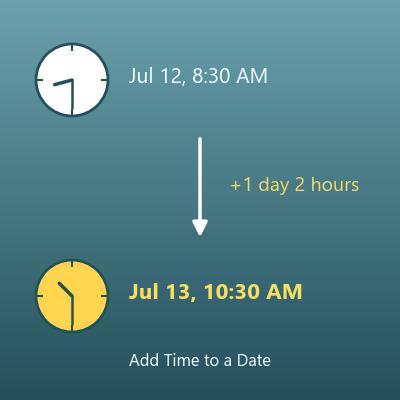
Date and Time Calculator (Add or Subtract Hours, Minutes and Seconds)
Adds days, hours, minutes and seconds to a date and time, or subtracts them, and shows the day of the week
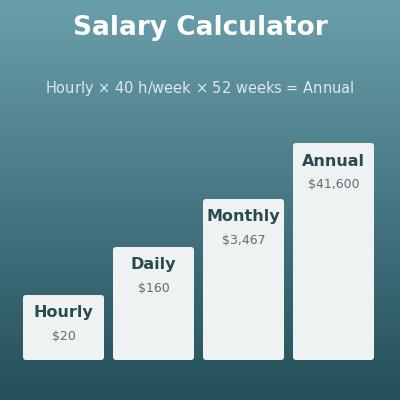
Salary Calculator (Hourly, Daily, Weekly, Monthly and Annual Pay)
Converts between hourly, daily, weekly, monthly and annual pay, including figures based on days actually worked