Enter the dividend (the number being divided) and the divisor. You get the long division, a step-by-step explanation for each place, the quotient and remainder, a mixed number and a decimal, all at once.
Table of Contents
-
What you can do on this page
-
What is this calculation used for?
-
How to Use
-
Formulas and figure
-
One step of long division (divide, multiply, subtract, bring down)
-
Division and how to check it (dividend, divisor, quotient and remainder)
-
Finding the quotient (how many times the divisor goes in)
-
Finding the remainder (what is left after subtracting)
-
Writing the answer as a mixed number or a decimal
-
-
Symbols and terms
-
Good to know before you start
-
How to calculate it in Excel
-
How to calculate it in Google Sheets
-
How to calculate it in Python
-
How to write it in LaTeX and other math languages (copy and paste)
-
How to have ChatGPT do the calculation
-
DataChef Features
-
Related Features
-
NumberChef Calculators List
What you can do on this page
- Enter the dividend and the divisor, and the long division appears on the spot, laid out just as you would write it on paper (the quotient and the remainder are easy to see)
- Each step is explained in order, place by place: what was divided, multiplied, subtracted and brought down
- Choose between "Find the remainder" and "Divide into decimals" (in decimal mode, the long division continues into the decimal places)
- Decimal division such as \(12.5 \div 0.5\) works too. The steps show how multiplying both numbers by 10 or 100 turns it into a whole-number division
- The answer is also shown as a mixed number (in simplest form) and as a decimal. A plain-language explanation of the formulas and copy-and-paste formulas for Excel, Google Sheets and Python are all on this page
What is this calculation used for?
Share 100 candies equally among 7 kids: 100 ÷ 7 = 14 R2, so each kid gets 14 and 2 are left over.
Handing out worksheets in class, splitting supplies between groups, sharing a treat with the family: getting "how many each, and how many left" in one step is where division with remainders shows up most often.
Divide the 365 days of a year by the 7 days of a week: 365 ÷ 7 = 52 R1. A year is "52 weeks and 1 day", so the same date next year falls one day of the week later (in a leap year, 366 ÷ 7 = 52 R2, so it moves two days).
To find "what day of the week is it in N days?", you only need the remainder after dividing by 7.
Packing 250 items into boxes of 8: 250 ÷ 8 = 31 R2, so 31 boxes are full and 2 items are left. To ship everything, you need 32 boxes, including one for the last 2 items.
The idea "quotient, plus one more if there is a remainder" is used every day in logistics and production planning, for example to find how many trucks, or how many buses for a group of people.
Split a $100 bill among 3 people. In cents, 10,000 ÷ 3 = 3,333 R1, so each person pays $33.33 and 1 cent is left over.
Money cannot be split into less than 1 cent, so splitting bills, making change and saving up are best thought of as "quotient and remainder". Someone pays 1 cent more, or the organizer covers the extra: the remainder tells you what needs to be settled.
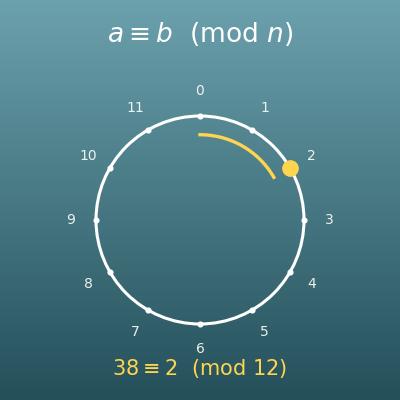
"What time is it 100 hours from now?" 100 ÷ 24 = 4 R4, so it is 4 days and 4 hours later. Calculations that go around and start over, like a clock, are usually written with the remainder (the mod or % operator) in programming.
Checking whether a number is even (remainder 0 when divided by 2) or odd (remainder 1), and spreading data evenly across machines, are also remainder calculations running inside computers all the time.
Formulas and figure
Symbols and terms
Symbols
| \(a\) | a | The dividend, the number being divided. (Example - the 100 in 100 ÷ 7) |
| \(b\) | b | The divisor, the number you divide by. It is the "how many groups" or "how many in each group" number. (Example - the 7 in 100 ÷ 7) |
| \(q\) | q | The quotient, the whole-number answer of the division. It tells how many times the divisor goes in. (Example - 14 for 100 ÷ 7) |
| \(r\) | r | The remainder, the part left over that cannot be shared out. It is always at least 0 and smaller than the divisor. (Example - 2 for 100 ÷ 7) |
| \(s_i\) | s sub i | The number you are working with in one step of long division. It is what was left from the subtraction in the step before, with the next digit brought down next to it. (Example - in the ones step of 100 ÷ 7, the 3 left over with the 0 brought down makes 30) |
| \(q_i\) | q sub i | The quotient digit for one place (one of 0 to 9). It is how many times the divisor goes into the number you are working with. Written in order from the left, these digits make the quotient. |
| \(\lfloor\ \rfloor\) | floor | The floor function. It drops the decimal part of the number inside and leaves a whole number. (Example - \(\lfloor 14.28 \rfloor = 14\)) |
| 14 R2 | fourteen R two | The usual way US schools write "quotient 14, remainder 2". R stands for remainder. The long division on this page writes it after the quotient in the same way. |
Terms
| dividend | The number being divided. The 100 in "100 ÷ 7". In long division it goes inside the division bracket. |
| divisor | The number you divide by. The 7 in "100 ÷ 7". In long division it goes to the left of the division bracket. You cannot divide by 0. |
| quotient | The answer of a division. In division with remainders, it is the whole-number part of the answer. In long division it is written above the division bracket. |
| remainder | The part left over that cannot be shared out. It is always at least 0 and smaller than the divisor. In programming it is found with the % (mod) operator. |
| long division | The written method for dividing large numbers on paper. You find the quotient one digit at a time from the left by repeating four steps - divide, multiply, subtract, bring down. |
| divide, multiply, subtract, bring down | The four steps of long division. Write the quotient digit above (divide), write divisor × that digit below (multiply), subtract (subtract), and copy the next digit down next to what is left (bring down). Repeat for each place. |
| annexing zeros | Writing zeros after the decimal point of the dividend so you can keep dividing into the decimal places instead of stopping at a remainder. (Example - 9 ÷ 4 is 2 R1, but writing 9 as 9.00 and continuing gives 2.25) |
| checking the answer | Making sure an answer is right with a different calculation. For division, check that "divisor × quotient + remainder" gives back the dividend. |
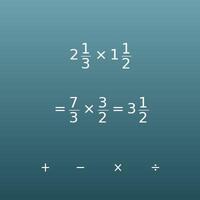
| mixed number | A whole number and a proper fraction written together, such as \(14\dfrac{2}{7}\) (fourteen and two sevenths). It is one way to write the answer of a division with a remainder. |
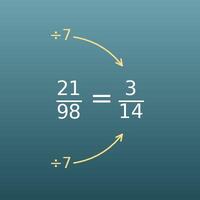
| simplest form | A fraction whose numerator and denominator have no common factor other than 1. You get it by dividing both by their greatest common factor. (Example - \(\dfrac{372}{789}\) → \(\dfrac{124}{263}\)) |
| divides evenly | When the remainder is 0. (Example - 1000 ÷ 25 = 40 divides evenly, but 100 ÷ 7 does not) |
| repeating decimal | A decimal in which the same group of digits repeats forever, which happens when a division never comes out even. (Example - 100 ÷ 7 = 14.285714285714… repeats "285714") |
Good to know before you start
Here is what helps you use the calculation on this page with real understanding, not just by pressing the button.
| Multiplication facts (Grade 3) |
|
| What division is, and remainders (Grades 3–4) |
|
| Long division (Grades 4–6) |
|
| Fractions, mixed numbers and simplifying (Grades 4–5) |
|
| Decimals and dividing into decimals (Grades 5–6) |
|
How to calculate it in Excel
| Dividend a | 100 |
| Divisor b | 7 |
| Quotient q | =INT(B1/B2) |
| Dividend a | 100 |
| Divisor b | 7 |
| Remainder r | =MOD(B1,B2) |
| Divisor b | 7 |
| Quotient q | 14 |
| Remainder r | 2 |
| Dividend a (check) | =B1*B2+B3 |
| Dividend a | 100 |
| Divisor b | 7 |
| Quotient (whole-number part) | =INT(B1/B2) |
| Numerator of the fraction part (remainder) | =MOD(B1,B2) |
| As a decimal | =B1/B2 |
"INT" drops the decimal part (the quotient) and "MOD" finds the remainder. You can also get the quotient with "=QUOTIENT(B1,B2)".
The first table shows 14 in B3, the second table shows 2 in B3, and the fourth table shows about 14.2857 in the decimal row. Just replace B1 and B2 with your own numbers.
How to calculate it in Google Sheets
| Dividend a | 100 |
| Divisor b | 7 |
| Quotient q | =INT(B1/B2) |
| Dividend a | 100 |
| Divisor b | 7 |
| Remainder r | =MOD(B1,B2) |
| Divisor b | 7 |
| Quotient q | 14 |
| Remainder r | 2 |
| Dividend a (check) | =B1*B2+B3 |
| Dividend a | 100 |
| Divisor b | 7 |
| Quotient (whole-number part) | =INT(B1/B2) |
| Numerator of the fraction part (remainder) | =MOD(B1,B2) |
| As a decimal | =B1/B2 |
How to calculate it in Python
dividend = 100  # the number being divided
divisor = 7     # the number you divide by

quotient, remainder = divmod(dividend, divisor)  # quotient and remainder at once

print(f"Quotient: {quotient}")
print(f"Remainder: {remainder}")
print(f"Check: {divisor} × {quotient} + {remainder} = {divisor * quotient + remainder}")
print(f"As a decimal: {dividend / divisor}")
How to write it in LaTeX and other math languages (copy and paste)
qᵢ = ⌊sᵢ ÷ b⌋
q_i = \left\lfloor s_i \div b \right\rfloor
<math xmlns="http://www.w3.org/1998/Math/MathML" display="block">
<mrow>
<msub><mi>q</mi><mi>i</mi></msub>
<mo>=</mo>
<mo>⌊</mo>
<msub><mi>s</mi><mi>i</mi></msub>
<mo>÷</mo>
<mi>b</mi>
<mo>⌋</mo>
</mrow>
</math>
q_i = |__ s_i -: b __|
Floor[s/b]
q := floor(s/b);
q = floor(s/b);
q_i = ⌊s_i/b⌋
a = b × q + r
a = b \times q + r
<math xmlns="http://www.w3.org/1998/Math/MathML" display="block">
<mrow>
<mi>a</mi>
<mo>=</mo>
<mi>b</mi>
<mo>×</mo>
<mi>q</mi>
<mo>+</mo>
<mi>r</mi>
</mrow>
</math>
a = b xx q + r
b*q + r
a := b*q + r;
a = b*q + r;
a = b q + r
q = ⌊a ÷ b⌋
q = \left\lfloor \dfrac{a}{b} \right\rfloor
<math xmlns="http://www.w3.org/1998/Math/MathML" display="block">
<mrow>
<mi>q</mi>
<mo>=</mo>
<mo>⌊</mo>
<mfrac><mi>a</mi><mi>b</mi></mfrac>
<mo>⌋</mo>
</mrow>
</math>
q = |__ a/b __|
Floor[a/b]
q := floor(a/b);
q = floor(a/b);
q = ⌊a/b⌋
r = a − b × q
r = a - b \times q
<math xmlns="http://www.w3.org/1998/Math/MathML" display="block">
<mrow>
<mi>r</mi>
<mo>=</mo>
<mi>a</mi>
<mo>−</mo>
<mi>b</mi>
<mo>×</mo>
<mi>q</mi>
</mrow>
</math>
r = a - b xx q
a - b*q
r := a - b*q;
r = a - b*q;
r = a − b q
a/b = q + r/b
\dfrac{a}{b} = q + \dfrac{r}{b}
<math xmlns="http://www.w3.org/1998/Math/MathML" display="block">
  <mrow>
    <mfrac><mi>a</mi><mi>b</mi></mfrac>
    <mo>=</mo>
    <mi>q</mi>
    <mo>+</mo>
    <mfrac><mi>r</mi><mi>b</mi></mfrac>
  </mrow>
</math>
a/b = q + r/b
q + r/b
q + r/b;
x = q + r/b;
a/b = q + r/b
How to have ChatGPT do the calculation
You are a math calculation assistant. Do the following calculation by actually running Python code, and base your answer only on the numbers from the execution result (do not answer by mental math or guessing).

For the division 100 ÷ 7, find each of the following:
1. The quotient (whole-number answer) and the remainder
2. A check (divisor × quotient + remainder gives back the dividend)
3. The answer as a mixed number (with the fraction in simplest form)
4. The answer as a decimal

Show the formulas you used and the numbers from the execution result.
How to Use
-
1Enter your numbersType the numbers you want to calculate with into the input fields
-
2CalculatePress the "Calculate" button
-
3Check the resultThe result appears on the spot. The same page also explains the idea behind the calculation and the formula
DataChef Features

No technical knowledge required.
Intuitive and user-friendly operation.

Can be used without registering personal information.

Automatic file deletion by clicking "download".

and rapid file conversion.

No attribution required.

No need to contact us for commercial use permission.
Related Features
Mixed Numbers Calculator (Add, Subtract, Multiply and Divide)
Add, subtract, multiply and divide mixed numbers, the form a division answer with a remainder can take
Fraction to Decimal Calculator (Numerator ÷ Denominator, Repeating Decimals)
Turns a fraction into a decimal by dividing the numerator by the denominator. Repeating decimals are supported
Simplify Fractions Calculator (Reduce to Lowest Terms)
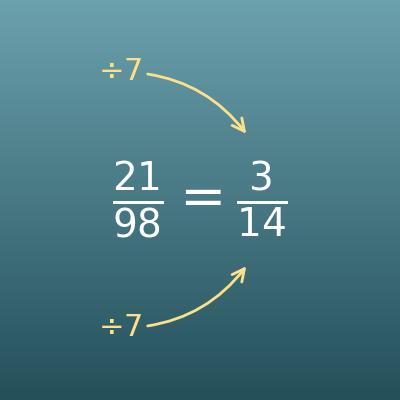
Divides the numerator and denominator by their greatest common factor to put a fraction in simplest form
Number Base Converter (Binary, Octal, Decimal and Hexadecimal)
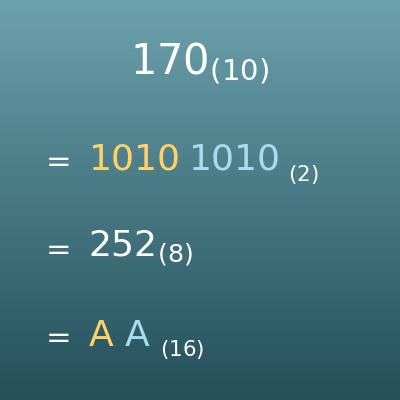
Uses the quotient and remainder of division to convert between binary, octal, decimal and hexadecimal