Enter the coefficients a and b of the inside, ax + b, the number c on the right, and the type of comparison (=, <, ≤, >, ≥). The expression below is linked to the input fields, so you can also edit the numbers directly in it.
Table of Contents
-
What you can do on this page
-
What is this calculation used for?
-
How to Use
-
Formulas and number lines
-
Basic rule for absolute value equations (when \(c > 0\))
-
Basic rule for absolute value inequalities (\(<\) and \(\le\): the range between)
-
Basic rule for absolute value inequalities (\(>\) and \(\ge\): the ranges outside)
-
Removing the absolute value by splitting into cases (works for any expression)
-
-
Symbols and terms
-
Good to know before you start
-
How to calculate it in Excel
-
How to calculate it in Google Sheets
-
How to calculate it in Python
-
How to write it in LaTeX and other math languages (copy and paste)
-
How to have ChatGPT do the calculation
-
DataChef Features
-
Related Features
-
NumberChef Calculators List
What you can do on this page
- Solve absolute value equations and inequalities, \(|ax+b| = c\), \(< c\), \(\le c\), \(> c\) and \(\ge c\), just by entering the coefficients and choosing the comparison. Answers are shown as fractions in lowest terms (exact values)
- It shows the steps for both standard methods: (1) the basic rules (such as "if \(|X| = c\), then \(X = \pm c\)") and (2) splitting into cases (\(ax+b \ge 0\) and \(< 0\)) to remove the absolute value. For the cases, it checks each answer against the case condition line by line
- Tricky cases such as \(c = 0\) and \(c < 0\) (only one point, all real numbers except one point, no solution, all real numbers) are handled correctly, with the reason: "an absolute value is always 0 or more"
- The solution of an inequality is drawn on a number line, with a closed circle when the endpoint is included and an open circle when it is not
- Coefficients can be decimals, negative numbers or fractions such as 3/4. A plain-language explanation of the formulas and copy-and-paste formulas for Excel, Google Sheets and Python are all on this page
What is this calculation used for?
The size of a manufactured part is controlled as "design value ± tolerance". For a part that should be 2.000 inches long with a tolerance of ±0.005 inch, the pass condition is exactly the absolute value inequality \(|x - 2| \le 0.005\), and its solution, \(1.995 \le x \le 2.005\), is the acceptable range.
The notation "\(2.000 \pm 0.005\)" on a drawing is a short way of writing this inequality.
In the United States, household outlets are nominally 120 volts, and the industry standard (ANSI C84.1, Range A) expects the voltage delivered to homes to stay within ±5%, that is, from 114 to 126 volts. This is the range \(|V - 120| \le 6\), or \(114 \le V \le 126\).
Rules that "keep the size of the difference from a standard value within a limit" appear in many fields, such as water pressure and the net contents printed on food packages, and each can be written as an absolute value inequality.
In programming, a check that treats two values as equal when their difference is small enough is written like if abs(x - target) <= eps. It is the standard way to compare decimals while allowing for rounding errors, or to decide in a game that a character has "almost reached" its destination.
This one line is the absolute value inequality \(|x - t| \le \varepsilon\) written as code, and its solution range is exactly the range where the check passes.
The difference between a measured value and the true value (the error) can be on the plus side or the minus side. When the question is "is the size of the error within a limit?", the basic approach is to drop the sign and look at \(|\text{measured value} - \text{reference value}|\).
For example, a thermometer with an accuracy of "±0.2 °F" roughly guarantees \(|\text{reading} - \text{true value}| \le 0.2\). Keeping this range in mind changes how you read the result.
Formulas and number lines
Symbols and terms
Symbols
| \(|x|\) | absolute value of x | The absolute value sign. A number written between two vertical bars means how far it is from 0 on the number line (its distance). A distance is always 0 or more, so \(|5| = 5\) and \(|-5| = 5\). |
| \(X\) | capital X | On this page, a letter that stands for the whole inside of the absolute value, \(ax+b\), treated as one unit. Treating the inside as a single letter lets you use the basic rules directly. |
| \(a,\ b,\ c\) | a, b, c | Letters often used for fixed numbers (constants). By custom, letters near the start of the alphabet, \(a,\ b,\ c\), are used for fixed numbers. On this page, \(a\) and \(b\) are the coefficient and the constant of the inside, \(ax+b\), and \(c\) is the number on the right side. |
| \(x\) | ex | The unknown number you want to find. By custom, letters near the end of the alphabet, \(x,\ y,\ z\), are used for unknowns, a habit said to come from the mathematician Descartes. |
| \(\pm\) | plus or minus | A symbol that writes "both the \(+\) case and the \(-\) case" at once. \(X = \pm 5\) is a short way to write both \(X = 5\) and \(X = -5\). |
| \(<,\ >\) | less than, greater than | Inequality signs that compare sizes. The open side of the sign faces the larger number. The endpoint itself is not included (shown as an open circle on a number line). |
| \(\ge,\ \le\) | greater than or equal to, less than or equal to | Inequality signs that include the endpoint itself (shown as a closed circle on a number line). Some countries, such as Japan, write them with a double line under the sign (≧, ≦); the meaning is the same. |
| \(\neq\) | not equal to | The symbol for "is not equal to". \(x \neq 2\) means "every real number except 2", and it shows up in the solution of \(|X| > 0\). |
Terms
| absolute value | The distance from 0 to a number on the number line. A distance is always 0 or more. A positive number stays the same (\(|5| = 5\)), and a negative number loses its sign (\(|-5| = 5\)). Its meaning is taught in Grade 6, and equations and inequalities with it in Algebra 1 and Algebra 2. |
| equation | A statement with an equal sign that contains an unknown number. A value of the unknown that makes it true is a "solution", and finding all the solutions is "solving the equation". |
| inequality | A statement that compares the sizes of numbers or expressions with an inequality sign (\(<\), \(\le\), \(>\), \(\ge\)). Its solution is usually a range rather than a single number, and it is easier to understand on a number line. |
| linear expression | An expression in which \(x\) appears only to the first power, such as \(2x - 3\). On this page, the inside of the absolute value is a linear expression. |
| splitting into cases (case analysis) | When an expression takes a different form depending on the situation, you split the problem into cases and solve each one separately. Absolute value is the classic example, because how you remove it depends on the sign of the inside. |
| checking against the case condition | Making sure that an answer fits the condition it was based on. When you split into cases, always check that each case's answer satisfies that case's condition (for a range, that there is an overlap), and reject any answer that does not. |
| overlap | The part that belongs to both of two ranges (the "and" range, also called the intersection). A common way to find it is to draw the ranges on number lines one above the other and read off where they overlap. |
| number line | A picture that places numbers as points on a straight line. Numbers get larger to the right. It is used to see absolute values (distances from 0) and the solutions of inequalities. |
| moving a term | Moving a term of an equation or inequality to the other side and changing its sign. Moving the \(-3\) in \(2x - 3 = 5\) to the right side gives \(2x = 5 + 3\). |
| real number | Any number that can be placed on the number line: whole numbers, fractions and decimals, and also numbers such as \(\sqrt{2}\) and pi. |
| no solution | There is no \(x\) at all that satisfies the condition. For example, \(|x| = -2\) has no solution, because an absolute value cannot be negative. |
| all real numbers | It is true whatever value \(x\) has. For example, \(|x| \ge -1\) is always true, because an absolute value is always 0 or more. |
Good to know before you start
Here is what helps you use the calculation on this page with real understanding, not just by pressing the button.
If you get stuck, going back to review these topics is the fastest way forward.
| Negative numbers and the number line (Grades 6–7) |
|
| What absolute value means (Grade 6) |
|
| Linear equations (Grades 7–8) |
|
| Linear inequalities (Grade 7 and Algebra 1) |
|
| Working with fractions (Grades 5–7) |
|
How to calculate it in Excel
| Coefficient of x, a | 2 |
| Constant b | -3 |
| Right side c | 5 |
| Solution 1 (x where the inside is c) | =(B3-B2)/B1 |
| Solution 2 (x where the inside is −c) | =(-B3-B2)/B1 |
| Coefficient of x, a | 2 |
| Constant b | -3 |
| Right side c | 5 |
| Left end of the range | =MIN((B3-B2)/B1,(-B3-B2)/B1) |
| Right end of the range | =MAX((B3-B2)/B1,(-B3-B2)/B1) |
| Coefficient of x, a | 2 |
| Constant b | -3 |
| x to check | 4 |
| Value of |ax+b| | =ABS(B1*B3+B2) |
The first table is for |2x − 3| = 5, and it gives solution 1 = 4 and solution 2 = −1. If you enter 0 or a negative number for c, it still shows numbers, but the real answer is "only one point if c = 0, no solution if c is negative", so be careful (the calculator on this page detects this automatically).
The second table finds the solution range of |2x − 3| ≤ 5, −1 ≤ x ≤ 4. MIN gives the left end and MAX the right end. For > and ≥, the solution is the two ranges outside these values.
The third table is for checking. Substitute the solution x = 4, and the value of ABS (the absolute value function) comes back to the right side, 5.
How to calculate it in Google Sheets
| Coefficient of x, a | 2 |
| Constant b | -3 |
| Right side c | 5 |
| Solution 1 (x where the inside is c) | =(B3-B2)/B1 |
| Solution 2 (x where the inside is −c) | =(-B3-B2)/B1 |
| Coefficient of x, a | 2 |
| Constant b | -3 |
| Right side c | 5 |
| Left end of the range | =MIN((B3-B2)/B1,(-B3-B2)/B1) |
| Right end of the range | =MAX((B3-B2)/B1,(-B3-B2)/B1) |
| Coefficient of x, a | 2 |
| Constant b | -3 |
| x to check | 4 |
| Value of |ax+b| | =ABS(B1*B3+B2) |
How to calculate it in Python
from fractions import Fraction

# Solve |a*x + b| ? c (a fraction such as 3/4 can be written Fraction(3, 4))
a = Fraction(2)     # coefficient of x
b = Fraction(-3)    # constant (inside the absolute value)
c = Fraction(5)     # number on the right side
sign = "<="         # choose from "=", "<", "<=", ">", ">="

lower = (-c - b) / a    # x where the inside is -c
upper = (c - b) / a     # x where the inside is c
left, right = min(lower, upper), max(lower, upper)

if c > 0:
    if sign == "=":
        print(f"Solution: x = {left}, {right}")
    elif sign in ("<", "<="):
        print(f"Solution: {left} {sign} x {sign} {right}")
    else:
        flipped = "<" if sign == ">" else "<="
        print(f"Solution: x {flipped} {left} or {right} {flipped} x")
elif c == 0:
    boundary = -b / a   # x where the inside is 0
    if sign in ("=", "<="):
        print(f"Solution: x = {boundary}")
    elif sign == "<":
        print("No solution")
    elif sign == ">":
        print(f"Solution: x ≠ {boundary}")
    else:
        print("All real numbers")
else:
    # An absolute value is always 0 or more, so comparing it with a negative c is decided automatically
    if sign in (">", ">="):
        print("All real numbers")
    else:
        print("No solution")
How to write it in LaTeX and other math languages (copy and paste)
|X| = c ⇔ X = ±c (c > 0)
\lvert X \rvert = c \iff X = \pm c \quad (c > 0)
<math xmlns="http://www.w3.org/1998/Math/MathML" display="block">
<mrow>
<mo>|</mo><mi>X</mi><mo>|</mo>
<mo>=</mo><mi>c</mi>
<mo>⇔</mo>
<mi>X</mi><mo>=</mo><mo>±</mo><mi>c</mi>
</mrow>
</math>
abs(X) = c iff X = +-c
Solve[Abs[x] == c, x, Reals]
solve(abs(x) = c, x);
solve(abs(x) == c, x)
|X| = c ⇔ X = ±c (c > 0)
|X| < c ⇔ −c < X < c
\lvert X \rvert < c \iff -c < X < c
<math xmlns="http://www.w3.org/1998/Math/MathML" display="block">
<mrow>
<mo>|</mo><mi>X</mi><mo>|</mo>
<mo><</mo><mi>c</mi>
<mo>⇔</mo>
<mo>−</mo><mi>c</mi><mo><</mo><mi>X</mi><mo><</mo><mi>c</mi>
</mrow>
</math>
abs(X) < c iff -c < X < c
Reduce[Abs[x] < c, x, Reals]
solve(abs(x) < c, x);
solve(abs(x) < c, x, 'ReturnConditions', true)
|X| < c ⇔ −c < X < c
|X| > c ⇔ X < −c or c < X
\lvert X \rvert > c \iff X < -c \ \text{or}\ c < X
<math xmlns="http://www.w3.org/1998/Math/MathML" display="block">
<mrow>
<mo>|</mo><mi>X</mi><mo>|</mo>
<mo>></mo><mi>c</mi>
<mo>⇔</mo>
<mi>X</mi><mo><</mo><mo>−</mo><mi>c</mi>
<mtext> or </mtext>
<mi>c</mi><mo><</mo><mi>X</mi>
</mrow>
</math>
abs(X) > c iff X < -c or c < X
Reduce[Abs[x] > c, x, Reals]
solve(abs(x) > c, x);
solve(abs(x) > c, x, 'ReturnConditions', true)
|X| > c ⇔ X < −c or c < X
|X| = X (X ≥ 0), |X| = −X (X < 0)
\lvert X \rvert = \begin{cases} X & (X \ge 0) \\ -X & (X < 0) \end{cases}
<math xmlns="http://www.w3.org/1998/Math/MathML" display="block">
<mrow>
<mo>|</mo><mi>X</mi><mo>|</mo><mo>=</mo>
<mrow>
<mo>{</mo>
<mtable columnalign="left left">
<mtr>
<mtd><mi>X</mi></mtd>
<mtd><mo>(</mo><mi>X</mi><mo>≥</mo><mn>0</mn><mo>)</mo></mtd>
</mtr>
<mtr>
<mtd><mo>−</mo><mi>X</mi></mtd>
<mtd><mo>(</mo><mi>X</mi><mo><</mo><mn>0</mn><mo>)</mo></mtd>
</mtr>
</mtable>
</mrow>
</mrow>
</math>
abs(X) = {(X, (X >= 0)), (-X, (X < 0)):}
Abs[x] == Piecewise[{{x, x >= 0}, {-x, x < 0}}]
abs(x) = piecewise(x >= 0, x, x < 0, -x);
piecewise(x >= 0, x, x < 0, -x)
|X| = X (X ≥ 0), |X| = −X (X < 0)
How to have ChatGPT do the calculation
You are a calculation assistant for algebra. Do the following calculation by actually running Python code, and base your answer only on the numbers from the execution result (do not answer by mental math or guessing).

Solve the absolute value inequality |2x − 3| ≤ 5.
Show each of the following:
1. The inequality rewritten with the basic rule (in the form −c ≤ 2x−3 ≤ c)
2. The solution range (with endpoints as fractions in lowest terms or whole numbers)
3. Also solve it by splitting into cases (2x−3 ≥ 0 and 2x−3 < 0), show each case's answer and its overlap with the case condition, and confirm that you get the same answer as in 1

In Python, calculate exactly with sympy's solveset (or an equivalent of Reduce using Abs) and fractions, and show the code you used and the execution result.
How to Use
-
1Enter your numbersType the numbers you want to calculate with into the input fields
-
2CalculatePress the "Calculate" button
-
3Check the resultThe result appears on the spot. The same page also explains the idea behind the calculation and the formula
DataChef Features

No technical knowledge required.
Intuitive and user-friendly operation.

Can be used without registering personal information.

Automatic file deletion by clicking "download".

and rapid file conversion.

No attribution required.

No need to contact us for commercial use permission.
Related Features
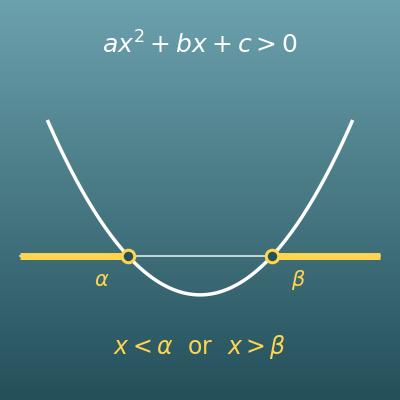
Quadratic Inequality Calculator (Solution Set, Discriminant Cases and Graph)
Solves quadratic inequalities such as ax²+bx+c>0, with steps split by the sign of the discriminant and a graph of the parabola
Linear Equation Calculator (Solve for x with Steps)
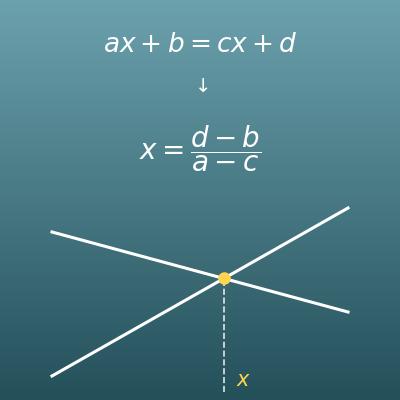
After removing the absolute value, you solve a linear equation. Solves ax+b=cx+d with steps, a check and a graph
Positive and Negative Numbers Calculator (Integer Rules, Steps and Number Line)
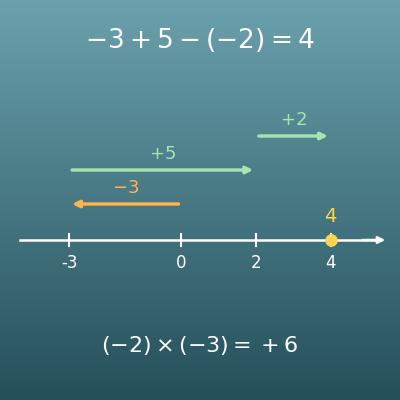
Review arithmetic with negative numbers before absolute values. See the sign rules with steps and a number line