Enter the number you want to convert. It is shown in scientific, E, engineering and decimal notation at once, with steps showing how many places the decimal point moved.
Table of Contents
-
What you can do on this page
-
What is this calculation used for?
-
How to Use
-
Formula
-
Symbols and terms
-
Good to know before you start
-
How to calculate it in Excel
-
How to calculate it in Google Sheets
-
How to calculate it in Python
-
How to write it in LaTeX and other math languages (copy and paste)
-
How to have ChatGPT do the calculation
-
DataChef Features
-
Related Features
-
NumberChef Calculators List
What you can do on this page
- Enter an ordinary number such as "3672.2" and see it in four forms at once: scientific notation (\(3.6722 \times 10^3\)), E notation (3.6722e3), engineering notation and decimal notation
- You can also enter a number in exponent form, such as "2.3e11" or "\(3.5 \times 10^{-12}\)", and turn it back into an ordinary number (decimal notation)
- The steps show which way and how many places the decimal point moved, so you learn how to convert by yourself
- Useful for writing numbers in science and chemistry lab reports, and for reading a "2.3E+11" on a calculator or in Excel
- A plain-language explanation of the formulas and copy-and-paste formulas for Excel, Google Sheets and Python are all on this page
What is this calculation used for?
The speed of light is about 300000000 m per second. Just counting the zeros is hard. Science and physics textbooks write it as \(3 \times 10^8\) m/s. Comparing it with the distance around the Earth (about \(4 \times 10^7\) m), the exponents alone tell you it is about 10 times larger.
In lab reports and science records with large numbers, scientific notation is the standard rule.
The number of particles in 1 mole of a substance (Avogadro's number) is about \(6.02 \times 10^{23}\). Written out, it is 602000000000000000000000, a 24-digit number that invites mistakes.
Mole calculations in high school chemistry are a chain of multiplying and dividing by this number, so reading and writing scientific notation leads directly to better chemistry grades.
Calculators and Excel automatically show numbers with many digits as something like 2.3E+11. This is not an error but E notation for \(2.3 \times 10^{11} = 230000000000\) (230 billion).
If you can read it calmly instead of worrying about "strange letters in the cell", you can use spreadsheets with confidence, from household budgets to work reports.
In programming, number literals in E notation such as 1e9 (1 billion) and 1.5e-8 are used every day, and results are shown in forms like 3.5e-12.
If you know how E notation matches scientific notation, you can quickly check whether a large result makes sense (check its order of magnitude).
A flu virus is about 0.0000001 m across. In scientific notation that is \(1 \times 10^{-7}\) m, and rewriting it the engineering notation way as \(100 \times 10^{-9}\) m, you can read it as "100 nm (nanometers)".
Engineering notation, with exponents that are multiples of 3, connects directly to SI prefixes such as nano, micro and milli. It helps you understand sizes in semiconductors and biology with numbers.
Formula
Symbols and terms
Symbols
| \(N\) | N (capital) | The original number. On this page, a number written the ordinary way (decimal notation), such as 3672.2. |
| \(b\) | b | The coefficient (also called the significand). The digits, adjusted so the absolute value is at least 1 and less than 10 (for example, 3.6722 for 3672.2, and −5 for −5000000000). It carries the actual digits of the number. |
| \(n\) | n | The exponent. The number of times 10 is multiplied, which carries the size of the number (the order of magnitude). If it is positive, the absolute value is 10 or more; if negative, the absolute value is less than 1. |
| \(10^n\) | 10 to the nth power | 10 multiplied \(n\) times (for example, \(10^3 = 1000\)). When \(n\) is negative, it stands for dividing by 10 (for example, \(10^{-4} = \dfrac{1}{10000} = 0.0001\)). |
| \(k\) | k | The number of places the decimal point moved. Moving left gives \(n = +k\), and moving right gives \(n = -k\). |
| \(\mathrm{e}\) (the e in E notation) | e | A separator that stands for "× 10 to the power" (for example, 3.5e-12 is \(3.5 \times 10^{-12}\)). A capital E is the same. It has nothing to do with \(e \approx 2.718\), the base of the natural logarithm. |
Terms
| scientific notation | A way to write a number as "a coefficient whose absolute value is at least 1 and less than 10 × a power of 10". Very large and very small numbers can be written briefly without miscounting zeros. In the UK it is also called standard form. |
| coefficient (significand, mantissa) | The \(b\) in \(b \times 10^n\). This page calls it the coefficient. Depending on the field, it is also called the significand or the mantissa. |
| exponent | The small number at the upper right of a number. It tells how many times to multiply by the same number. On this page, it tells how many times to multiply by 10 (or, if negative, how many times to divide by 10). |
| order of magnitude | The rough size of a number as "about 10 to what power". The exponent \(n\) in scientific notation is the order of magnitude. "Orders of magnitude larger" is used when numbers differ by one or more powers of 10. |
| E notation | A way of writing the \(\times 10^n\) part with the letter e (or E), for example 7e2 for \(7 \times 10^2\). It is used on calculators, in Excel and in programming, where superscripts are not available. |
| engineering notation | A relative of scientific notation that uses only exponents that are multiples of 3. The coefficient's absolute value is at least 1 and less than 1000. Its advantage is that it matches units that step by 1000 (SI prefixes). |
| SI prefix | Symbols put in front of a unit to show sizes that step by 1000, such as k (kilo \(=10^3\)), M (mega \(=10^6\)), G (giga \(=10^9\)), m (milli \(=10^{-3}\)), μ (micro \(=10^{-6}\)) and n (nano \(=10^{-9}\)). They match the exponents of engineering notation. |
Good to know before you start
Here is what helps you use the calculation on this page with real understanding, not just by pressing the button.
| Multiplying by 10 or 100 and moving the decimal point (Grade 5) |
|
| Powers and exponents (Grade 6) |
|
| Negative exponents (Grade 8) |
|
| Rounding and significant figures (high school chemistry and physics) |
|
How to calculate it in Excel
| Number to convert | 3672.2 |
| E notation (TEXT function) | =TEXT(B1,"0.0000E+00") |
| Coefficient b | 3.5 |
| Exponent n | -12 |
| Decimal value | =B1*10^B2 |
Instead of a function, you can also change the cell format to Scientific (Home → Number Format → Scientific). If you want to stop Excel from showing a number as something like 2.3E+11, change the format to Number.
The second table turns a coefficient and exponent back into a decimal. B3 shows 3.5E-12, but its value is 0.0000000000035 (set the format to Number with 13 decimal places to see it as is).
How to calculate it in Google Sheets
| Number to convert | 3672.2 |
| E notation (TEXT function) | =TEXT(B1,"0.0000E+00") |
| Coefficient b | 3.5 |
| Exponent n | -12 |
| Decimal value | =B1*10^B2 |
You can switch the display with Format → Number → Scientific.
How to calculate it in Python
x = 3672.2                # number to convert
print(f"{x:e}")           # E notation (3.672200e+03)
print(f"{x:.4e}")         # E notation with 4 decimal places (3.6722e+03)

y = float("2.3e11")       # a string in E notation can be read as a number directly
print(f"{y:.0f}")         # back to decimal notation (230000000000)
How to write it in LaTeX and other math languages (copy and paste)
N = b × 10ⁿ (1 ≤ |b| < 10)
N = b \times 10^{n} \quad (1 \le |b| < 10)
<math xmlns="http://www.w3.org/1998/Math/MathML" display="block">
<mrow>
<mi>N</mi>
<mo>=</mo>
<mi>b</mi>
<mo>×</mo>
<msup><mn>10</mn><mi>n</mi></msup>
</mrow>
</math>
N = b * 10^n, \ 1 <= |b| < 10
ScientificForm[3672.2]
evalf(3.6722 * 10^3);
N = b * 10^n;
N = b × 10^n (1 ≤ |b| < 10)
n = +k (|N| ≥ 10), n = −k (|N| < 1)
n = +k \ (|N| \ge 10), \quad n = -k \ (|N| < 1)
<math xmlns="http://www.w3.org/1998/Math/MathML" display="block">
<mrow>
<mi>n</mi><mo>=</mo><mo>+</mo><mi>k</mi>
<mo>,</mo>
<mi>n</mi><mo>=</mo><mo>−</mo><mi>k</mi>
</mrow>
</math>
n = +k (|N| >= 10), n = -k (|N| < 1)
Floor[Log10[Abs[3672.2]]]
n := floor(log10(abs(x)));
n = floor(log10(abs(x)));
n = +k (|N| ≥ 10), n = −k (|N| < 1)
b × 10ⁿ = bEn
b \times 10^{n} = b\mathrm{E}n
<math xmlns="http://www.w3.org/1998/Math/MathML" display="block">
<mrow>
<mi>b</mi>
<mo>×</mo>
<msup><mn>10</mn><mi>n</mi></msup>
<mo>=</mo>
<mi>b</mi><mi>E</mi><mi>n</mi>
</mrow>
</math>
b * 10^n = b E n
ScientificForm[0.0000000000035]
evalf(3.5e-12);
sprintf('%e', 3.5e-12)
b × 10^n = bEn
How to have ChatGPT do the calculation
You are a calculation assistant for converting number notation. Do the following by actually running Python code, and base your answer only on the numbers from the execution result (do not answer by mental math or guessing).

Convert each of the following three numbers into (a) scientific notation (a coefficient with absolute value at least 1 and less than 10 × a power of 10), (b) E notation, and (c) engineering notation (exponent a multiple of 3).
1. 3672.2
2. 0.0004212
3. 299792458 (the speed of light in m/s)

Also show which way and how many places the decimal point moved for each.
Show the code you used and the numbers from the execution result.
How to Use
-
1Enter your numbersType the numbers you want to calculate with into the input fields
-
2CalculatePress the "Calculate" button
-
3Check the resultThe result appears on the spot. The same page also explains the idea behind the calculation and the formula
DataChef Features

No technical knowledge required.
Intuitive and user-friendly operation.

Can be used without registering personal information.

Automatic file deletion by clicking "download".

and rapid file conversion.

No attribution required.

No need to contact us for commercial use permission.
Related Features
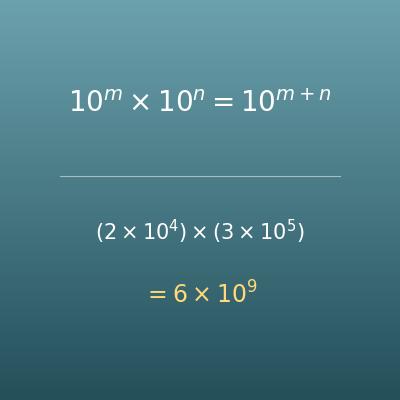
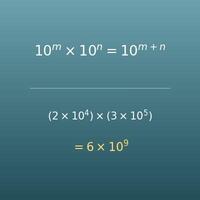
Scientific Notation Calculator (Add, Subtract, Multiply, Divide, Powers)
The companion page. Does arithmetic with numbers in scientific notation, with steps for rules such as matching the exponents before adding and adding the exponents when multiplying
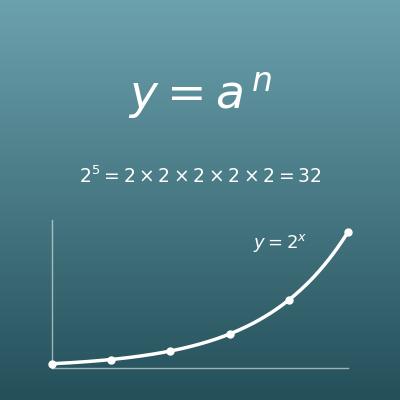
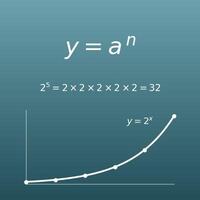
Exponent Calculator (Powers, a to the nth Power)
Calculates a power from the base and the exponent. Handy for checking how big 10 to the nth power is
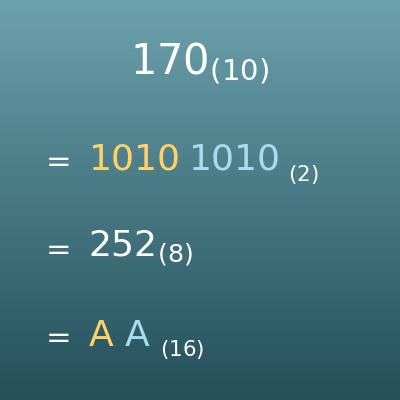
Number Base Converter (Binary, Octal, Decimal and Hexadecimal)
Another way to write numbers. Converts between binary, octal, decimal and hexadecimal
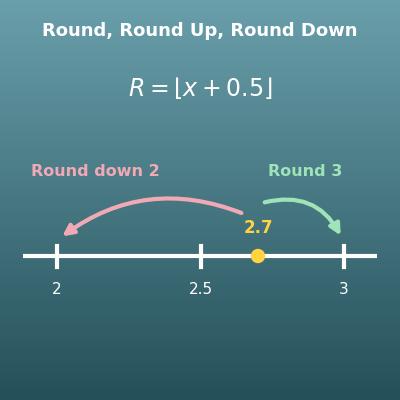
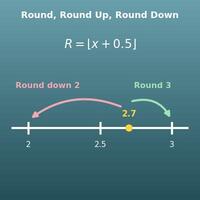
Rounding Calculator (Round, Round Up and Round Down)
Rounds a number to the place you choose. Useful together with this page when you round the coefficient to a number of significant figures
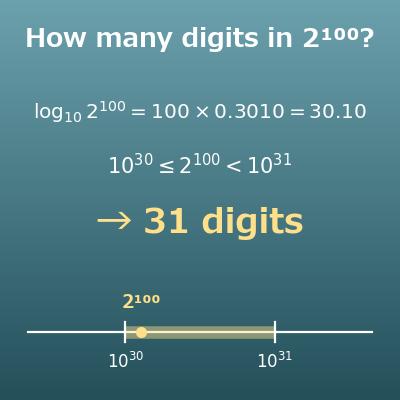
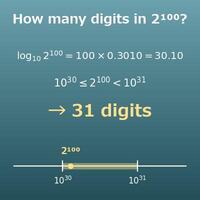
Number of Digits Calculator (How Many Digits in 2^100? Leading Digit)
Finds how many digits a power has and its leading digit, both by hand with log₁₀ 2 ≈ 0.3010 and by exact calculation