







































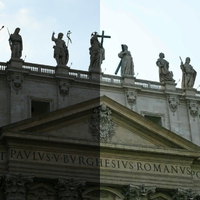

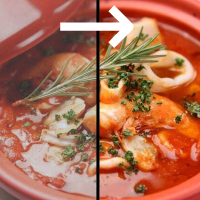
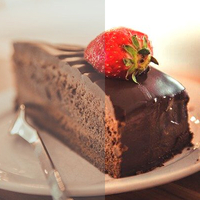















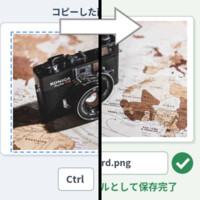
Sample Before

Sample After
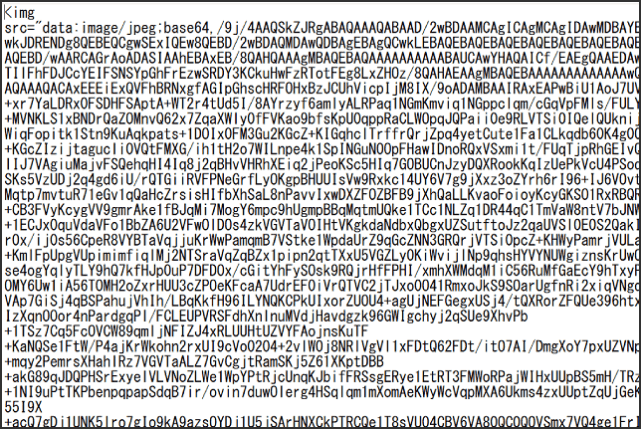
About This Feature
Convert an image to Base64 online. Upload a picture and get the encoded text right away.
You can copy the entire Base64 string with a single click of the copy button, or download it as a text file.
Choose whether to output it as an HTML![]() tag or as a CSS background-image property.
tag or as a CSS background-image property.
Supported source formats are JPEG, PNG, and GIF.
You can copy the entire Base64 string with a single click of the copy button, or download it as a text file.
Choose whether to output it as an HTML
Supported source formats are JPEG, PNG, and GIF.
How to Use
-
1Choose Your ImageClick the "Browse" button or drag and drop an image onto the screen.
-
2ConvertClick the "CONVERT FOR FREE" button.
-
3DownloadClick the "DOWNLOAD" button.
DataChef Features

Easy and Free
Unlimited conversions for free.
No technical knowledge required.
Intuitive and user-friendly operation.
No technical knowledge required.
Intuitive and user-friendly operation.

No Registration Required
Available immediately after access.
Can be used without registering personal information.
Can be used without registering personal information.

Safe and Secure
Fully SSL encrypted communication.
Automatic file deletion by clicking "download".
Automatic file deletion by clicking "download".

Fast
High-speed site access
and rapid file conversion.
and rapid file conversion.

No Watermark
No watermark.
No attribution required.
No attribution required.

Commercial Use Available
Free for commercial use.
No need to contact us for commercial use permission.
No need to contact us for commercial use permission.
■What Is Base64 Encoding? Binary Data as Text
Images are normally stored as binary data. Base64 encoding converts that binary data into a plain text string, so an image can be handled as text. To your visitors, it looks exactly like a regular image.
■Benefits of Base64-Encoded Images on a Website
1. Fewer HTTP Requests:
With Base64 encoding, you can embed images directly in your HTML or CSS. Since the image travels as part of the document, the browser fetches fewer external files, which can shorten page load times.
2. Stable Layout:
Base64 encoding can keep your design from breaking while the page is still loading. On pages with many icons or small design elements, the layout may shift for a moment until every image arrives. A Base64 image is part of the document itself, so it never loads late as a separate file.
3. Image Protection:
Base64 images are harder to download than regular image files. They cannot be saved by the usual methods, such as right-click and save or tap and hold, which makes casual copying much harder.
■Caveats of Using Base64 Images on a Website
1. Larger Data Size:
Base64 encoding usually produces more data than the original binary. Encoding a large image inflates your page size and can slow down loading.
2. Less Effective Caching:
Base64-encoded images are not cached as external files. If the same image appears on another page, it has to be downloaded all over again. Think twice if caching matters to your site.
3. Browser Support:
Some very old browsers have trouble displaying Base64-encoded images. Use a modern browser or check the support status for your audience.
■Conclusion
All things considered, Base64 encoding shines for small images such as icons and design elements, and whenever you want to cut down on external file requests. For large images, or when caching is important, a regular external file may serve you better. Use Base64 encoding wisely to improve the quality of your website.
■What Is Base64 Encoding? Binary Data as Text
Images are normally stored as binary data. Base64 encoding converts that binary data into a plain text string, so an image can be handled as text. To your visitors, it looks exactly like a regular image.
■Benefits of Base64-Encoded Images on a Website
1. Fewer HTTP Requests:
With Base64 encoding, you can embed images directly in your HTML or CSS. Since the image travels as part of the document, the browser fetches fewer external files, which can shorten page load times.
2. Stable Layout:
Base64 encoding can keep your design from breaking while the page is still loading. On pages with many icons or small design elements, the layout may shift for a moment until every image arrives. A Base64 image is part of the document itself, so it never loads late as a separate file.
3. Image Protection:
Base64 images are harder to download than regular image files. They cannot be saved by the usual methods, such as right-click and save or tap and hold, which makes casual copying much harder.
■Caveats of Using Base64 Images on a Website
1. Larger Data Size:
Base64 encoding usually produces more data than the original binary. Encoding a large image inflates your page size and can slow down loading.
2. Less Effective Caching:
Base64-encoded images are not cached as external files. If the same image appears on another page, it has to be downloaded all over again. Think twice if caching matters to your site.
3. Browser Support:
Some very old browsers have trouble displaying Base64-encoded images. Use a modern browser or check the support status for your audience.
■Conclusion
All things considered, Base64 encoding shines for small images such as icons and design elements, and whenever you want to cut down on external file requests. For large images, or when caching is important, a regular external file may serve you better. Use Base64 encoding wisely to improve the quality of your website.

Ad 

