





















DataChef Features

Easy and Free
Unlimited conversions for free.
No technical knowledge required.
Intuitive and user-friendly operation.
No technical knowledge required.
Intuitive and user-friendly operation.

No Registration Required
Available immediately after access.
Can be used without registering personal information.
Can be used without registering personal information.

Safe and Secure
Fully SSL encrypted communication.
Automatic file deletion by clicking "download".
Automatic file deletion by clicking "download".

Fast
High-speed site access
and rapid file conversion.
and rapid file conversion.

No Watermark
No watermark.
No attribution required.
No attribution required.

Commercial Use Available
Free for commercial use.
No need to contact us for commercial use permission.
No need to contact us for commercial use permission.
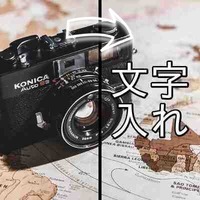
Transparent PNG (caption style) example

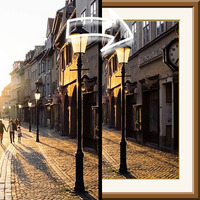
Serif font with a background color example

Bold sans-serif with an outline example

This page turns the text you type straight into an image (PNG). It supports Japanese as well, and you can make multi-line images by adding line breaks.
No image upload is needed — just type your text and press the "GENERATE" button.
Set the background to "Transparent (PNG)" and you get a text asset you can layer anywhere.
Load it into video editing software as a caption asset, overlay text on a stream thumbnail or OBS scene, sketch out a sticker, or build text parts for shop signs and price tags — it works for all kinds of uses.
Choose from a crisp, easy-to-read "Sans-serif (Gothic)", a "Bold Sans-serif" for titles and captions, or an elegant "Serif (Mincho)".
You can pick any text color, and adding an outline gives you TV-caption-style text that stays readable over any background.
For the background, choose "Transparent (PNG)", "White", or any color you like.
Use transparent when a YouTuber or streamer is making thumbnail text parts, and white or a custom color when making message images for social media or heading images for a blog.
Text size can be "Small", "Medium", or "Large". The image size is set automatically to fit the length and number of lines.
You can enter up to 300 characters. The output format is PNG.
Transparent PNG (caption style) example
Serif font with a background color example
Bold sans-serif with an outline example
Related Features
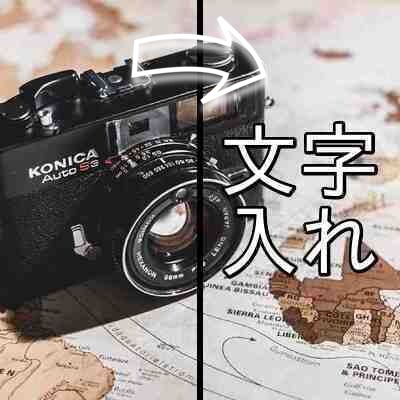
Add Text to Image
Write any text you like over an uploaded image or photo. Choose the position, size, color, font, and outline of the text.

Solid Color Background Maker
Create an image filled with a single color at the size you choose. You can also make transparent or semi-transparent images.

Ad 

